T
T
h
h
e
e
C
C
h
h
a
a
n
n
n
n
e
e
l
l
s
s
T
T
a
a
b
b
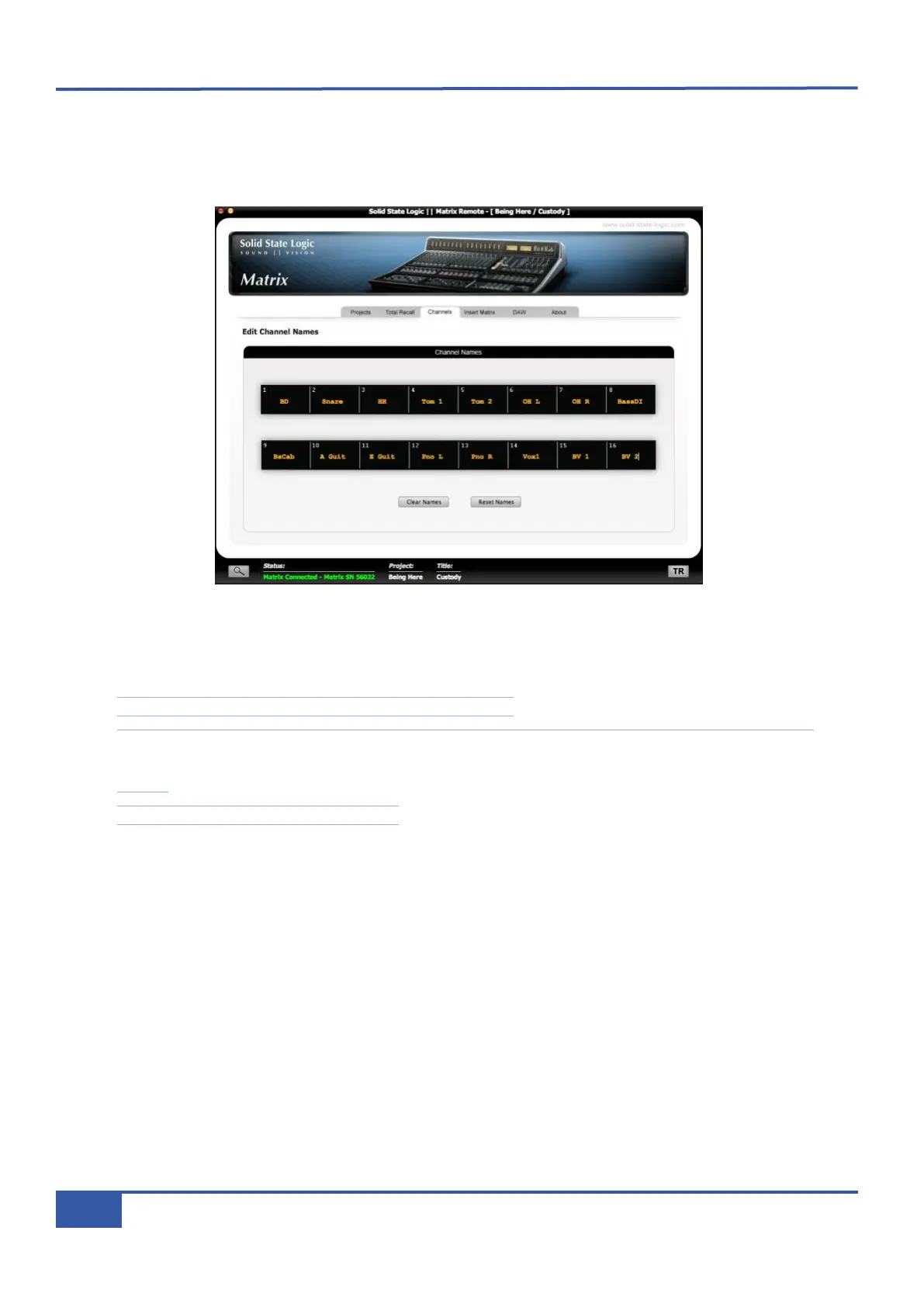
The Channels tab is the third tab from the left in the Matrix Remote. In this tab you can label the analogue channels on the Matrix
control surface. Once again, this data is specific to the currently loaded Title. The main part of the window consists of a
representation of a scribble strip:
To insert a channel name, simply click the scribble strip on the channel you wish to name, delete the current text and type the
new name in. As you type, the name will appear in the Remote scribble strip, as well as in the digital scribble strip on the Matrix
control surface located above the V-Pots. Once you have finished typing, your channel names are saved automatically.
Note that channel names can be a maximum of six characters long.
Note also that in DAW Focus mode, the channel names will be generated by the names of the DAW tracks which they
are controlling. However, when a CC layer is active, the CC numbers can be labelled in the scribble strip, as described on
Page 92.
See Page 64 for an explanation of Focus modes.
To blank all of the channel names, press the Clear All button underneath the scribble strip in the tab, and click Yes in the
warning pop-up that appears
..
To reset all the channel names to the default naming (
Chan1
,
Chan2
etc), press the Reset Channel Names button underneath
the scribble strip in the tab, and click Yes in the warning pop-up that appears.
Chapter 4 - Matrix Remote
58
Matrix Owner’s Manual



 To Next Page