Stonex R25/R25LR Total Station - User Manual 100
9.1.2. Fixed points management
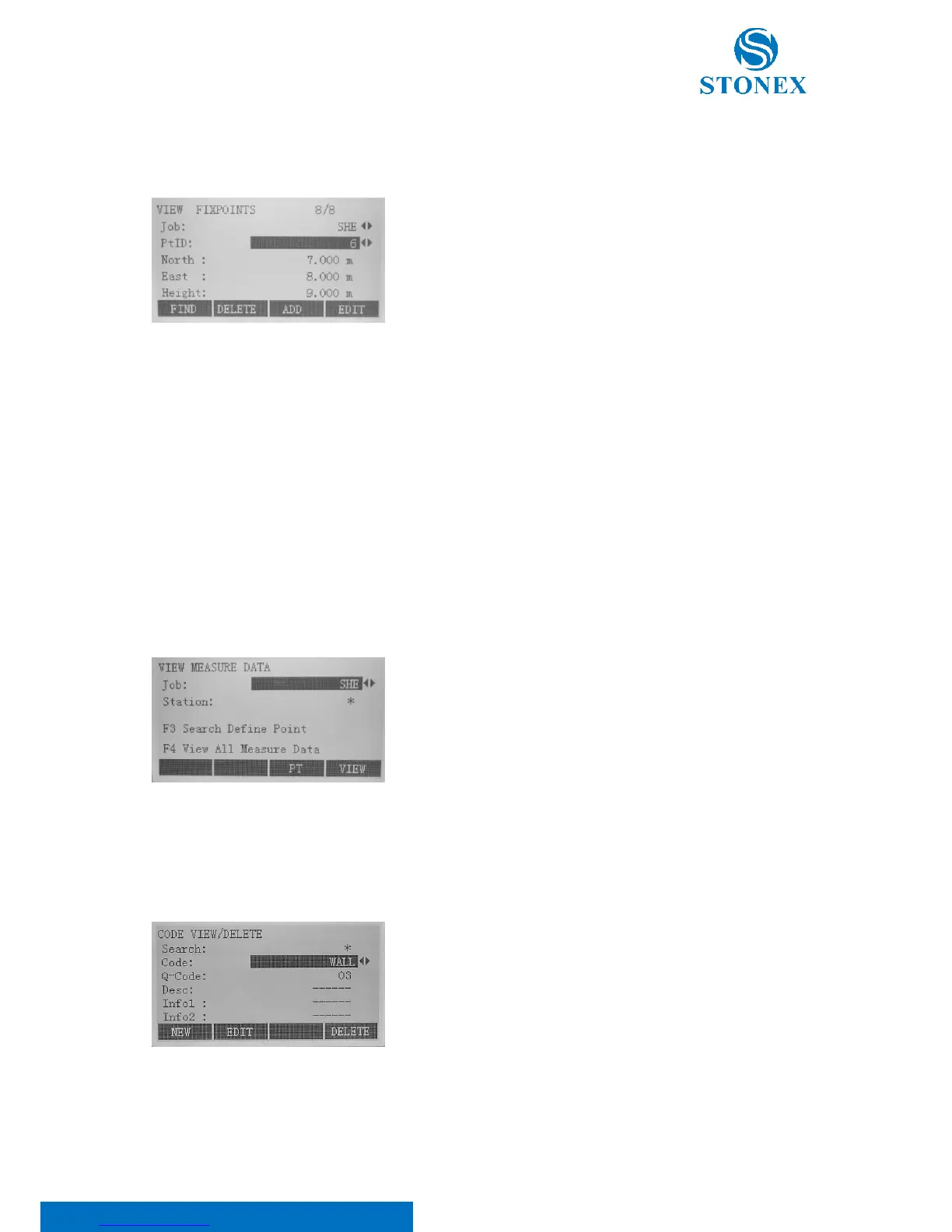
Press F2 key in the file management menu to view fixed points:
Select the job and/or the point ID (PtID) through the ◄/►keys. Valid
fixed points contain at least the PtID and the coordinates (East, North) or
(Height). Press:
• F1[FIND] to start point search. Exact PtIDs can be entered
or the * wildcard-criteria used;
• F2[DELETE] to delete selected fixed point. A warning
message will appear: press F4[YES];
• F3[ADD] to enter a new PtID and coordinates. Save with
F4[SAVE];
• F4[EDIT] to edit known data. Save with F4[SAVE].
9.1.3. Measurements management
Press F3 in the file management menu to view measurements:
Measurement data stored in the internal memory can be searched, displayed or erased.
Select the job in which you want to search the measurement through
◄/► keys. Press F3[PT] to start point search dialogue or F4[VIEW] to
display all measurements.
9.1.4. Codes management
Press F4 in the file management menu to view codes:
Select the code using ◄/► keys or editing the code name in the
“Search” space. Code, Q-Code (which is an ID for the code),
corresponding description and its maximum of 8 attributes (from
Info1 to Info8) with up to 16 characters are shown.



 To Next Page