Stonex R25/R25LR Total Station - User Manual 53
Press F1[ALL] or F2[DIST] to start measuring. Near the offsets, arrows (↓, ↑, ←, →) indicate the direction, in which
you have to move the telescope and/or the target in order to find the interested point.
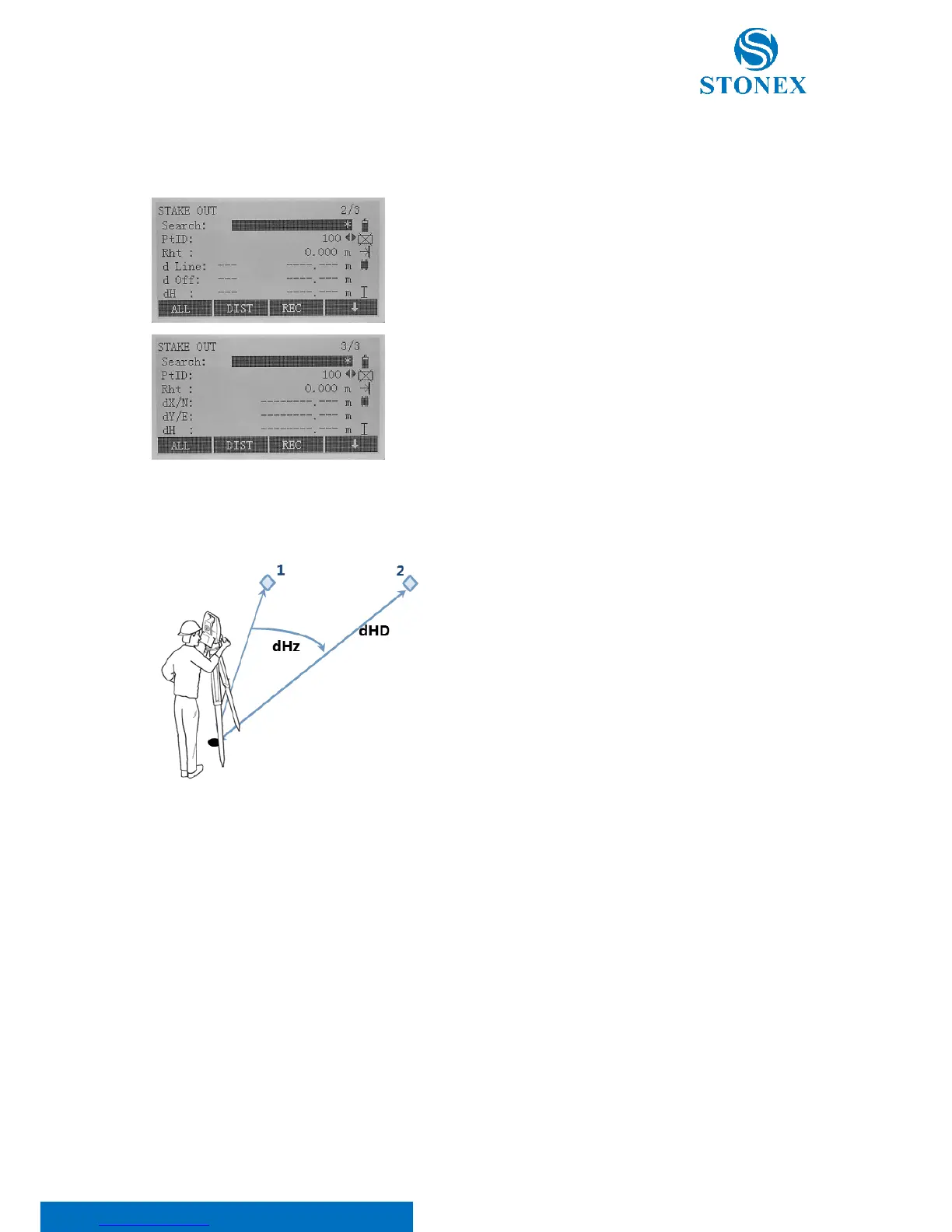
Press the {PAGE} key to scroll all the offset types:
• In the first page: polar stake out offsets;
• In the second page: orthogonal stake out offsets;
• In the third page: cartesian stake out offsets.
1: Actual point
2: Point to stake out
dHz: Angle offset (positive if point to stake out is to the
right of the actual direction)
dHD: Distance offset (positive if point to stake out is further
away)
dVD: Height offset (positive if point to stake out is higher
than measured point)



 To Next Page