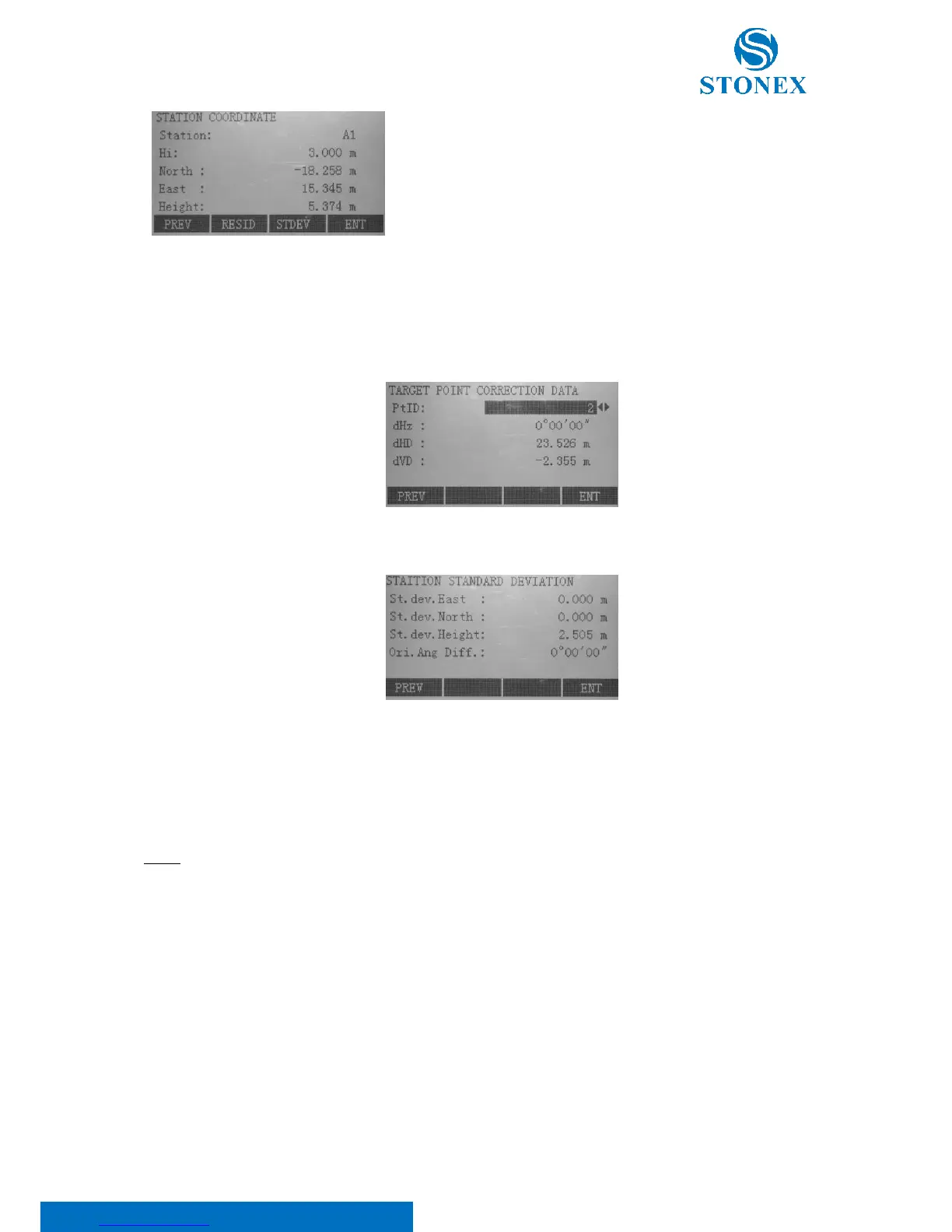
Press:
• F1[PREV] to return at the previous page;
• F2[RESID] to display residuals (Residual = Calculated value - Measured value). With the {FUNC} key
scroll between the residuals of the individual backsight points:
• F3[STDEV] to display standard deviation values:
St.dev. East, North, Height: Standard deviation of the station coordinates;
Ori. Ang Diff.: Standard deviation of the orientation.
• F4[ENT] to set the displayed coordinates and instrument height as new station.
NOTE:
• Measurements are possible using face I or II, as long as the same face is used for all the measurements;
• No specific point sequence is required;
• If a target point is measured several times in the same telescope position the last valid measurement
is used for computation;
• Target points with 0.000 height are discarded for height processing. If target points have a valid height
of 0.000 m, use 0.001 m to enable it for height processing.



 To Next Page