Stonex R25/R25LR Total Station - User Manual 85
8.10.3. Measure points
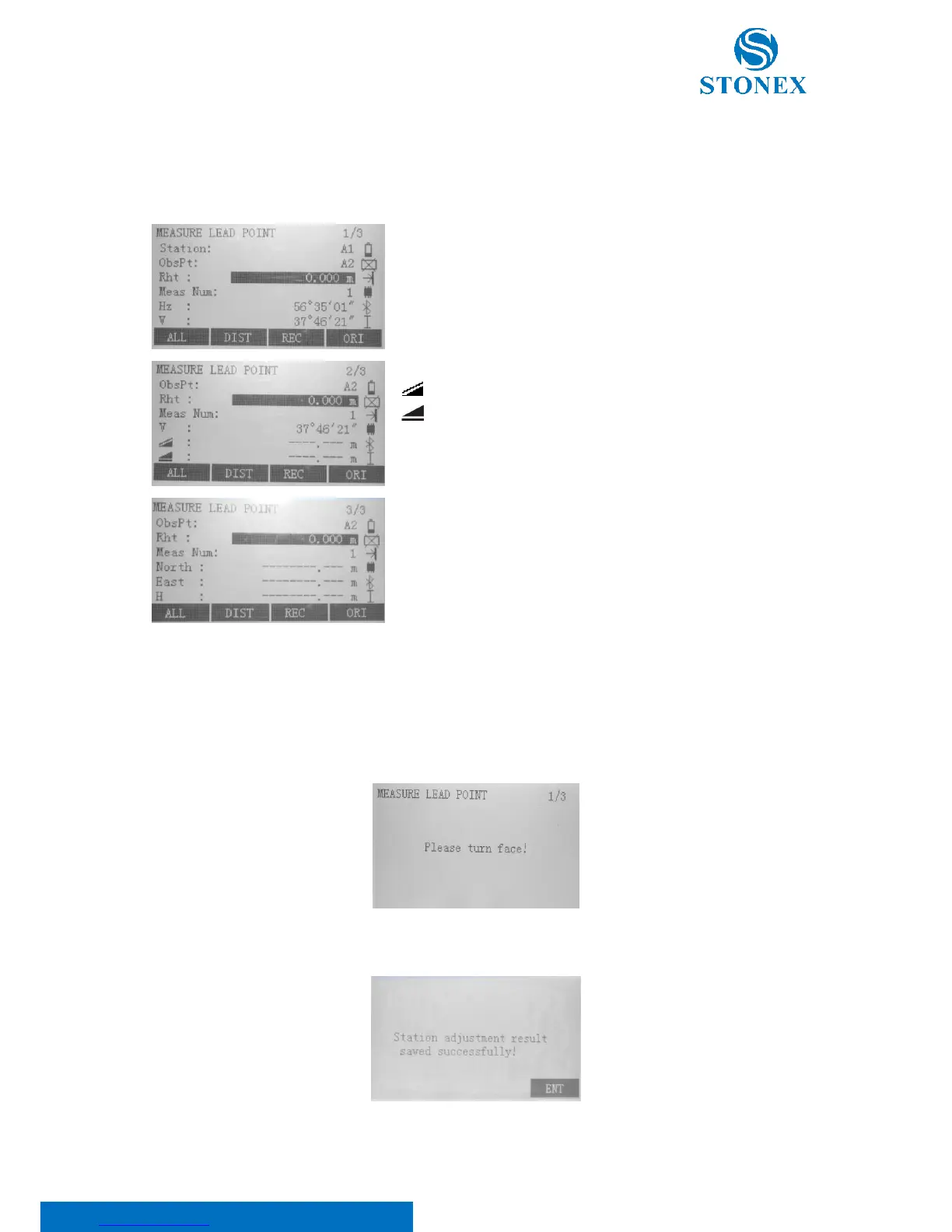
On the first page of “Lead Measure” press F3 to access “Measure Lead Point” dialog which consists of three pages,
as shown.
Station: Current survey station;
ObsPt: point to observe;
Rht: Prism height;
Meas Num: The number of observation sets;
Hz: Horizontal angle;
V: Vertical angle;
: slope distance between the station and the observed point;
: horizontal distance between the station and the observed point;
North: Ordinate of measured lead point;
East: Abscissa of measured lead point;
H: Elevation of measured lead point.
The procedure to measure lead points is suggested from the instrument: collimate the point indicated in the “Obs.Pt”
row with the instrument in face I and press F1[ALL] or F2[DIST]+F3[REC] to measure and save.
After having measured the backsight and the foresight points, the following popup dialog displays:
Turn the instrument to face II and repeat the measures: the following popup dialog displays:



 To Next Page