Stonex R25/R25LR Total Station - User Manual 84
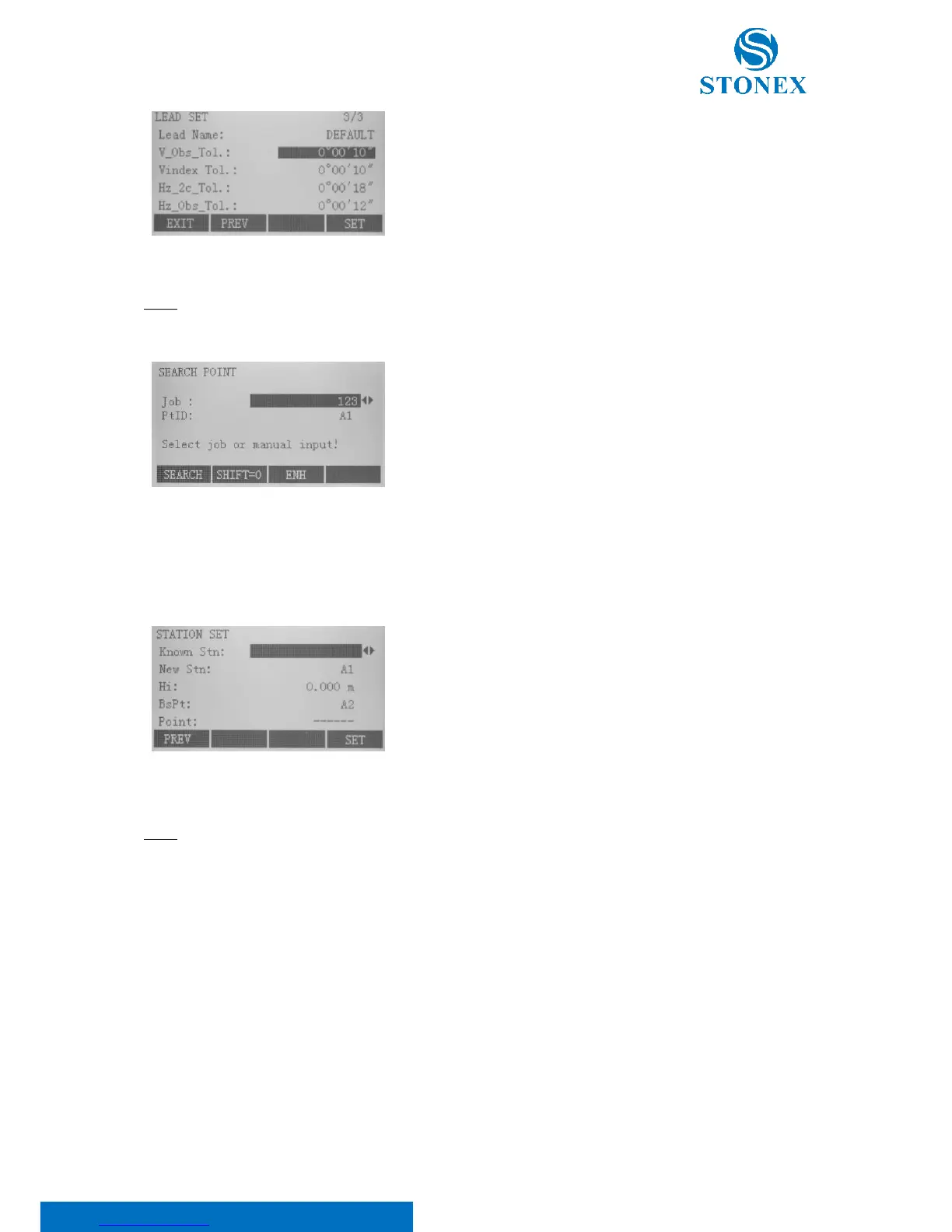
V_Obs_Tol: Discrepancy tolerance of vertical angles among
observation sets
Vindex Tol: Discrepancy tolerance of vertical index error
Hz_2c_Tol: Discrepancy tolerance of horizontal collimation error C
Hz_Obs_Tol: Discrepancy tolerance of horizontal angles among
observation sets.
NOTE: When moving screen cursor to “First Stn” and “Lead Bs Pt” rows, press {ENT} key to search and import the
points you need, as shown.
Press:
• F1[SEARCH] to search existing known point;
• F2[SHIFT=0] to set all coordinates to 0;
• F3[ENH] to input coordinates manually.
Press F4[SET], once defined the lead.
8.10.2. Station set
On the first page of “Lead Measure” dialog press F2 to activate station setting, as shown.
Known Stn: Known survey station
New Stn: New survey station, from which the next observations will
be done
Hi: Instrument height
BsPt: Backsight point
Point: Foresight point
Then press F4[SET] key to finish station setting and return “Lead Measure” dialog.
NOTE:
• Here foresight point must be input.
• It's worth noting that instrument height is defaulted to 0. And you must input accurate “Hi” before pressing
“SET”, otherwise the buzzer sounds and proceeding operation is impossible.
• If mistake is found after station setting succeeds, you need to press {ESC} key to quit the entire program
and reenter.



 To Next Page