Stonex R25/R25LR Total Station - User Manual 93
• It is advisable to input data with main point method and directly upload plane alignment data to
instrument with desktop tool. The plane alignment data uploaded directly can’t be viewed and edited
in the form of intersection point.
• No matter what kind of method (main point or intersection point), its maximum mileage mustn’t be
greater than 4294000.000 m, i.e., the route’s maximum mileage mustn’t be more than
K4294+000.000m.
8.11.2. Road stake out
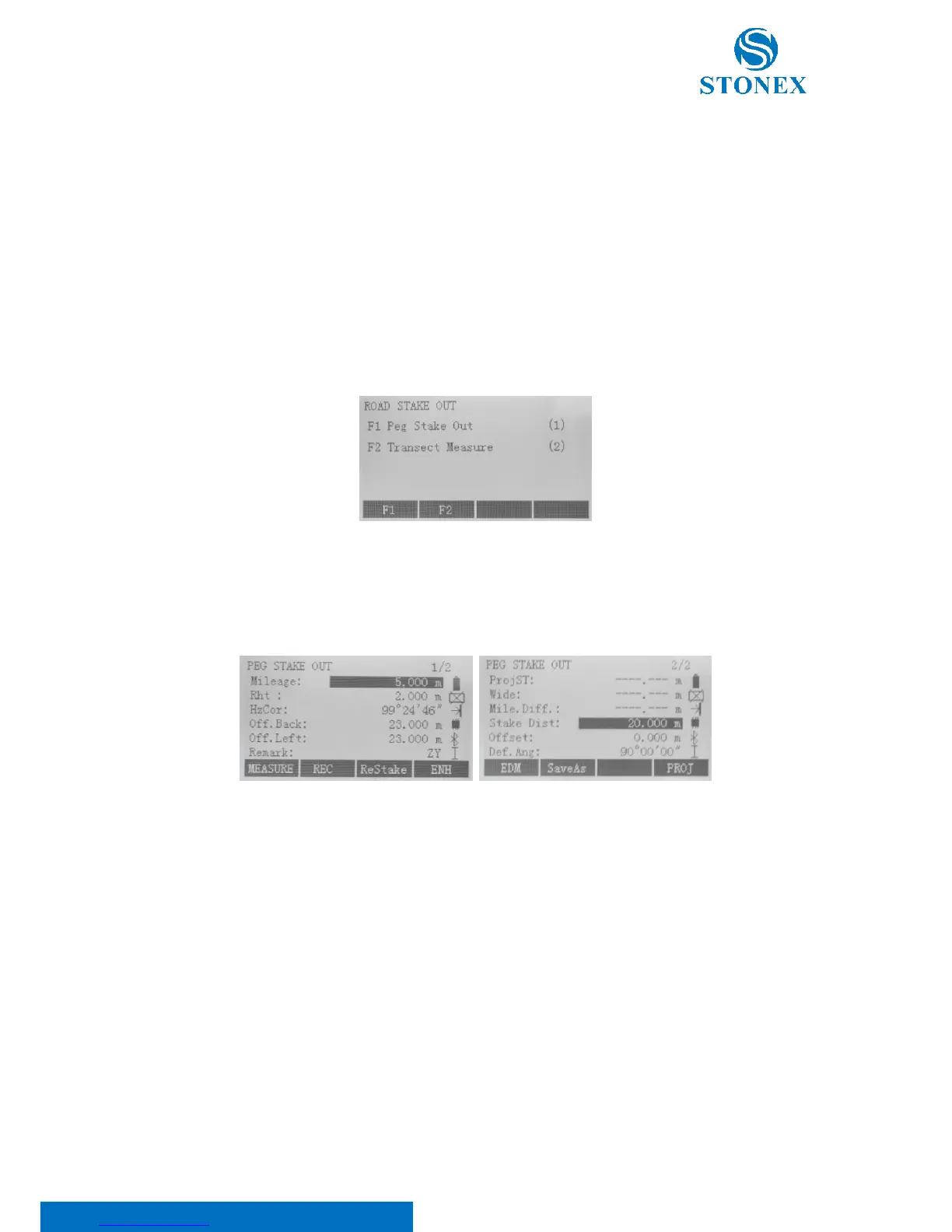
In the road menu press F2 key and then display Road Stake Out dialog. As shown, this function is mainly used to
realize Peg Stake Out and Transect Measure.
Peg Stake Out
On “Road stake out” display, press F1 key to access “Peg Stake Out” dialog. Before staking out, as required press
{PAGE} key and switch to the second page in order to set “Stake Distance”, “Offset” and “Deviation Angle”.
Here:
Mileage is the stake mark of point to be stake out. Within the input format can’t be included certain characters
“K”, “k” and “+” etc. For example, 2224.224 can be input instead of K2+224.224;
Rht is the accurate prism height before measuring;
Hzcor is the included angle between current collimation axis direction and theoretical direction (point to the
point to be stake out). That this value becomes 0 means the instrument points to the point to be stake out;
Off.Back is the direction where prism worker faces the instrument as reference direction. And if the value is
positive, prism worker should be aloof from the instrument. Conversely, prism worker should be close to the
instrument;



 To Next Page