Stonex R25/R25LR Total Station - User Manual 94
Off.Left is the direction where prism worker faces the instrument as reference direction. And if the value is
positive, prism worker should move left. Conversely, prism worker should move right;
Remark is a simple description of the current point;
ProjST is the stake mark corresponding to current measured point projected onto route centerline;
Wide is the offset distance that current measured point deviates from centerline;
Mile.Diff is the difference between ProjSt and Mileage;
Stake Distance is the mileage increment when stake out. And this value will be negative when stake out from
big stake mark to small stake mark;
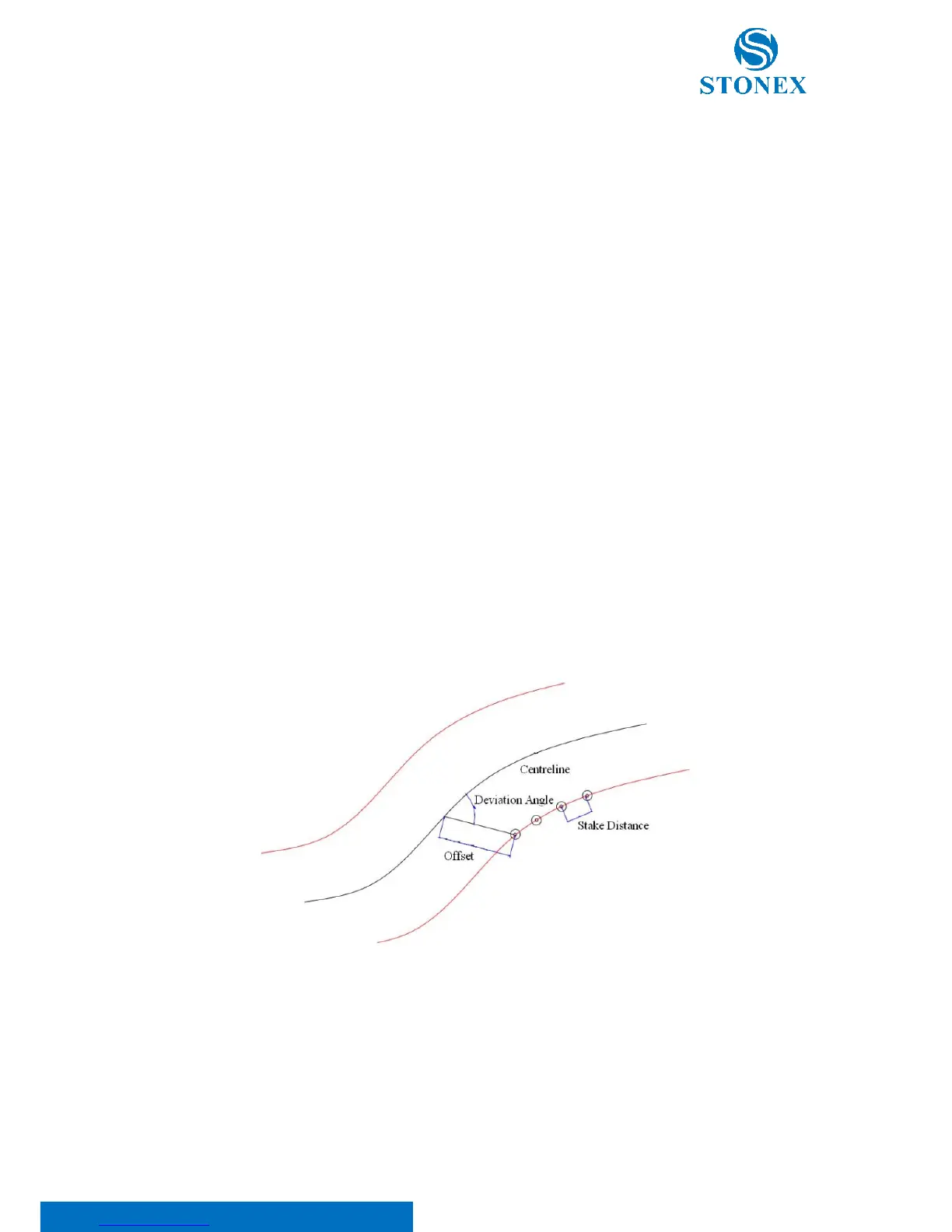
Offset is the distance between the point to be stake out and its corresponding mileage of centerline (not
always the perpendicular distance from stake out point to centerline). That this value is 0 indicates middle-
stake. But if this value is negative, it means left side-stake; otherwise, it means right side-stake;
Def.Ang (Deviation Angle) is the included angle generated from centerline and connecting line between the
point to be stake out and its corresponding mileage of centerline. Its range is (0, π). It’s necessary to refer to
deviation angle when set out particular point (such as bridge pier) and side-stake whose connecting line is not
orthogonal but intersected with the route.
Specific meaning with respect to Stake Distance, Offset and Deviation Angle is shown in the figure below:
In “Peg Stake Out” dialog, you can find the following softkeys:
• [MEASURE] to measure distance and angle.
• [REC] to save stake out result and make stake mark increase by stake distance.
• [ReStake] to make stake mark decreased by stake distance.
• [ENH] to access “Stake Out Point Coordinates” dialog, and view design coordinates of point to be
stake out.



 To Next Page