Stride Industrial Ethernet Switches User Manual 2nd Ed. Rev. B
Chapter 2 - Managed Switch Quick Start
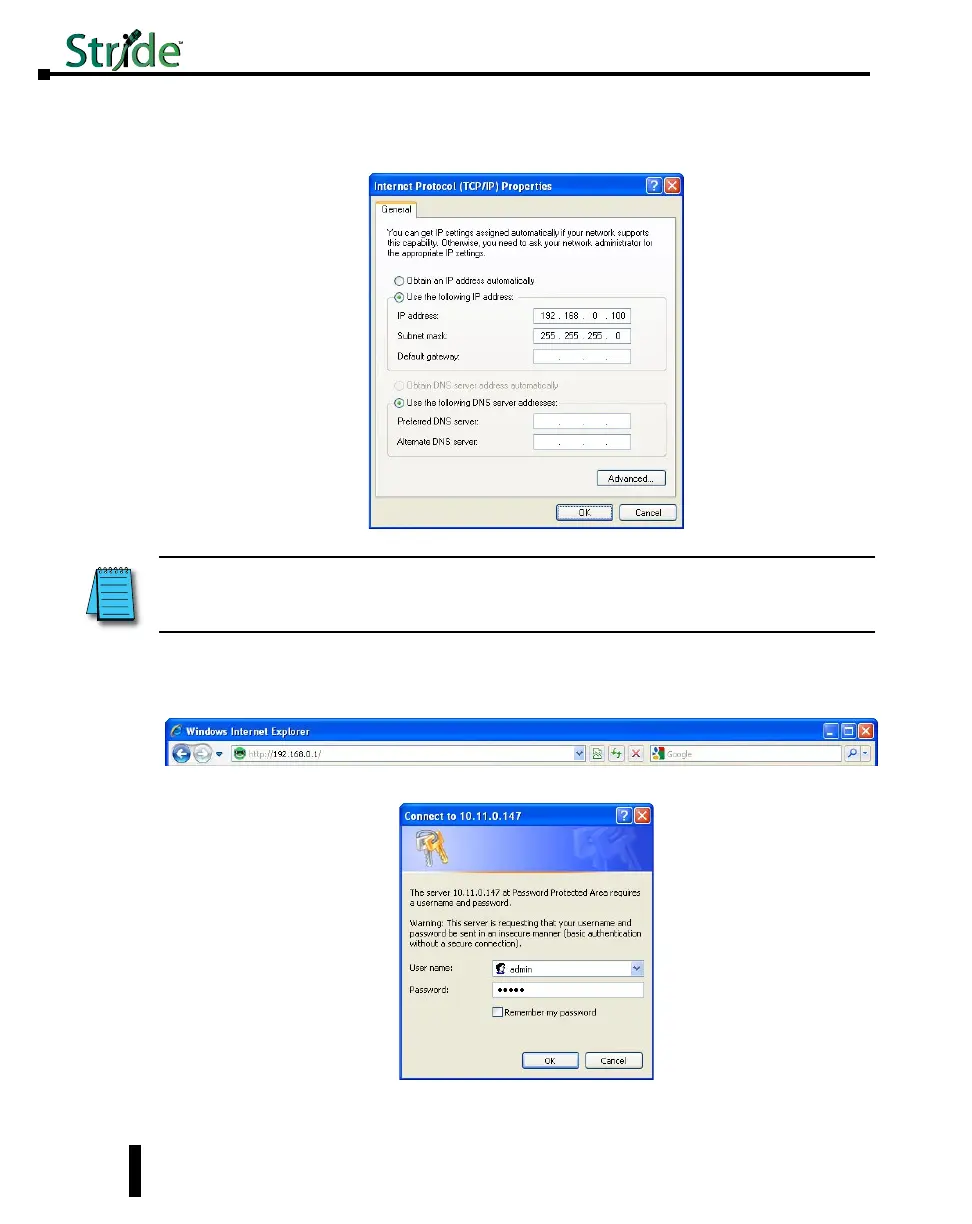
5. Type in the IP address and subnet mask of 192.168.0.100 and 255.255.255.0 or another
compatible IP address and subnet mask. Click on the OK button. Click on the OK button for
the Network Interface Properties window and close the Network Connections window.
6. Open up your web browser program such as Internet Explorer, Mozilla Firefox or other and type
in 192.168.0.1 in the URL line.
7. Enter in admin for the User name and admin for the password and click on OK.
NOTE: Neither the Network Address nor the Broadcast Address for you subnet are valid host addresses. For our
example that has a Subnet Mask or 255.255.255.0 and the first three octets are 192.168.0, neither the pc nor the switch
are permitted to be assigned 192.168.0.0 or 192.168.0.255 as an IP address.
2-4



 To Next Page