6.2.3 Changing settings and text
Changing text
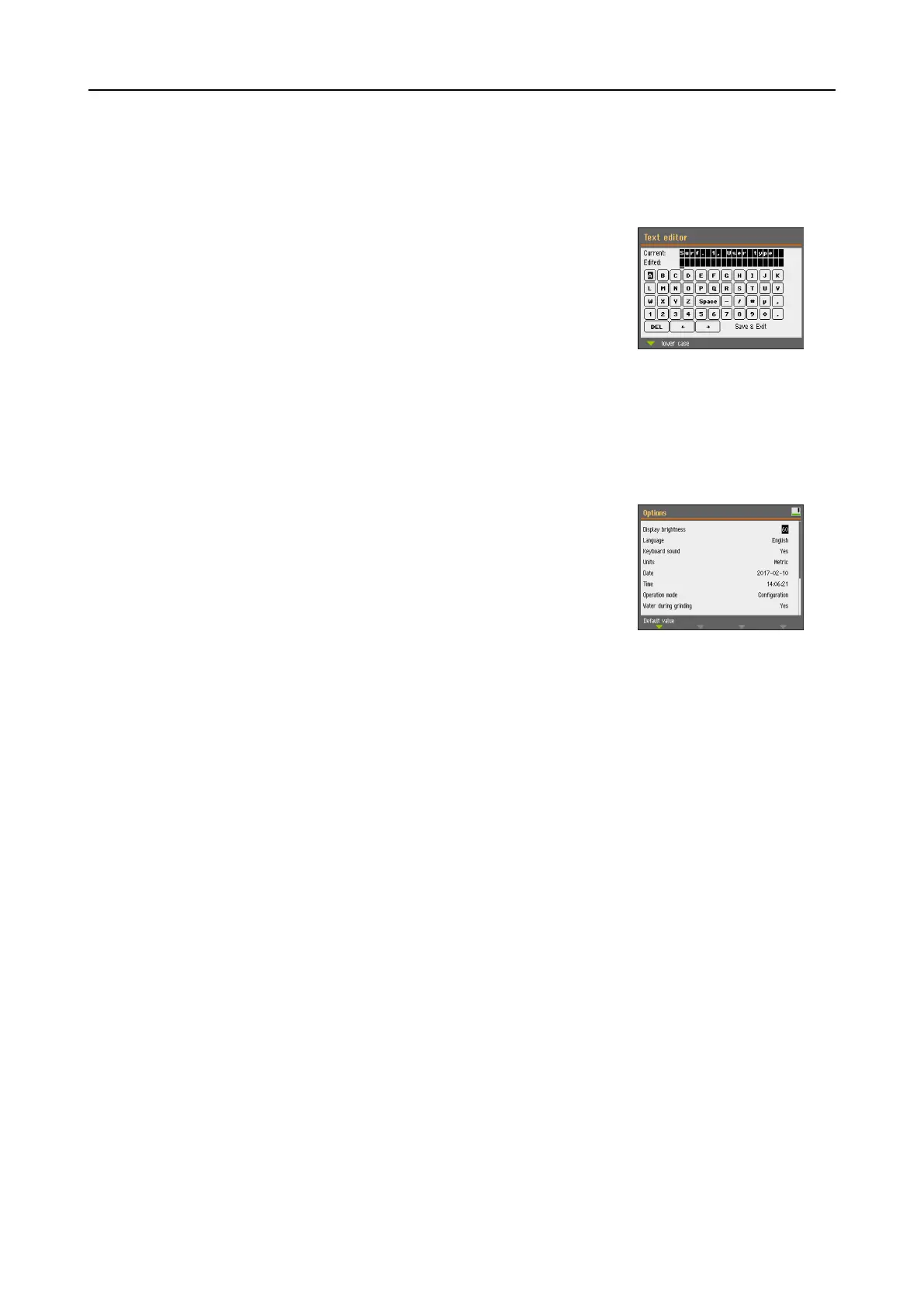
To change a text value, select the field for entering the text.
1. Press the Turn/Push knob to activate the text editor.
2. If needed, use the Upper case/Lower case arrow at the
bottom of the screen to switch between upper case and
lower case letters.
3. Enter the desired text.
4. Navigate to select Save & Exit.
5. Press the Turn/Push knob to exit the screen.
Changing settings
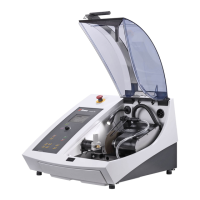
To change a setting, select the field for changing the setting.
1. Turn the Turn/Push knob to go to the field where you wish
to change the setting.
2. Press the Turn/Push knob to enter the field.
– More than two options:
Turn the Turn/Push knob to scroll up or down in a list
of values.
– Two options:
Press the Turn/Push knob to toggle between the
options.
3. Navigate to select Save & Exit.
4. Press the Turn/Push knob to exit the screen.
6.2.4 Software settings
Start-up - the first time
SeeNavigating in the display ►24 for instructions on how to navigate in the display.
6 Operating the device
AbraPol-30 25



 To Next Page