1. Place at least three specimens symmetrically around the center of the specimen holder so that
you achieve an even and balanced rotation.
2. Tighten the screws carefully to clamp the specimens in place.
3. Always choose a length of screw that leaves as little as possible of the screw projecting from the
specimen holder and that uses the whole length of the thread inside the specimen holder.
4. Make sure that all specimens are securely fixed.
Hint
If you are using a Uniforce Levelling device, see the instructions manual for this
device.
6.5.2 Inserting or removing the specimen holder
CRUSHING HAZARD
A specimen holder with specimens can be heavy. Do not release the specimen
holder until it is secured in the coupling.
Use working gloves to protect fingers and hands.
Inserting the specimen holder
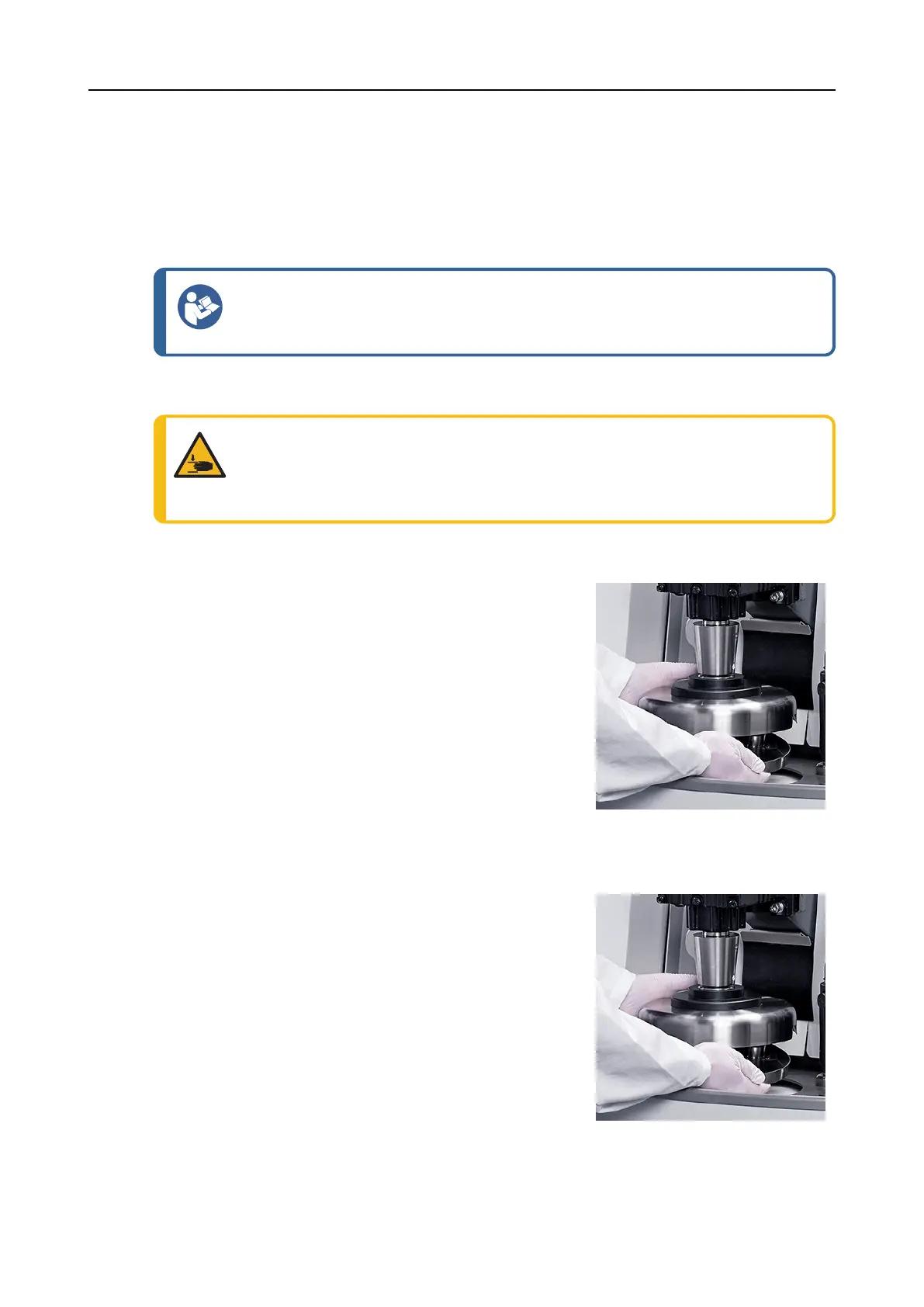
1. Place the specimen holder under the quick coupling and
support it with your fingers.
2. Press and hold down the flange of the column while you
guide the pressure tap of the specimen holder into the
coupling.
3. Release the flange carefully.
4. Rotate the specimen holder until the three pins engage
with the corresponding holes.
5. Make sure that the specimen holder is securely fixed in
the coupling.
Removing the specimen holder
1. Support the specimen holder with your fingers.
2. Press and hold down the flange while you press the
specimen holder slightly upwards. At the same time, use
the heel of your hand to press and hold down the flange.
3. Support the specimen holder with one hand while you
lower it to release it from the coupling.
4. Release the flange and remove the specimen holder.
36 AbraPol-30
6 Operating the device











 To Next Page