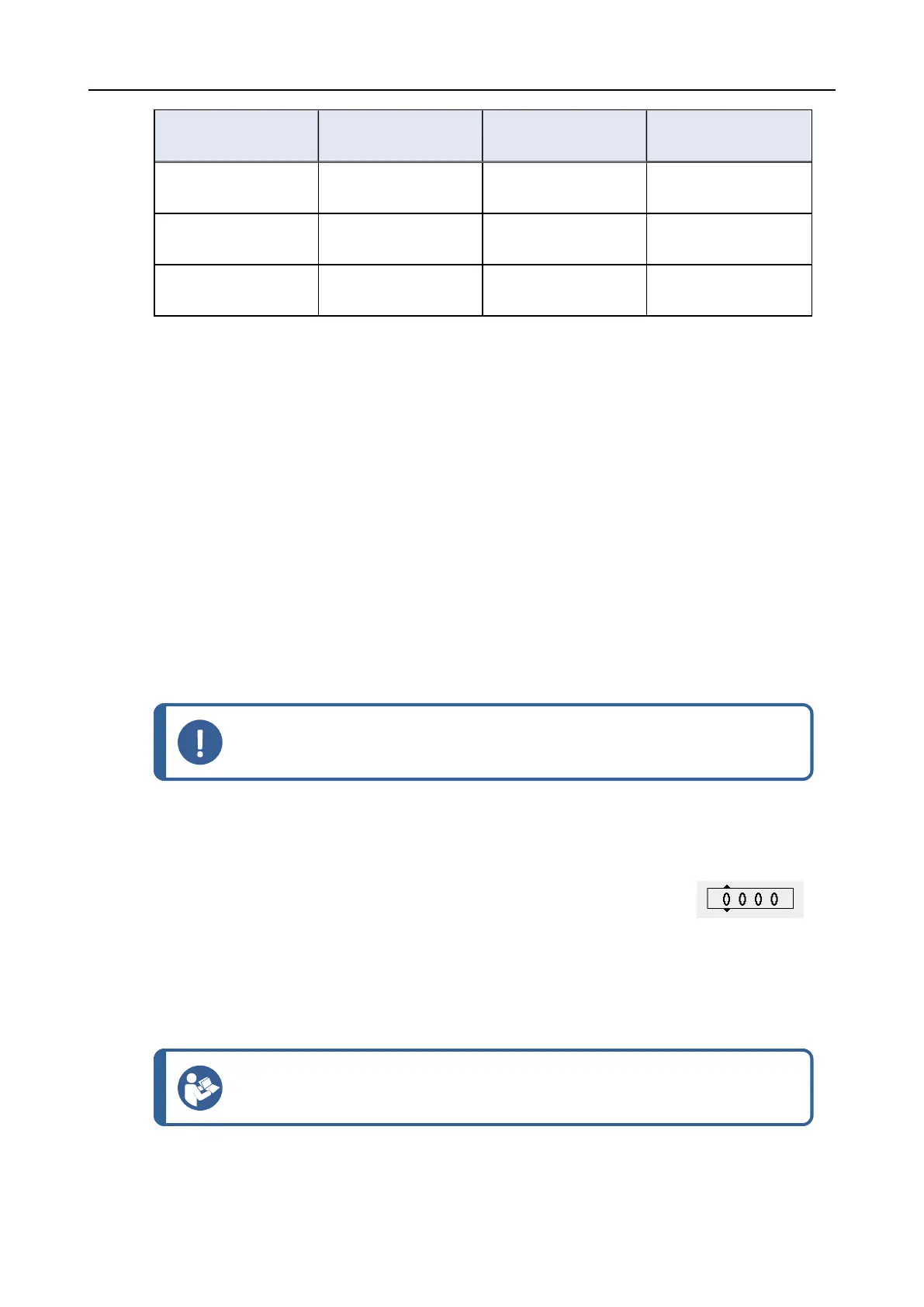
Operation mode Preparation Changing settings Configuration
functions
Production You can select and
view settings.
You can select and
view methods.
You can edit some
settings.
Development You can select, view
and edit settings.
You can select, view
and edit methods.
You can edit some
settings.
Configuration You can select, view
and edit settings.
You can select, view
and edit methods.
You can edit all
settings.
Changing operation mode
To change the operation mode, do the following:
1. From the Main menu select Configuration > Options > Operation mode.
2. Enter the pass code. See New pass code ►27.
3. When the Select operation mode dialog is shown, select the desired operation mode and
confirm your selection.
6.3.2 New pass code
When you access the Operation mode menu, you will be prompted to enter a pass code. The
default pass code is ‘2750’.
Changing the pass code
You can change the pass code from the Operation mode menu.
Note
Make a note of the new pass code.
To change the pass code, do the following:
1. From the Main menu select Configuration > Options.
2. Select the field for entering the pass code.
3. When the Enter pass code dialog is shown, enter the current pass
code. The default pass code is ‘2750’.
4. Change the pass code and confirm your selection.
6.3.3 Bottle configuration
Hint
The different suspensions and lubricants used must always be configured so that
the correct suspension or lubricant is used during the preparation.
To configure the bottles to be used for lubricants and suspensions, do the following:
6 Operating the device
AbraPol-30 27











 To Next Page