Product Description / Intended Use
13 EN
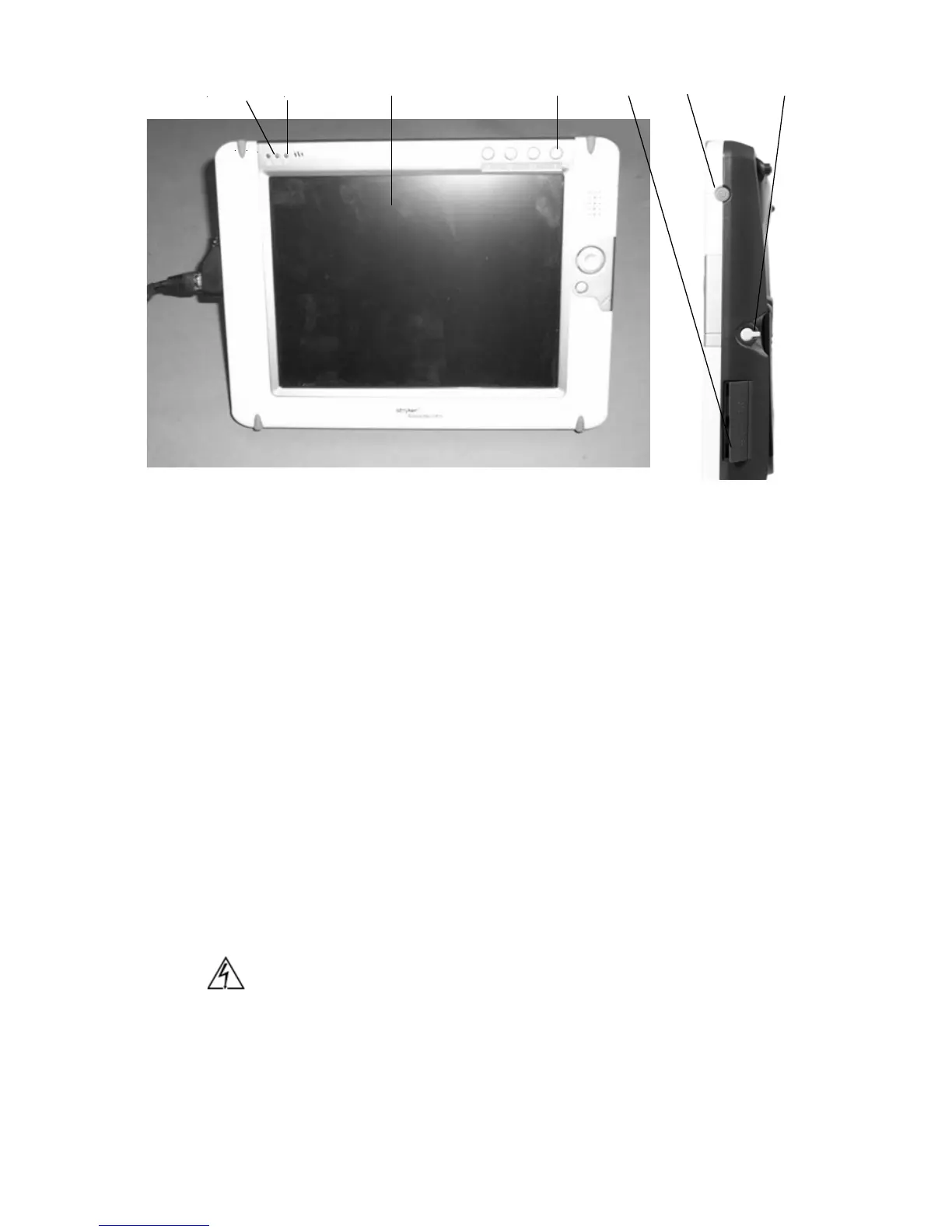
Figure 4: The remote-control tablet, front and right-side view
1. Tablet Indicator Light: Shines orange while the tablet boots up;
shines green when the tablet is ready for use.
2. Battery Indicator Light: Indicates the charge left in the tablet
battery: Green = over 80%; Orange = between 80% and 20%;
Red = less than 20%.
3. Touch/View screen: Displays control menus for operating the
Sidne™ system and any devices connected to it.
4. On-Screen Keyboard Button: Displays / hides the on-screen
keyboard when pressed.
5. DC Power Input: Connects the tablet to the Sidne™ console for
DC power and battery recharging.
6. Power On/Off Switch: Powers the tablet on or off when held for
3 continuous seconds. Suspends the tablet if pressed and
released quickly. To activate, press button again.
7. Stylus: Acts as a pointer to select options on the tablet touch
screen. Pull gently on the stylus to release it from its housing.
Caution The extra ports and buttons on the tablet not described in
this manual are not intended for use and may cause
unexpected results if used.
7654321












 To Next Page