Operating the Sidne™ System
27 EN
Warning Sidne™ is not intended for use with robotic surgical
systems. Using Sidne™ with a robotic surgical system
may cause unexpected results and harm the patient.
Warning To maintain harmony with existing hospital networks,
notify hospital IT staff that Sidne™ uses an 802.11b
wireless network before using the system in the
operating room.
The Sidne™ system and the devices connected to it can be controlled by
commands issued through either the tablet or the microphone headset.
Sidne™ provides both audio and visual feedback to acknowledge
commands. Visual feedback appears on the tablet screen when the tablet
is used, and on the operating-room monitor when the microphone
headset is used.
Note All devices connected to the Sidne™ system can still be
operated by their front-panel controls. They will continue to
function even if Sidne™ is powered off.
Issuing Commands with the Tablet
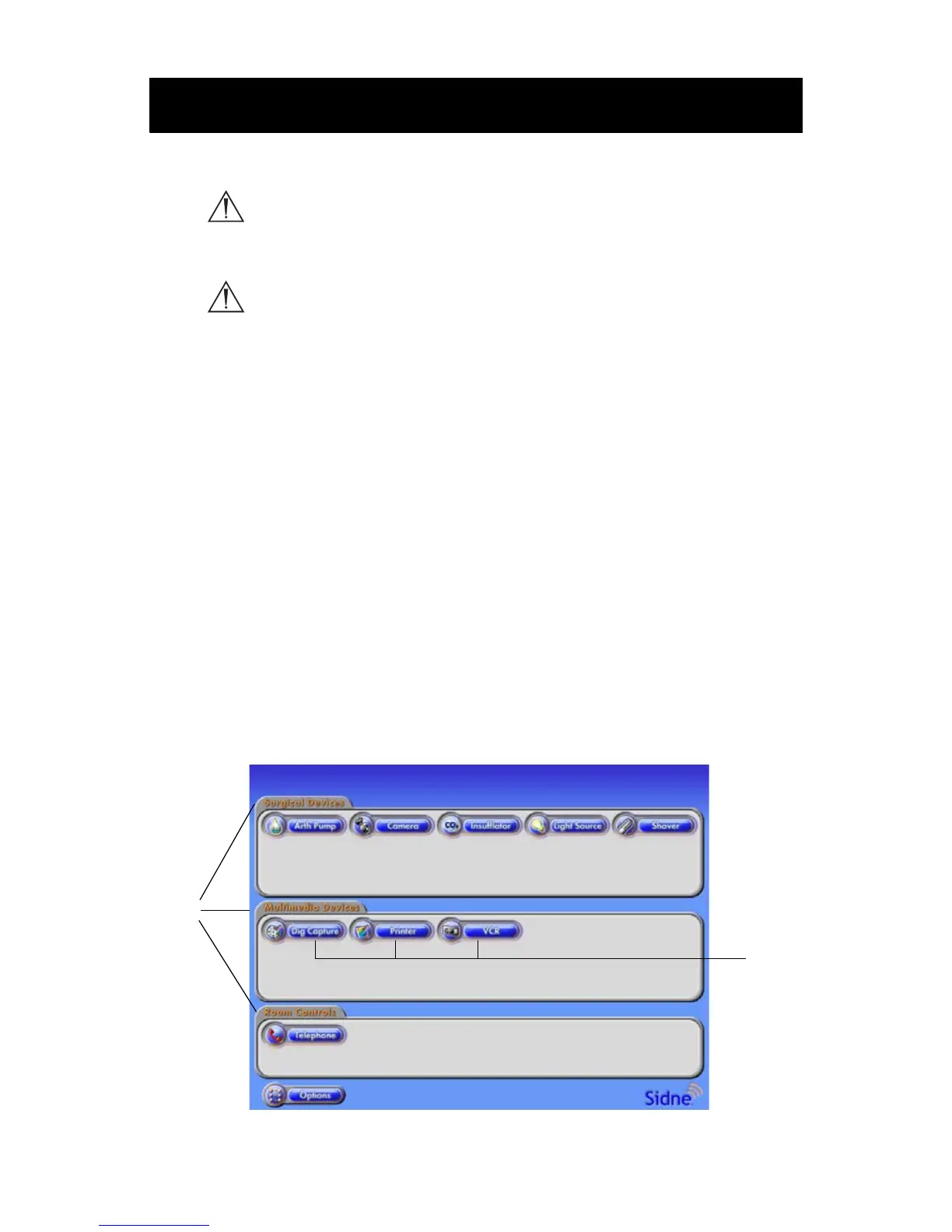
After the Sidne™ console and tablet have booted up, the tablet displays
the home option screen. The home option screen displays three folders
stacked one on top of the other. Inside each folder are icons representing
each of the devices connected to the Sidne™ console (see
Figure 13).
Figure 13: The tablet home option screen
Operating the Sidne™ System
2
1












 To Next Page