46 EN
Stryker Digital Capture System (SDC Pro / SDC Pro 2 /
SDC HD)
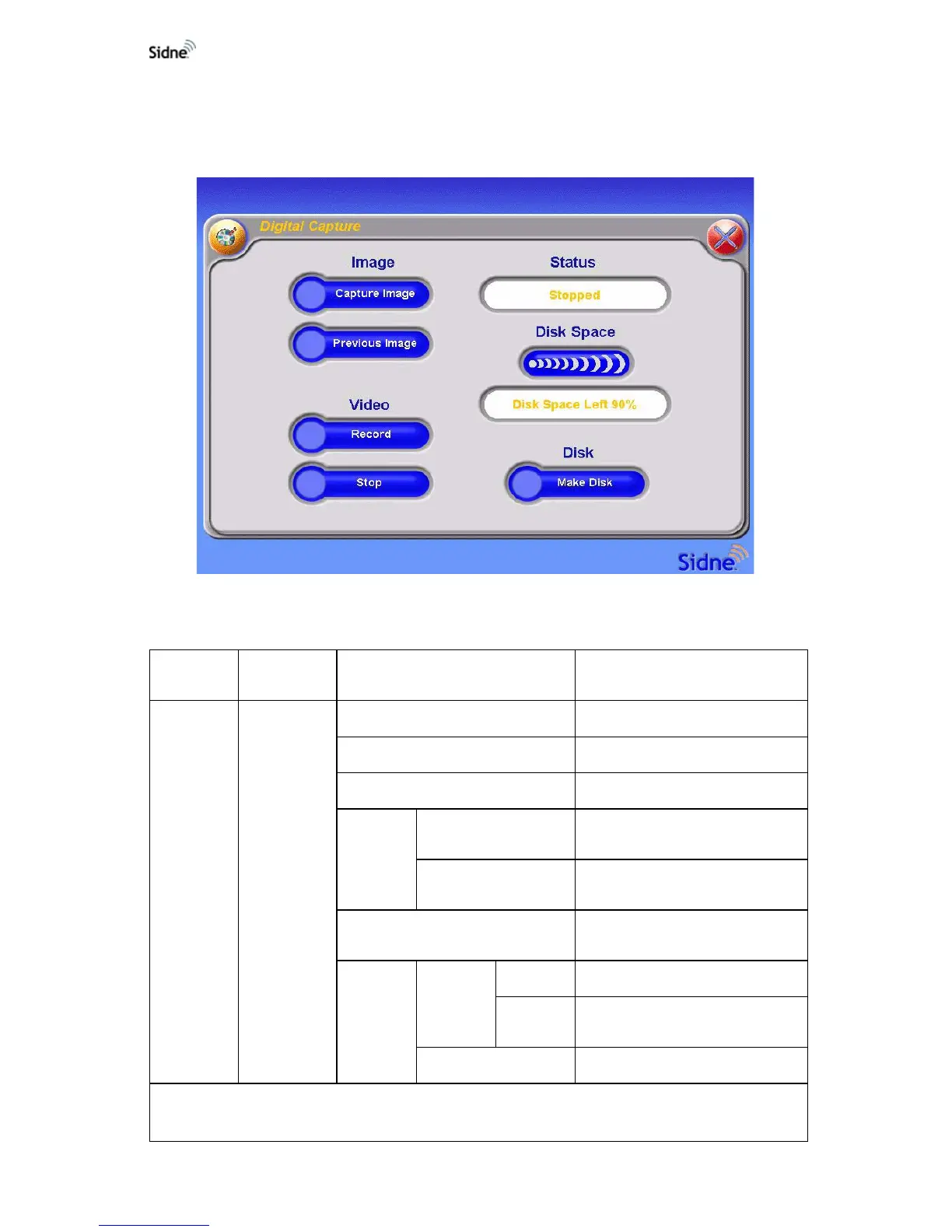
Tablet Commands Menu
Figure 25: The tablet commands menu for the SDC
Voice Commands Menu
Awaken
Device
Select
Control Select Description
Sidne™
Digital
Capture
Record Initiates video recording.
Capture Captures the video image.
Stop Stops video recording.
Make
Disk
Activate
Initiates data writing to a
recordable disk.
Cancel
Cancels writing data to a disk and
sends Sidne™ back one menu
Previous Image
Displays the previous captured
video image.
Dictation
Record
Initiates voice recording.
Dictation
Off*
Stops voice recording.
Dictation Off Stops voice recording.
*There is no menu timeout associated with the “Dictation” -> “Record” -> “Dictation Off” menu level.
Any of the following voice commands will exit this voice menu level: “Dictation Off,” “Sidne™,” and “Exit.”












 To Next Page