Connecting the Electrosurgical Unit (ESU)
97 EN
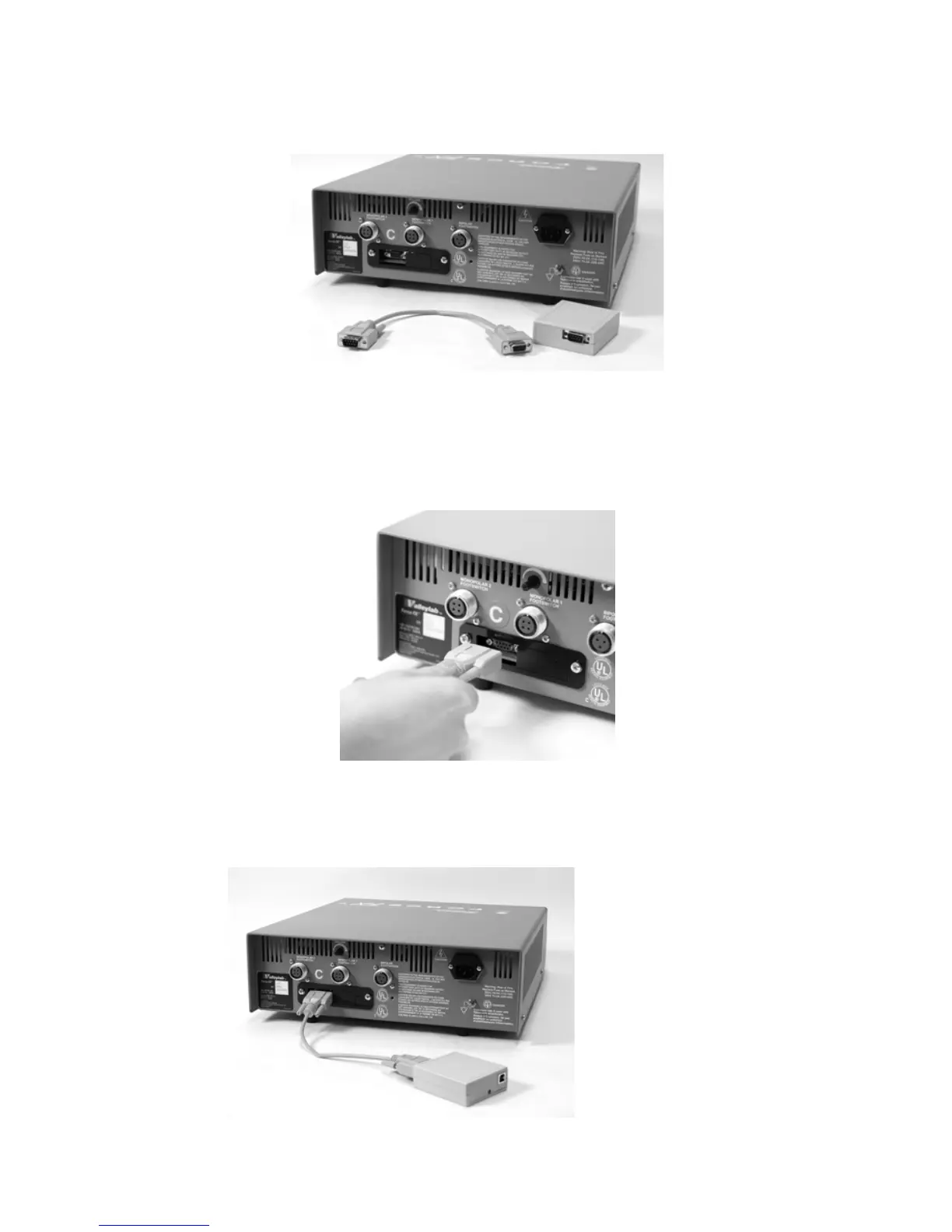
Connecting Sidne™ to the Valleylab Force FX™
Electrosurgical Unit (ESU)
Figure 6: ESU, EDAM adapter cable, and EDAM
1. Ensure that the ESU and the Sidne™ console are powered Off.
2. Connect the male end of the EDAM adapter cable to the serial
port on the rear panel of the ESU (see
Figure 7).
Figure 7: Connecting the EDAM adapter cable to the ESU
3. Connect the female end of the of the EDAM adapter cable to the
nine-pin connector on the EDAM (see
Figure 8).
Figure 8: Connecting the EDAM adapter cable to the EDAM












 To Next Page