Installing the Telephone Upgrade
85 EN
Connecting a Phone Set to the Sidne™ Console
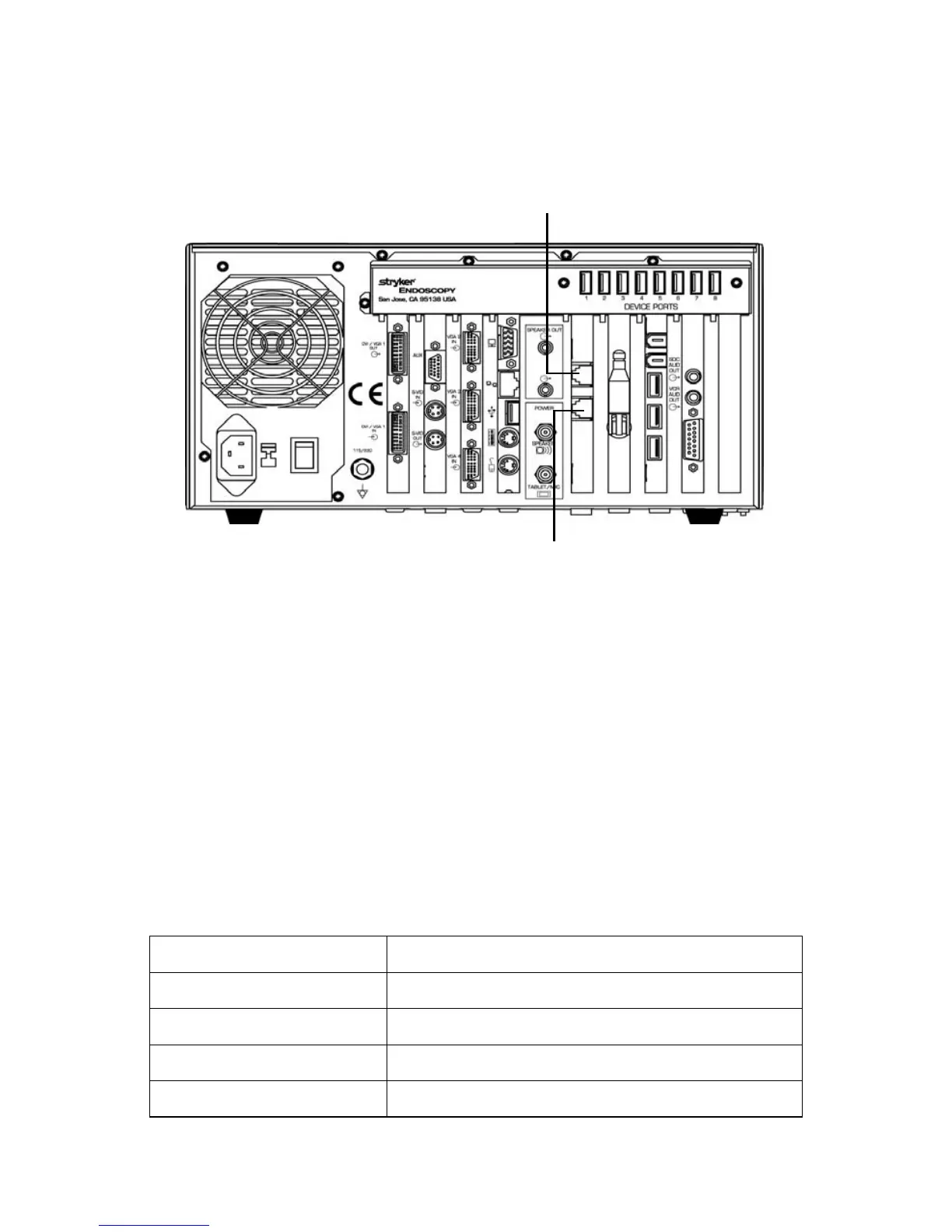
Follow the diagram below to connect a phone set to the Sidne™ console.
Figure 3: The phone connections on the SIDNE rear panel
Note The phone feature is compatible with analog phone lines
only.
Note When using the telephone handset, voice signals will be
received through the earpiece on the handset. When using
the microphone headset, voice signals will be received
through the external speakers on the Sidne™ console.
Sidne™ Feedback Messages
Sidne™ may offer the following voice messages while in the telephone
mode. For a complete list of telephone voice and tablet controls, see the
Sidne™ Operating and Maintenance Manual (p/n 1000-400-653).
Sidne™ Says Meaning
“Telephone...” Added as a prefix to the below messages.
“Number not saved” The selected speed-dial option has no number assigned to it.
“Number saved” A speed-dial number has just been saved.
“Incoming call” An incoming call has arrived.
To a telephone
handset
From a telephone wall
jack
Sidne™ rear console panel












 To Next Page