64 EN
Problem Possible Solution
No voice feedback using
the tablet or Voice
Control Interface
• Ensure the volume is not set at 0. For
voice menus, say Sidne™» Options »
Audio and set the volume. For tablet
options, select Options and adjust the
volume with the + button.
• Adjust the volume level using the tablet
or voice control interface.
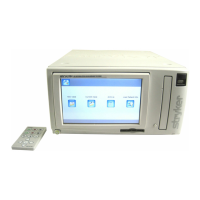
No video output when
the Sidne™ console is
powered
• Check the Sidne™ console video input
and output connection(s).
• Check that the input selector on the
video monitor is set properly.
• Check that the input selector on Sidne™
is set to the proper input. For voice
menus, select Sidne™ » Options » video
» Source and choose the source the
camera is connected to. For tablet
menus, select Options and then select
one of the options listed below the
heading “video Source.”
• Check that the input source (e.g.
medical video camera) is powered and
is producing an image.
• Check that the camera cable length
switch (camera rear panel) is set
properly. It should match the actual
camera cable length (10’ or 20’).
• Check other devices in the video loop.
• Disconnect and reconnect all video
cables.
No video output when
the Sidne™ console is
not powered
• Check all items listed above.
Troubleshooting





 To Next Page