74
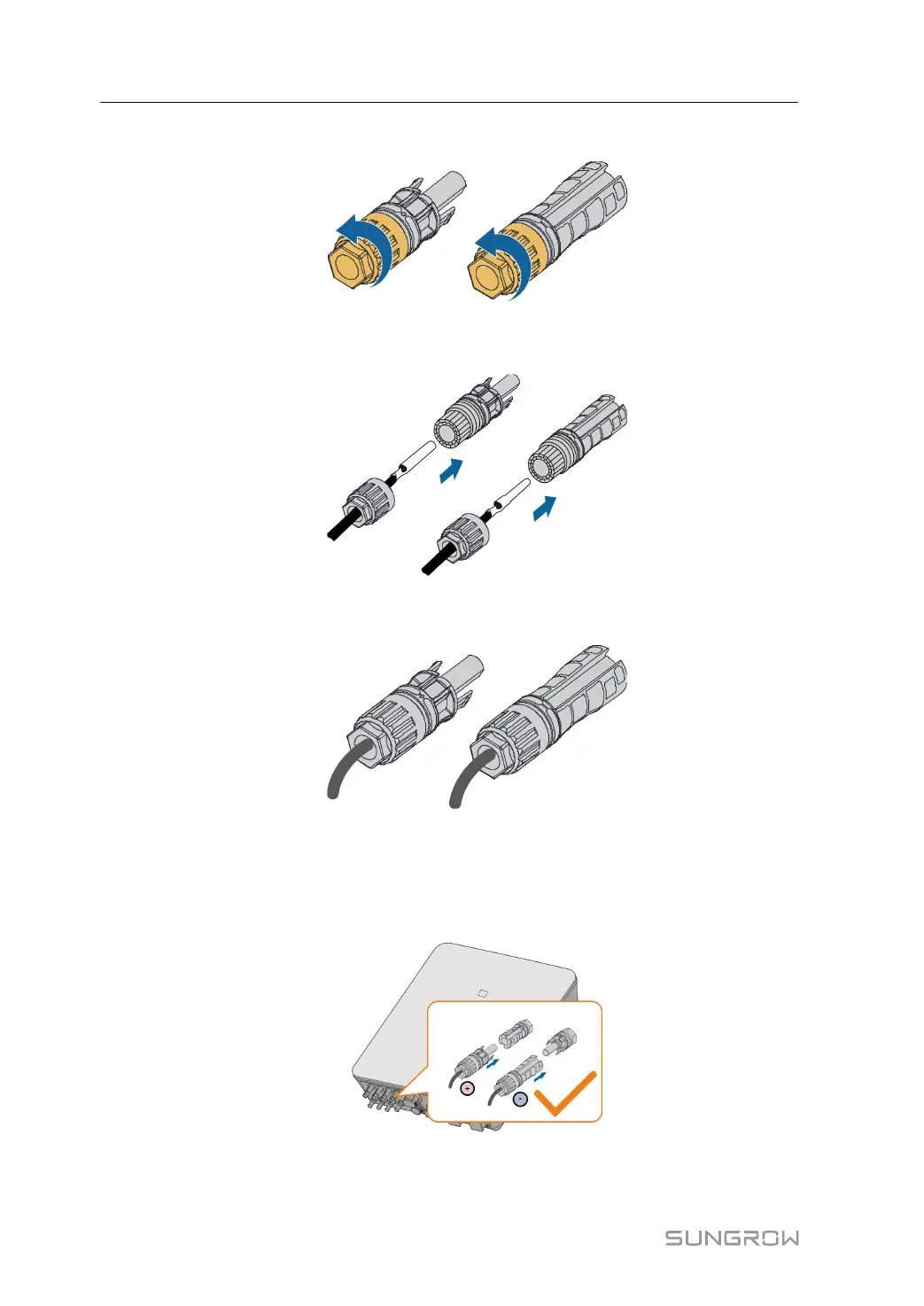
step 2 Unscrew the swivel nut of the connector.
step 3 Lead the stripped cable through the swivel nut and insert it into the insulation sleeve till the
end.
step 4 Screw the swivel nut of the connector and gently pull the cable backward to ensure a firm
connection.
- - End
6.9.1.4 Installing Evo2 Compatible Connector
step 1 Insert the connector into the BAT+ and BAT- terminals.
step 2 Check for polarity correctness.
- - End
6 Electrical Connection User Manual



 To Next Page