To replace a power supply
1
Put on a grounded ESD wrist strap or take other precautions against ESD
damage.
2
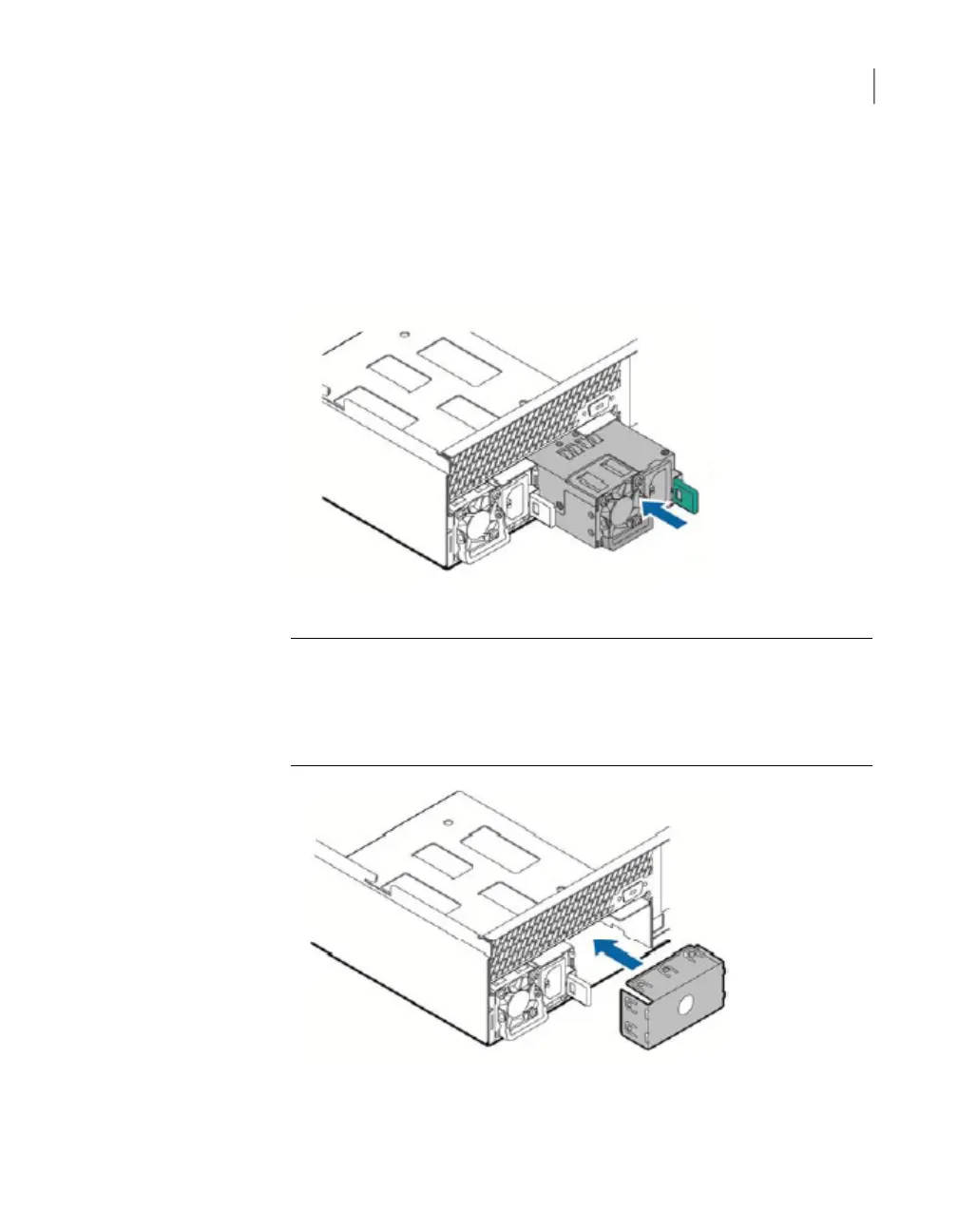
Insert the replacement power supply into the power supply bay and push it all
the way until it clicks into place.
Caution: To maintain adequate cooling within the appliance, both power supplies
must be install. If you cannot replace the failed power supply, leave the failed
unit in the bay until you have a replacement or install a filler panel. The filler
panel allows the air to circulate as designed and keeps the unit from
overheating. The following figure shows the filler panel.
See “Removing and replacing appliance hardware components” on page 100.
106Removing and replacing appliance hardware components
Removing and installing a NetBackup 5030 or NetBackup 5230 power supply



 To Next Page