MC50 Integrator Guide8-18
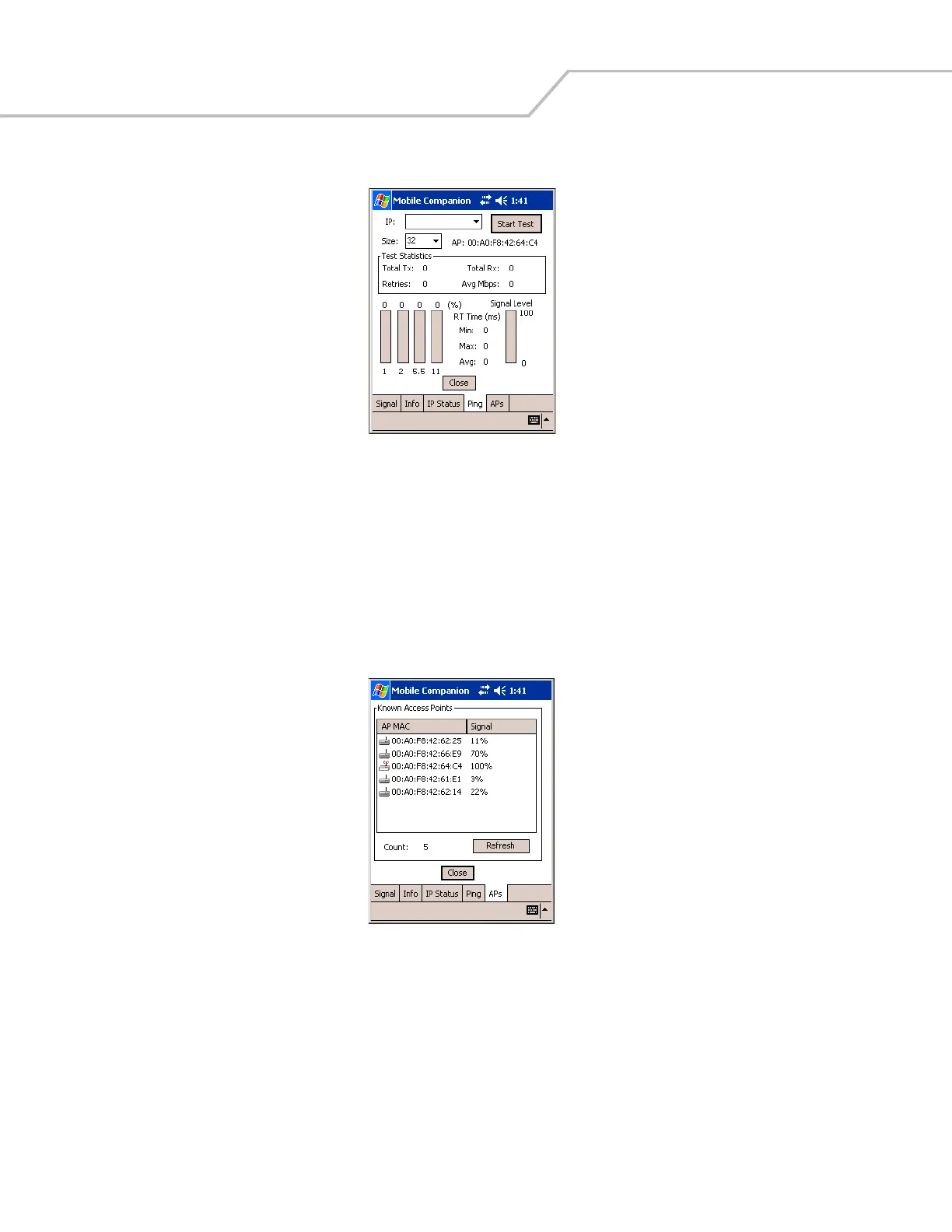
5. Select the Ping tab to send and receive ICMP ping packets across the network to the specified IP address.
Figure 8-22. Mobile Companion - Ping Tab
6. Select or enter a target device IP address from the IP drop-down list.
7. Select the size of the packet transmission from the Size drop-down list.
8. Tap Start Test to begin the ping test.
9. Tap Stop Test to terminate the ping test.
The average mega-bits per second, signal strength, data rate currently in use, test statistics, and round trip (RT) times appear
for each test. The associated AP MAC address also appears. The signal strength level and the data transmission rate appear
in real-time bar graphs.
10. Select the APs tab to view APs with the same ESSID as the mobile computer’s profile (Infrastructure mode only).
Figure 8-23. Mobile Companion - APs Tab
The associated AP displays a radio wave radiating from its antenna to indicate its associated status. Tapping on the icon
displays a menu with Set Mandatory and Set Roaming options.
• Select Set Mandatory to prohibit the mobile computer from associating with a different AP. The letter M displays on top
of the icon.
• Select Set Roaming to allow the mobile computer to roam to any AP with a better signal. These settings are temporary
and are not saved to the registry.
Tap Refresh to update the list of the APs with the same ESSID. The highest signal strength value is 32.



 To Next Page