MC50 Integrator Guide2-24
Battery Insertion and Removal
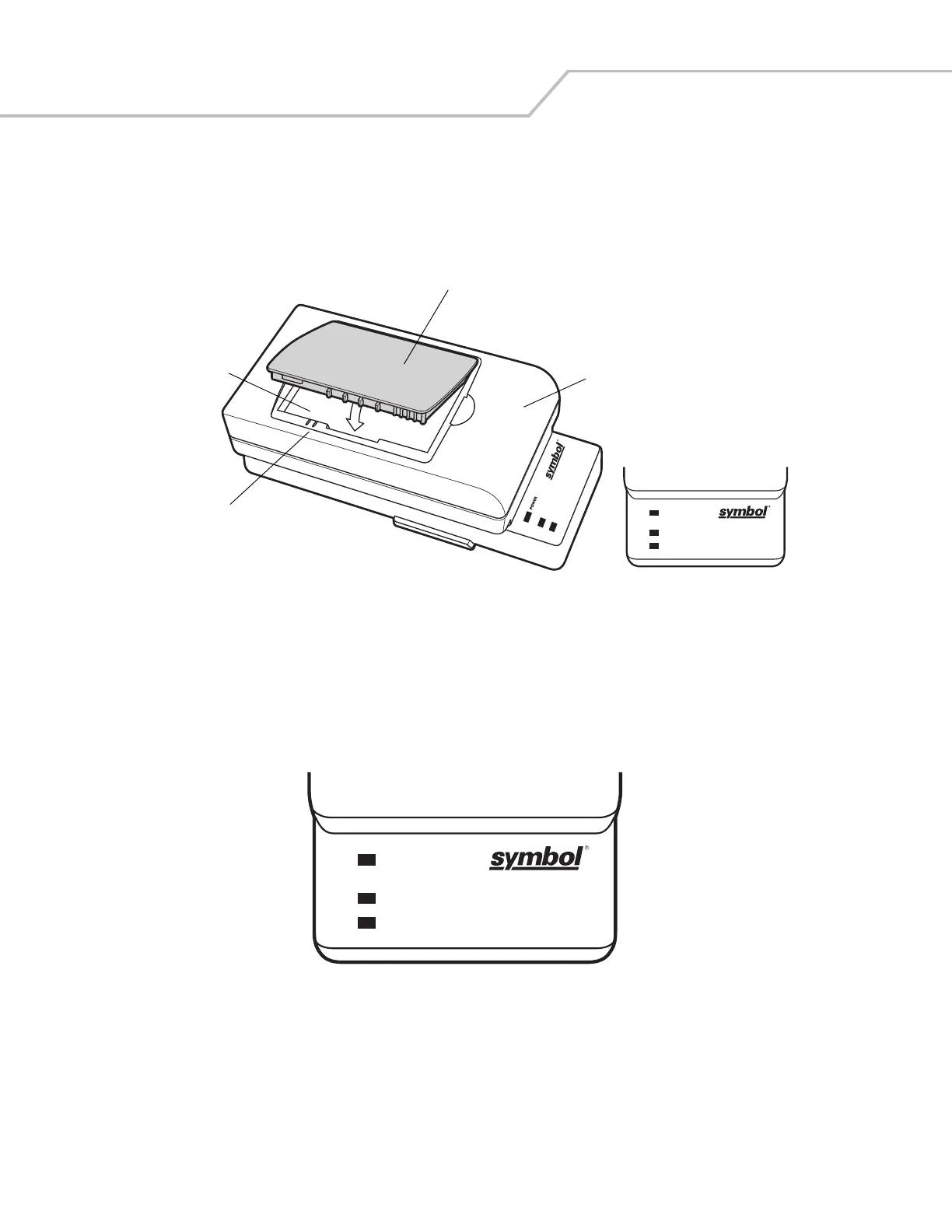
Insert the battery into the battery well with the charging contacts on the battery aligning with the charging pins on the adapter, and
gently press down on the battery to ensure proper contact.
To remove the battery, press the battery release and lift battery out of the well.
Figure 2-22. UBC Adapter
Battery Charging Indicators
To charge a spare battery using the UBC adapter, connect the power supply to the UBC (see Figure 2-21), then insert the spare battery.
The spare battery begins charging.
The UBC’s charge LEDs show the status of the battery charging in the adapter. Table 2-4 shows battery charging status indications.
The standard battery fully charges in approximately 2.5 hours and the extended capacity battery fully charges in approximately six
hours.
Figure 2-23. UBC Adapter LEDs
READY
CHARGING or STANDBY or FAULT
(Green)
(Flashing Yellow)
(Solid Yellow)
(Flashing Yellow)
POWER
READY
CHARGING or STANDBY or FAULT
(Green)
(Flashing Yellow)
(Solid Yellow)
(Flashing Yellow)
UBC Adapter
Battery Release
Battery
Battery Well
POWER
READY
CHARGING or STANDBY or FAULT
(Green)
(Flashing Yellow)
(Solid Yellow)
(Flashing Yellow)



 To Next Page