WLAN Configuration 8-25
Connecting to the Internet on a Wireless Network
The MC50 can connect to the Internet across a wireless network. To set up a wireless connection:
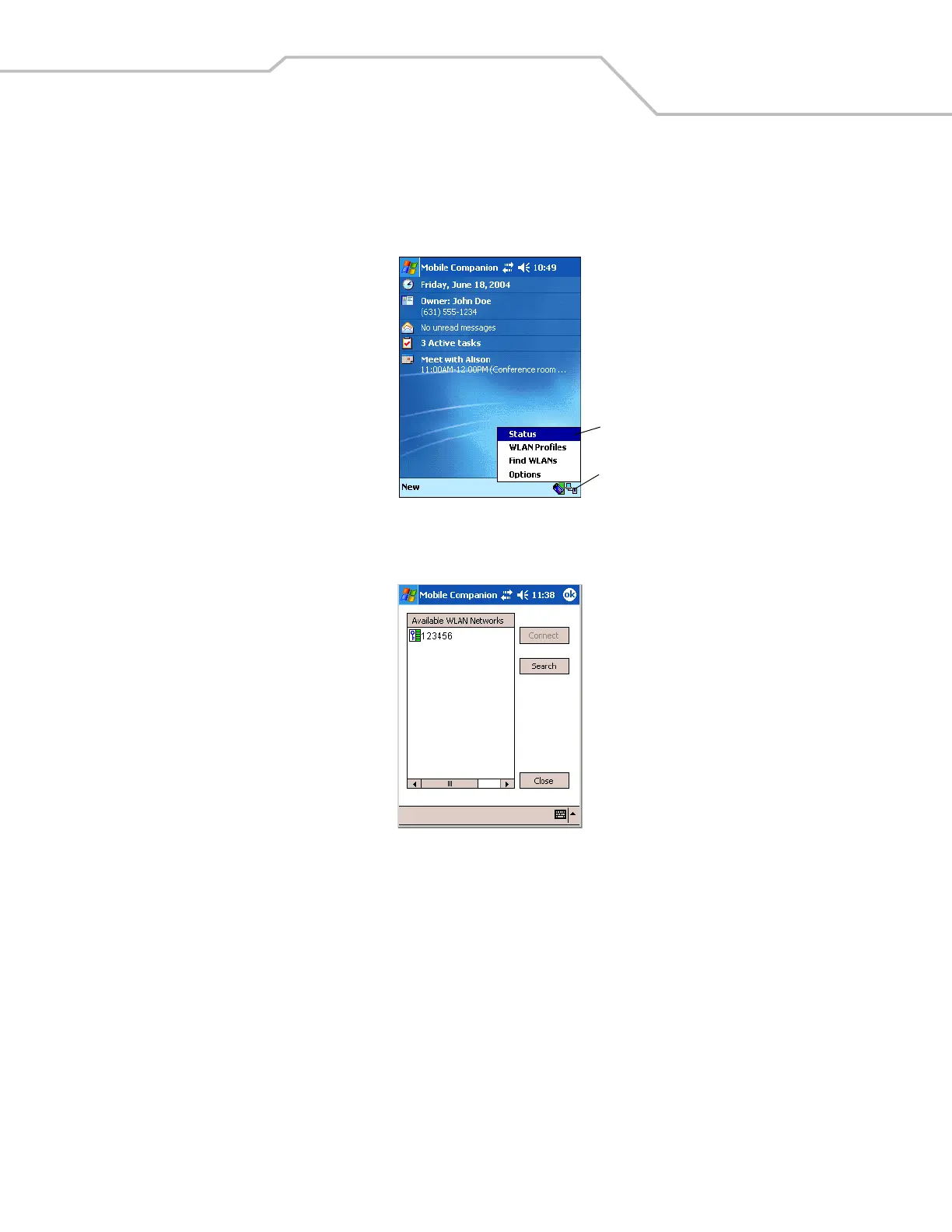
1. Tap the Mobile Companion icon on the task tray. The Mobile Companion menu appears.
Figure 8-28. Mobile Companion Menu
2. Tap Find WLANs. The Mobile Companion window appears.
Figure 8-29. Mobile Companion Window
3. The mobile computer tries to locate Access Points (APs) in the area. When it locates a wireless LAN(s), the ESSID name
displays in the Available WLAN Networks list.
Mobile Companion Icon
Mobile Companion Menu



 To Next Page