MC50 Integrator Guide2-20
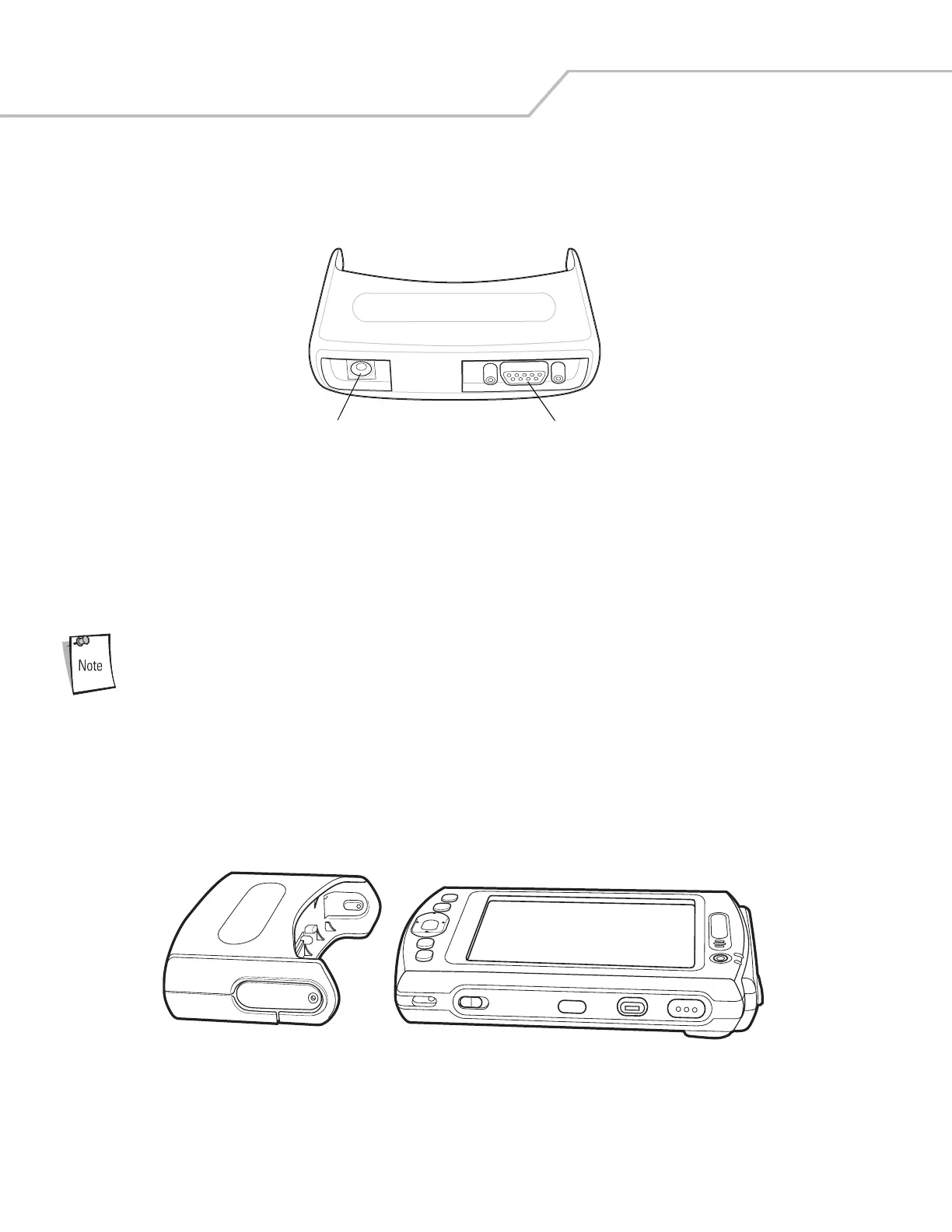
Cable Adapter Module
This section describes how to set up and use the snap-on CAM with the mobile computer. The CAM snaps on to the bottom of the
mobile computer and can be easily removed when not in use.
Figure 2-17. Cable Adapter Module
When attached to the mobile computer, the CAM:
• Provides power for operating the mobile computer, with the appropriate power connection.
• Provides Ethernet connection through the Ethernet port for communication with an Ethernet device, such as a host computer
or Ethernet hub. For communication setup procedures, see Chapter 3, ActiveSync.
• Charges the mobile computer’s battery, when used with the appropriate power supply.
Use only a Symbol-approved power supply (p/n 50-14000-147) output rated 5.4 Vdc and minimum 3A. The
power supply is certified to EN60950 with SELV outputs. Use of alternative power supply will invalidate any
approval given to this device and may be dangerous.
Hinweis: Benutzen Sie nur eine von Symbol Technologies genehmigte Stromversorgung (Teilenr. 50-14000-147) mit einer
Ausgangsleistung von 5.4 V (Gleichstrom) und mindestens 3A. Die Stromversorgung ist nach EN60950 für die
Verwendung in SELV-Stromkreisen zertifiziert. Bei Verwendung eines anderen Netzteils werden alle für das Gerät
gewährten Genehmigungen außer Kraft gesetzt, und der Betrieb kann gefährlich sein.
Attaching and Removing
To attach, slide the CAM onto the bottom of the mobile computer, until it snaps into place.
Figure 2-18. CAM Installation
To remove the CAM pull the CAM from the mobile computer.
Power Port
Communications Port



 To Next Page