Creating and Loading Hex Images 6-7
Defining Script Properties
Before creating a script, define script properties, including the type of mobile computer, flash type, number of disks being created,
and the memory configuration of each disk partition.
To define script properties:
1. Select the Script window to make it active.
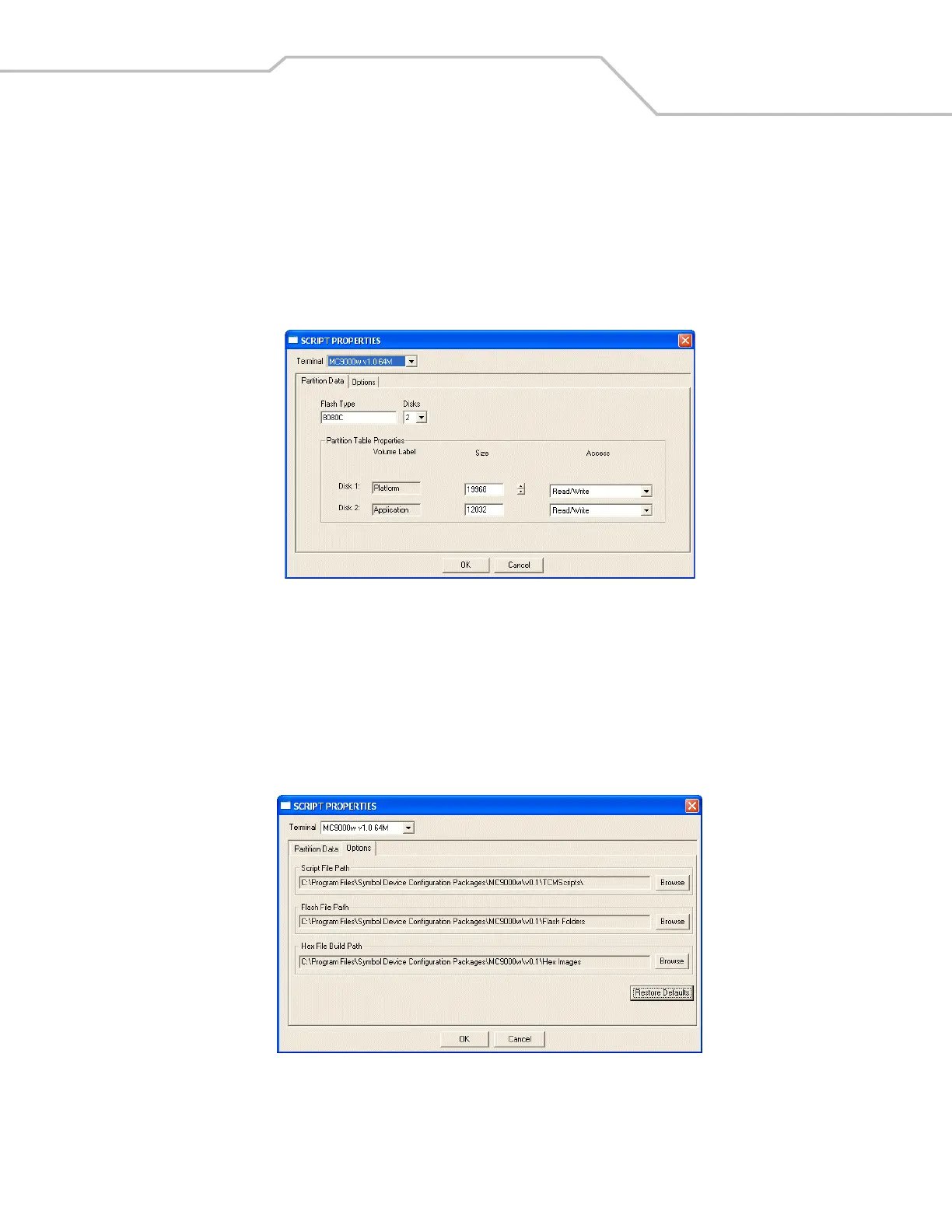
2. Click the Properties button. The Script Properties window - Partition Data tab appears.
Figure 6-2. Sample Script Properties Window - Partition Data Tab
3. In the Terminal drop-down list, select MC50 v1.0 64M.
4. Use the default Flash Type.
5. In the Disks drop-down list, select the number of disk partitions to create.
6. Select the (memory) Size for each partition. Note that adding space to one disk partition subtracts it from another.
7. In the Access drop-down list for each disk partition, select the Read/Write access option.
8. Click the Options tab. The Script Properties window - Options tab appears.
Figure 6-3. Sample Script Properties Window - Options Tab
9. Set the paths for the Script File, Flash File, and Hex File Build.
10. Click OK.



 To Next Page