Symbol Configuration Manager (SCM) 7-3
Introduction
Symbol Configuration Manager (SCM.exe) is a utility that runs on the development computer and is used to create a registry (.REG)
file. This file, when deployed to a mobile computer, sets configuration parameters for that device. The configurable options for a
mobile computer are defined in an XML file that is installed with the Device Configuration Package (DCP) for that mobile computer.
SCM.exe, also installed with the DCP, is a shared executable; only the latest version is installed.
SCM provides an alternative to using Notepad to create .REG files, eliminating the potential user errors that occur when manually
editing .REG files.
File Types
SCM uses three types of files:
• Symbol Configuration Template (.SCT) files are XML files delivered with DCPs that define the configurable parameters for a
device.
• Symbol Configuration Document (.SCD) files are XML files that SCM creates to hold the values of any modified parameters.
• Registry (.REG) file is a standard Windows format registry file that SCM creates. This file is downloaded to the mobile
computer and merged upon a cold boot.
The .REG file contains the complete set of registry values for a particular device, not just the modified values.
User Interface
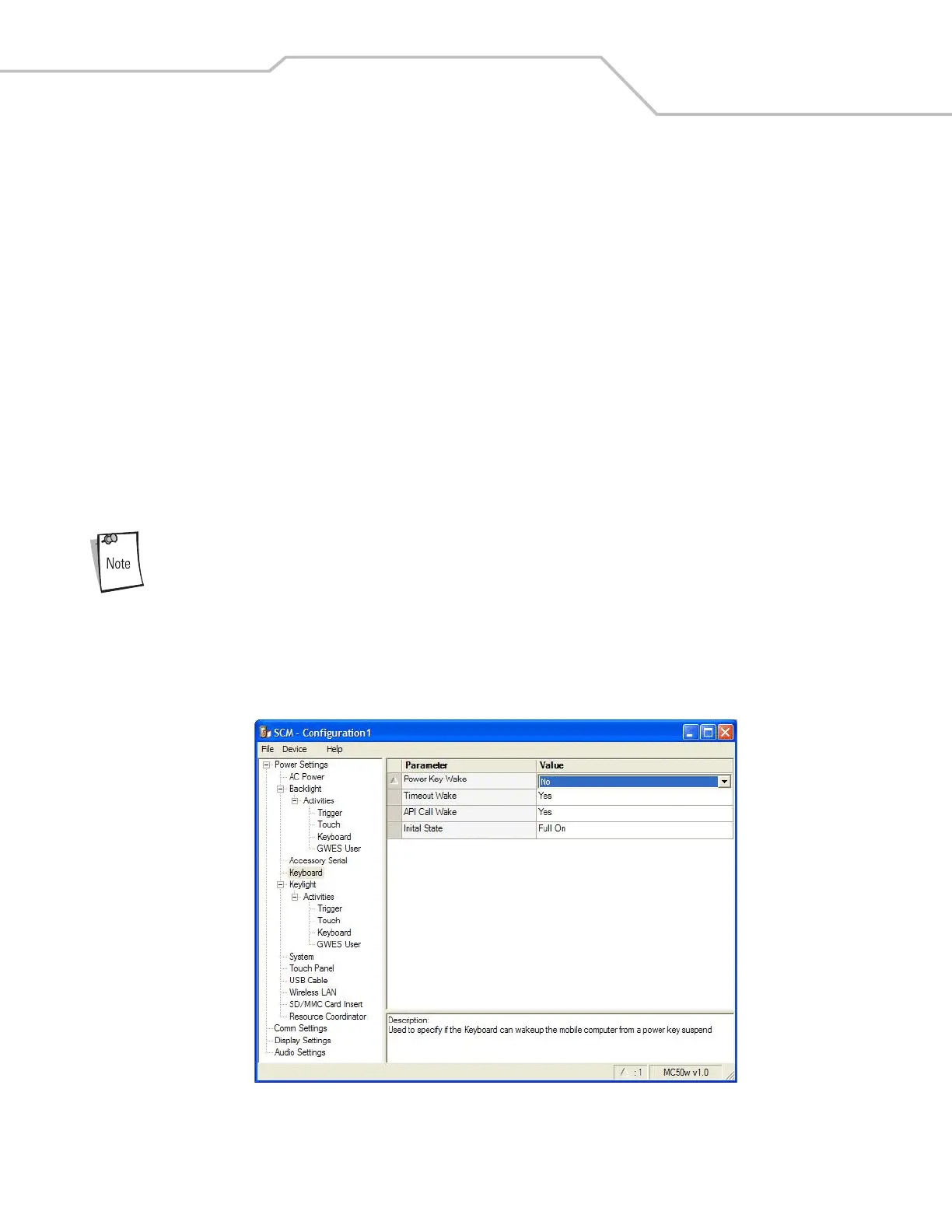
SCM's user interface consists of a tree control on the left side of the window which displays all the configuration categories, and a
data grid table on the right which displays all the configurable controls for the selected category. Figure 7-1 shows the main window
for the MC50w.sct file.
Figure 7-1. Main SCM Window



 To Next Page