MC50 Integrator Guide2-6
Charging the Mobile Computer Battery
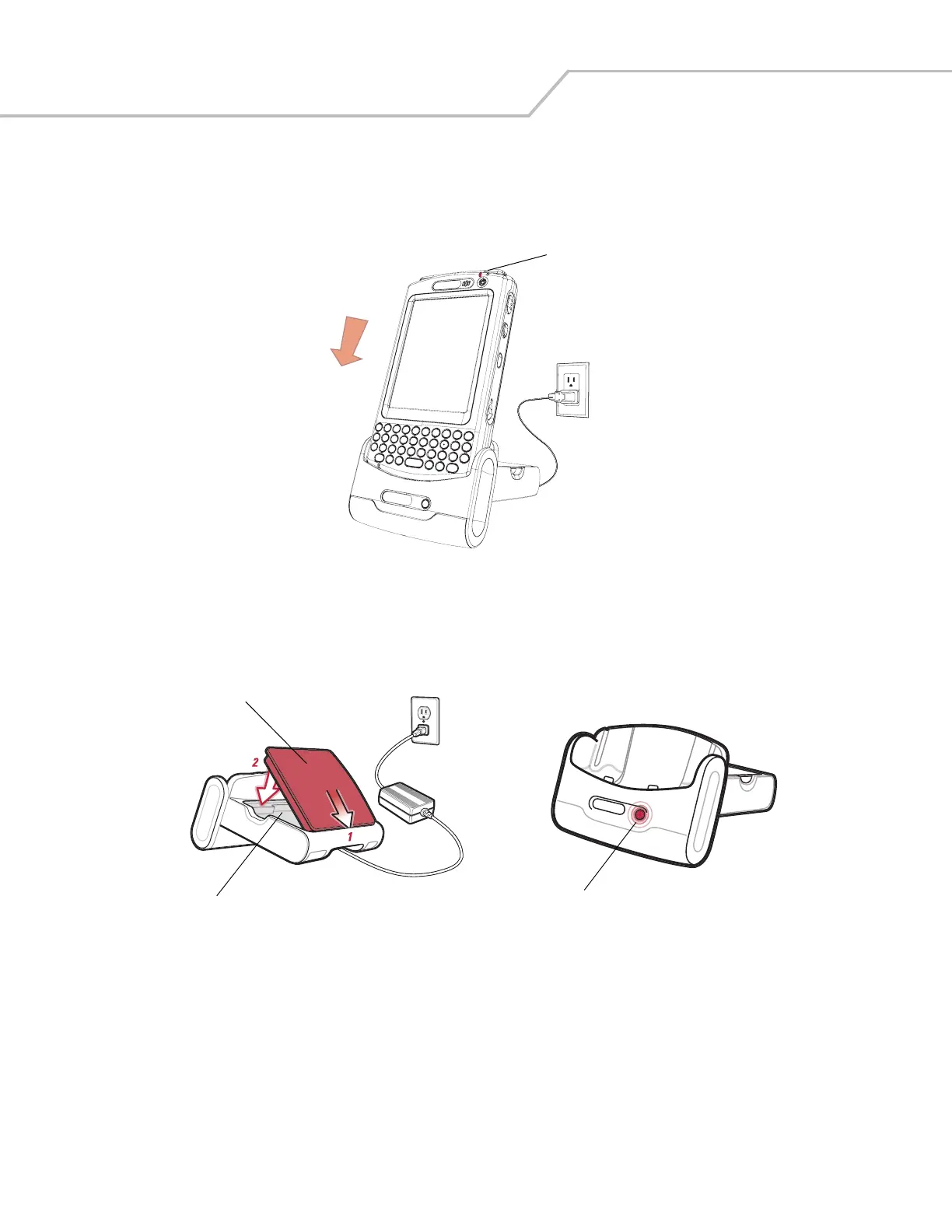
Connect the cradle to power, or to the host computer using the USB connection.
Insert the mobile computer into the mobile computer slot to begin charging.
Figure 2-4. Mobile Computer Battery Charging
Charging the Spare Battery
Figure 2-5. Spare Battery Charging
Battery Charging Indicators
The Single Slot USB Cradle charges the mobile computer’s main battery and a spare battery simultaneously.
The mobile computer’s charge LED indicates the status of the battery charging in the mobile computer. See Table 1-2 on page 1-7 for
charging status indications.
The spare battery charging LED on the cradle indicates the status of the spare battery charging in the cradle. See Table 2-1 for
charging status indications.
The standard battery fully charges in approximately 3.5 hours and the extended capacity battery fully charges in approximately seven
hours.
Battery Charging LED
Spare Battery
Spare Battery
Charging Well
Spare Battery
Charging LED



 To Next Page