MC50 Integrator Guide6-12
The following window appears:
Figure 6-9. Waiting Host Download Window
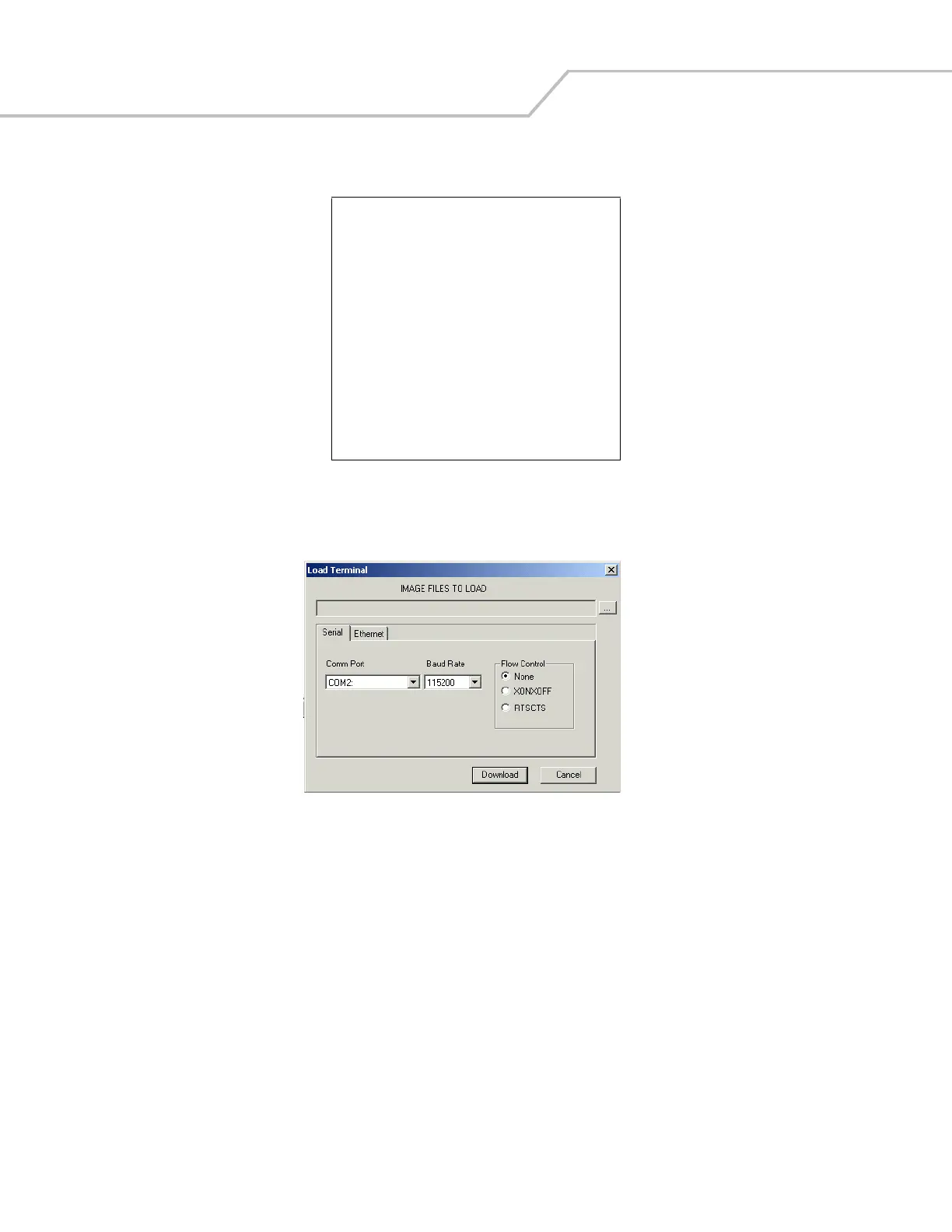
5. On the development computer, click Load on the TCM toolbar. The Load Terminal window - Serial tab appears.
Figure 6-10. Load Terminal Window - Serial Tab
Select the Image Files To Load, Comm Port, and Baud Rate from their respective drop-down lists, then click Download to
begin the operation.
6. The Downloading window on mobile computer displays the Device Status and a progress bar. When complete, Device Status
displays Result was Success, or in the case of an error, the cause of the error. Press Enter to return to the IPL menu to select
the next partition to download.
7. To exit IPL, select the System Reset item from the IPL menu (see Figure 6-12 on page 6-13).
Symbol Technologies Inc.
IPL Version XXXXXXXX
USB
Upgrading
Start USB download thread!
Waiting for host download!
Waiting for Download...
Press Push to Talk to exit



 To Next Page