Quick Start Guide
Try recording and playback with TASCAM DR-05.
The unit contains a factory-installed microSD
card, and will by default produce 44.1kHz, 16-bit
WAV les.
Higher-quality or longer les can be produced
using other recording settings. See “Selecting file
format/sampling frequency/type, and maximum
file size” for details on page 43.
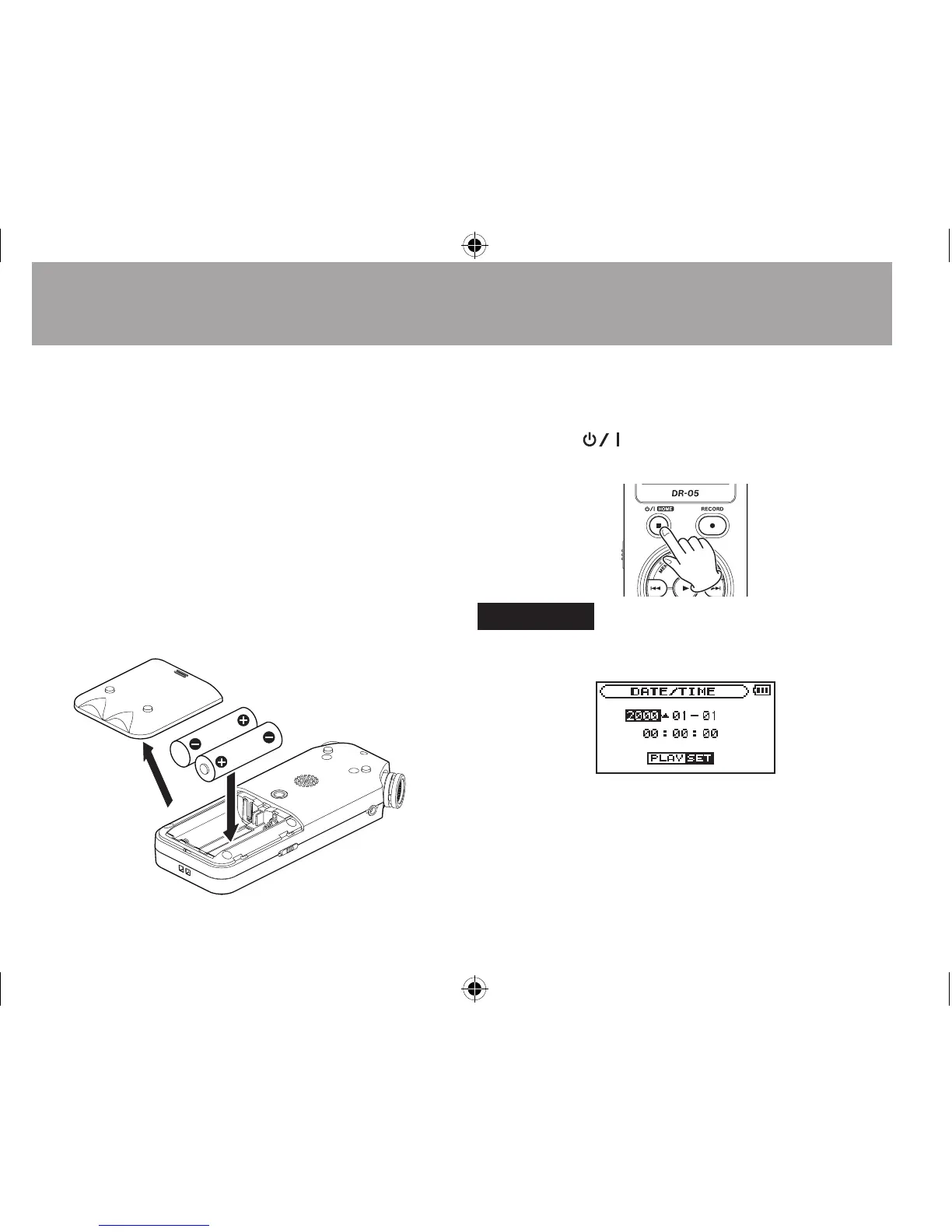
1 Install batteries in the battery compartment
on the back of the unit. Fit them to the + and
– marks shown in the compartment.
2 Turn on, and various setting information
will be displayed.
Press the
(HOME) [ª] button until the
unit is turned on, and then release it.
CAUTION
The first time you use the unit, a built-in clock setting screen
will appear.
Press the  or ¯ button to move the cursor
(highlighted portion), and adjust the date and time using the
+ or - button. Then press the Á button to set.
3 Press the RECORD [º] button to switch to
recording standby. The REC indicator will flash.




 To Next Page