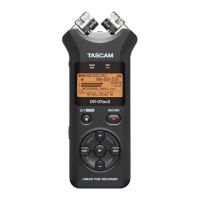
TASCAM DR-05 81
Features of the QUICK button
The QUICK button serves for the following purposes.
While the Home Screen is open and when stopped •
or paused, opens the Quick menu screen for
deletion, division, and level alignment (enhancing
the perceived overall sound pressure) of the
current track. During playback, the Quick menu
screen appears only for level alignment.
While the Home Screen is open during recording •
standby, the Quick menu screen appears for level
control setting.
While the Home Screen is open during recording, •
track increment occurs to stop recording on the
current file and continue recording on a new
file. (See “Manual track incrementation during
recording” on page 53.)
The Quick menu screen will not appear in this case.
A pop-up menu to work with a selected file •
or folder appears if the
BROWSE screen or the
PLAYLIST screen is open.
Switches •
CALIB and INPUT LEVEL on the
TUNER screen.
NOTE
The QUICK button is disabled if the MENU screen, OTHERS submenu,
REC SETUP screen, or a settings screen is open for various settings.
Actions of the QUICK button for dierent
screens and states are as follows.
Screen State Action
Home
Stop
Pause
Opens Quick menu for deletion,
division, and level alignment
Playback Opens Quick menu only for
level alignment
Recording
Standby
Opens Quick menu for level
control
Recording Creates a new le for continued
recording (track increment)
Playback Control Opens Quick menu only for
level alignment
BROWSE
,
PLAY-
LIST
Opens pop-up menu for working
with selected le (or folder)
TUNER
Switches CALIB and INPUT
LEVEL
MENU
screen,
OTHERS
submenu,
Other settings
screens
—
7-Quick Operations




 To Next Page