2–Names and Functions of Parts
Using menus
Use the
MENU
screen to make various settings.
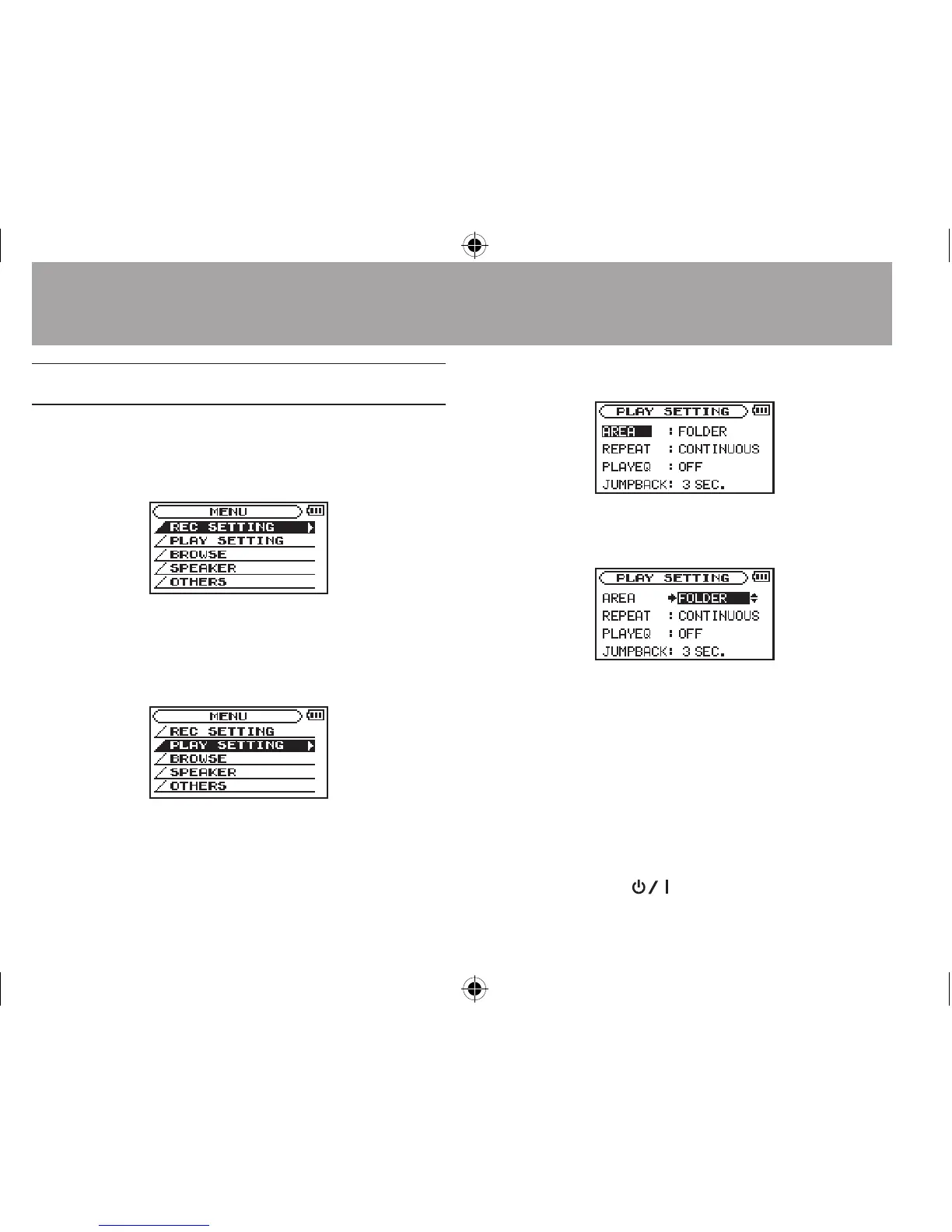
Example: setting the playback area
1
Press the MENU button to open the MENU screen.
2 Use the + or – button to select a menu item
(highlighted), and use the Á button to
move to various settings screens.
Example:
PLAY SETTING
screen
3 Use the + or – button to select a menu item
(highlighted) to be set.
Example:
AREA
is selected.
4 Use the ¯ or Á button to move the
cursor to highlight the value of the setting.
5 Use the + or – button to change the setting.
6 Press the  button to set a different
item in the same menu.
This enables you to select a new item. Use the
+ or − button again to select an item to be set.
7
Repeat step 3 to 6 as necessary to set each item.
8
To open the
MENU
screen, press the MENU button.
To return to the Home Screen (or
OTHERS
submenu
screen), press the
(HOME) [ª] button.





 To Next Page