Start-up & shutdown
CAUTION
The unit goes in standby mode if shut down when the •
unit is operating on AC power supplied through the AC
adapter (TASCAM PS-P515U, sold separately), or bus
power supplied from a USB port of a PC.
Turn down the volume of the sound system connected to •
the unit before starting up or shutting down the unit.
Do not use headphones when starting up or shutting •
down the unit. Otherwise, a large noise would cause
damage to headphones or your ears.
Starting up the unit
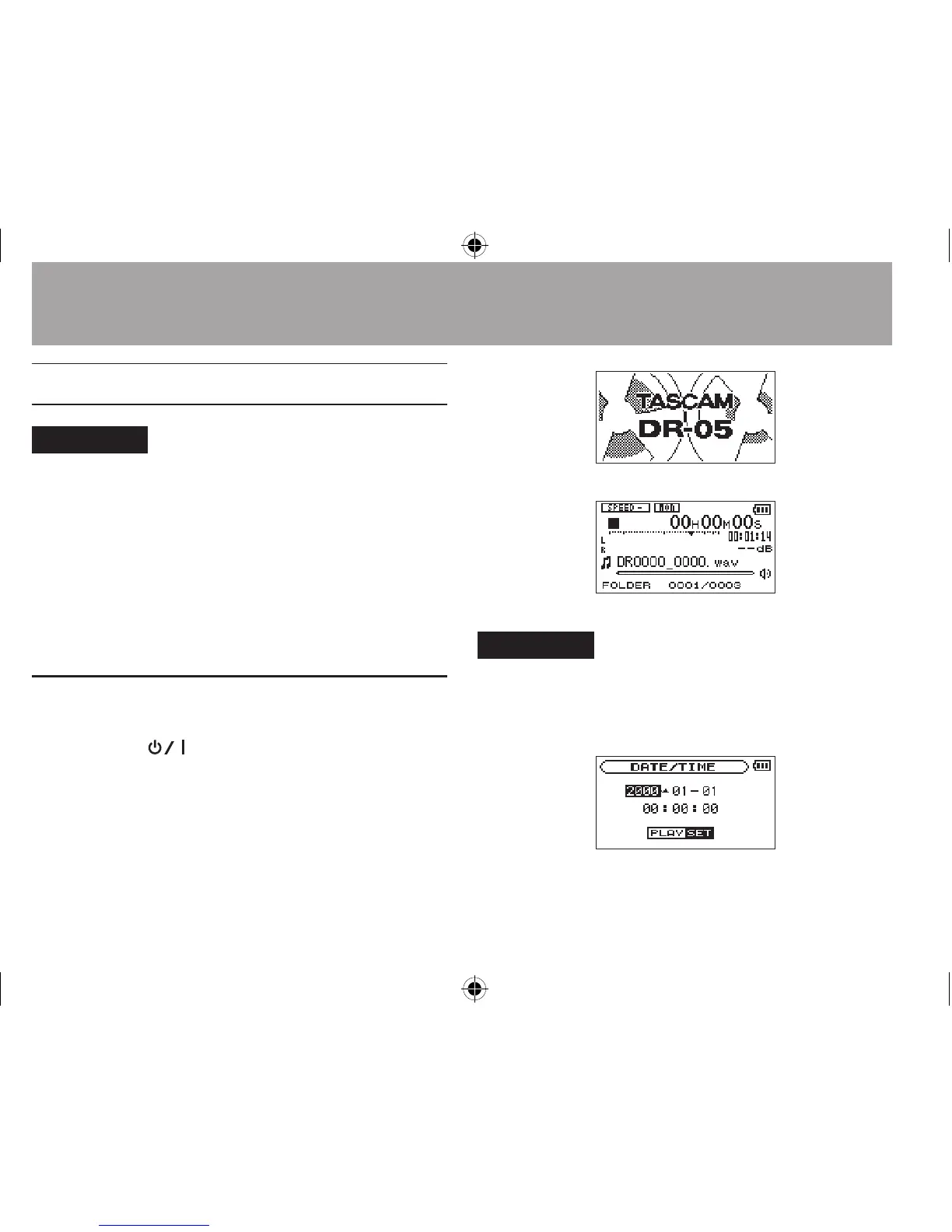
To start up the unit from the stopped state, press
and hold the
(HOME) [ª] button until
TASCAM DR-05
(start-up screen) is displayed on
the display. The Home Screen appears when the
unit starts up.
Start -Up Screen
Home Screen
CAUTION
When the unit is started up for the first time (or when
the built-in clock is reset after being left unused without
batteries), the DATE/TIME screen appears before the start-up
screen to adjust the date and time.
Press the  or ¯ button to move the cursor
(highlighted area), and use the + or - button to change
3–Preparation




 To Next Page