2–Names and Functions of Parts
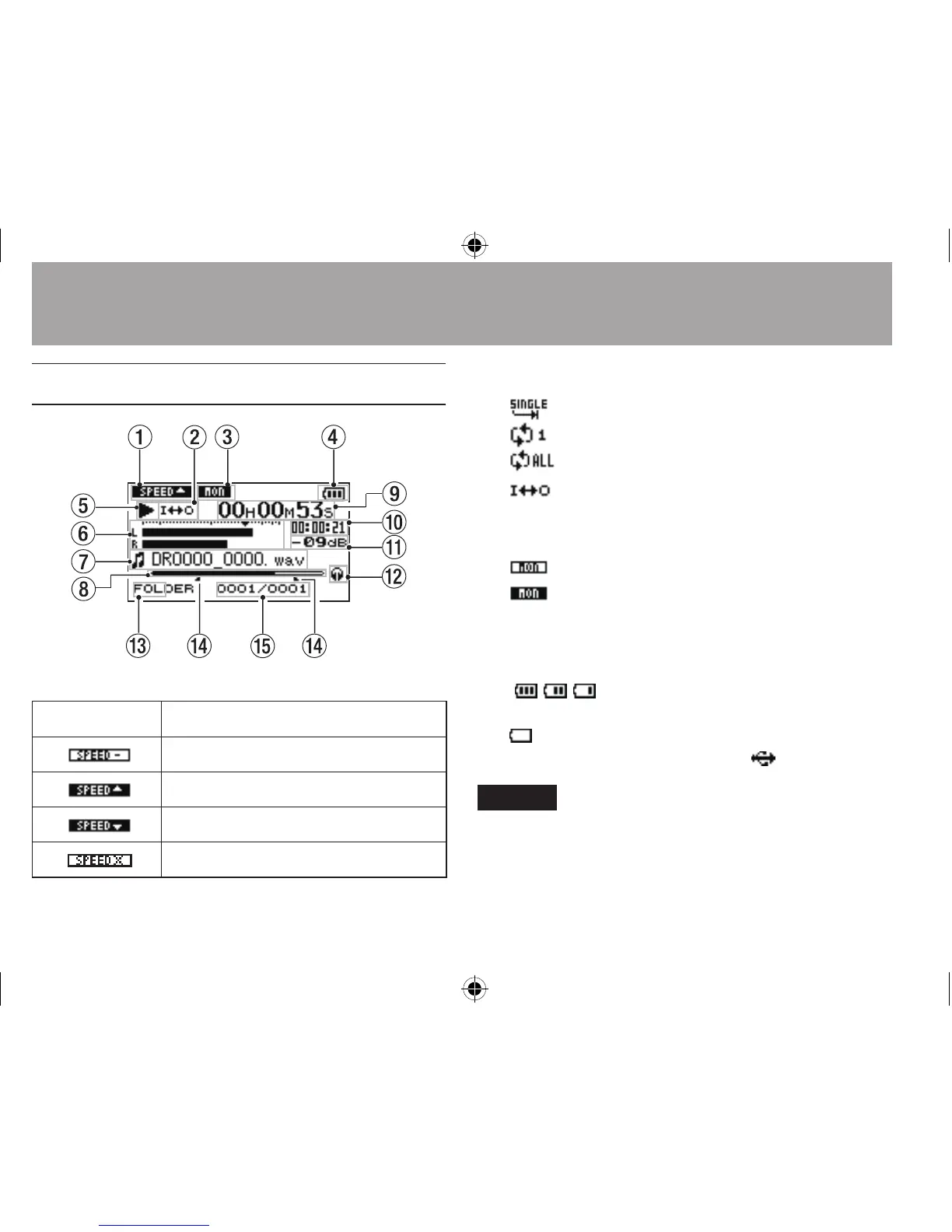
Home Screen
1 Playback speed setting status
Icon Playback speed
x1.0
x1.1 - x1.5
x0.5 - x0.9
Playback speed not controllable
2 Loop/repeat playback status
: Single playback
: Single track repeat playback
: All track repeat playback
: Loop playback
3 Monitor Mix setting status
On/off status of Monitor Mix is shown.
: Monitor Mix off
: Monitor Mix on
4Power supply status
When a battery is being used, a battery icon
shows the amount of power remaining in bars
(
, , ). The battery is almost dead and the
power will soon turn off if the icon has no bars
. When using the PS-P515U AC adaptor (sold
separately) or USB bus power,
appears.
NOTE
Sometimes a “Battery Low” warning appears when recording
or conducting other demanding operations even when
battery power remains.




 To Next Page