4–Recording
Setting the input functions
1 Press the MENU button to open the MENU
Screen.
2 Use the + or − button to select
REC
SETTING
, and press the Á button.
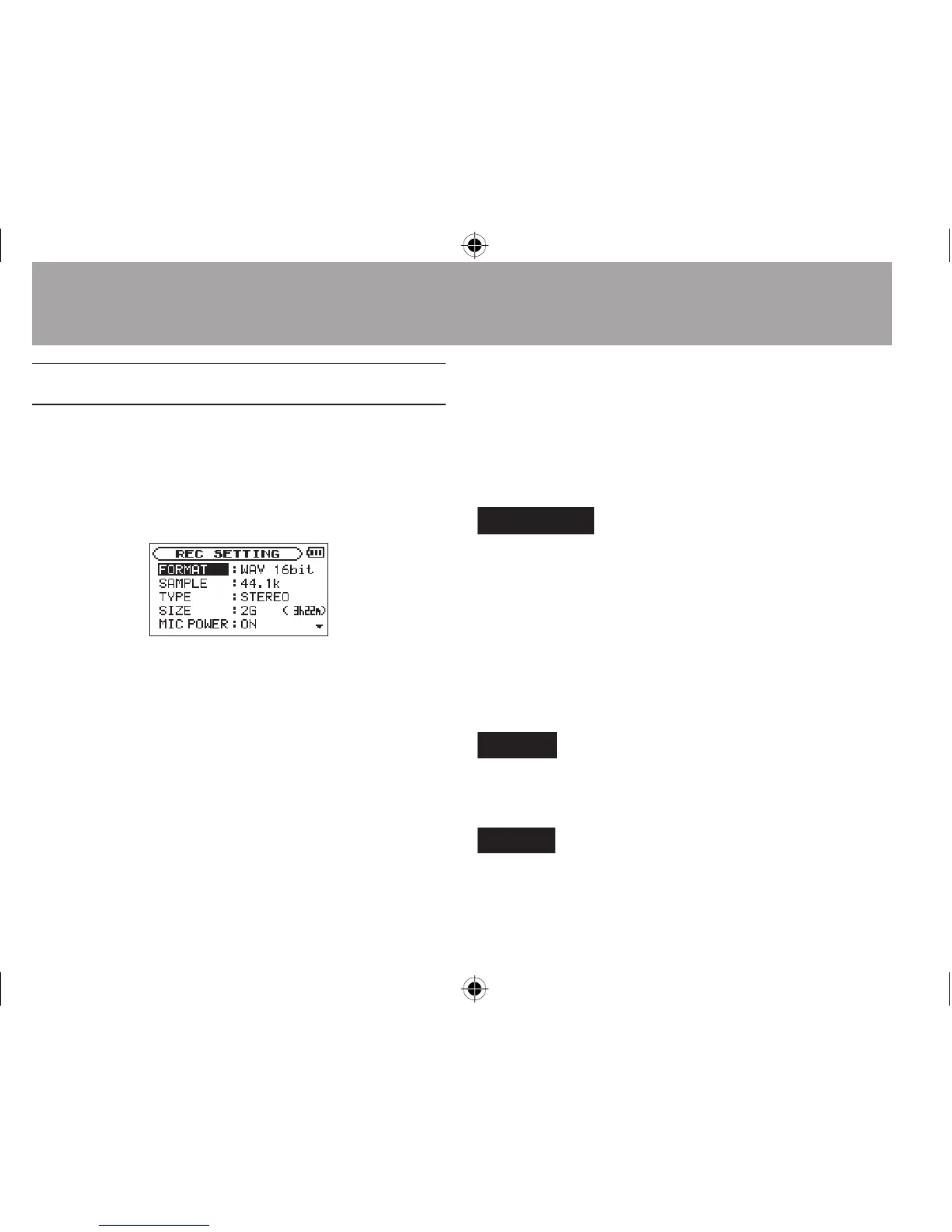
REC SETTING
screen appears.
The following input settings are made in this screen.
Use the  or ¯ button or the + or − button to
select the following settings.
MIC POWER:
When connecting a microphone that requires
plug-in power, set this to
ON
. The factory default
is
OFF
.
LOW CUT:
The factory default setting of the low cut lter
is
OFF
, but you can also select
40Hz
,
80Hz
or
120Hz
as the cut-o frequency for a low cut
lter.
CAUTION
Set •
MIC
POWER
to
OFF
when using the built-in mic or
connecting a dynamic microphone or microphone with
a built-in battery. If set to ON, the plug-in power may
damage such microphones.
Use headphones to monitor when you are recording with •
a microphone. If you use speakers to monitor, the sound
output from the speakers may also be recorded, causing
a poor recording and even feedback.
NOTE
MIC
POWER
and
LOW
CUT
can be set when recording/in
recording standby.
TIP
The LOW CUT filter can reduce noise such as offensive wind
noise from air-conditioners and projectors.





 To Next Page