TASCAM DR-05 43
In addition to using the built-in microphone, you can
record using an external microphone or record the
output signal from a mixer or other audio source. You
can select among MP3 (44.1/48 kHz, 32–320 kbps) and
WAV (44.1/48/96 kHz, 16/24-bit) audio recording formats.
As the unit is compatible with the BWF format for
WAV les, marks added to the WAV les during
recording are available when playing back the les
using a BWF compliant software, etc.
Selecting file format/sampling
frequency/type, and maximum file size
Select the audio le type that you want to record
before you start recording.
1
Press the MENU button to open the
MENU
Screen.
2 Use the + or − button to select
REC SETTING
,
and press the Á button.
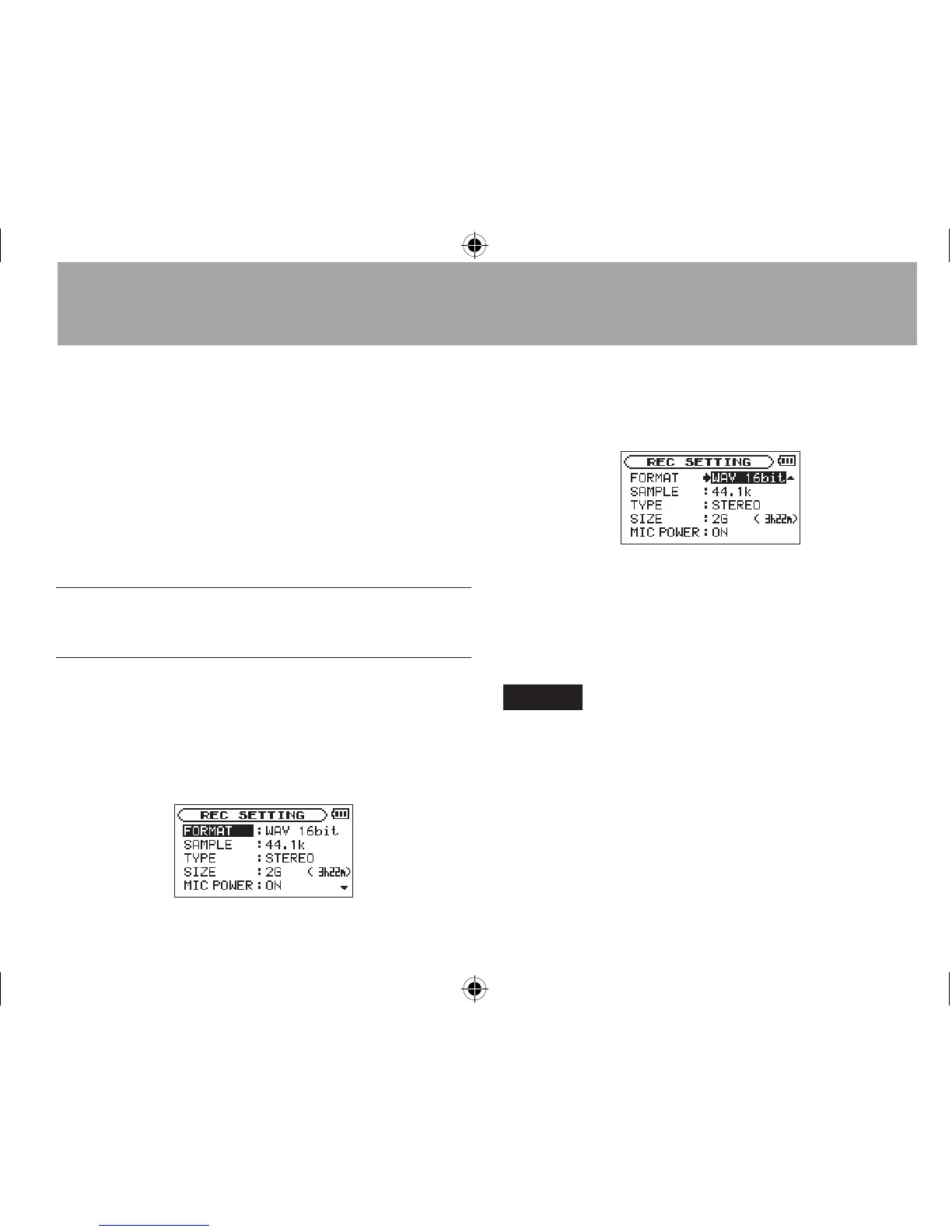
REC
SETTING
screen appears.
3 Use the + or − button to select
FORMAT
, and
press the ¯ or Á button.
Set the file format with the + or − button to
from the following:
WAV: 16bit (default), WAV 24bit
MP3: 32kbps, 64kbps, 96kbps, 128kbps,
192kbps, 256kbps, 320kbps
NOTE
Higher values provide better recording quality. •
WAV files are higher quality than MP3 files, but they take up •
more space, so MP3 formats allow for longer recordings.
4 Press the  button to show settings.
4–Recording




 To Next Page