TASCAM DR-05 97
10–Settings and Information
Setting the format of file names
You can select the format of names given to les
recorded by this unit.
1
Press the MENU button to open the MENU screen.
2 Use the + or − button to select
OTHERS
, and
press the Á button to open the
OTHERS
submenu.
3 Use the + or − button to select
FILE
NAME
,
and press the Á button.
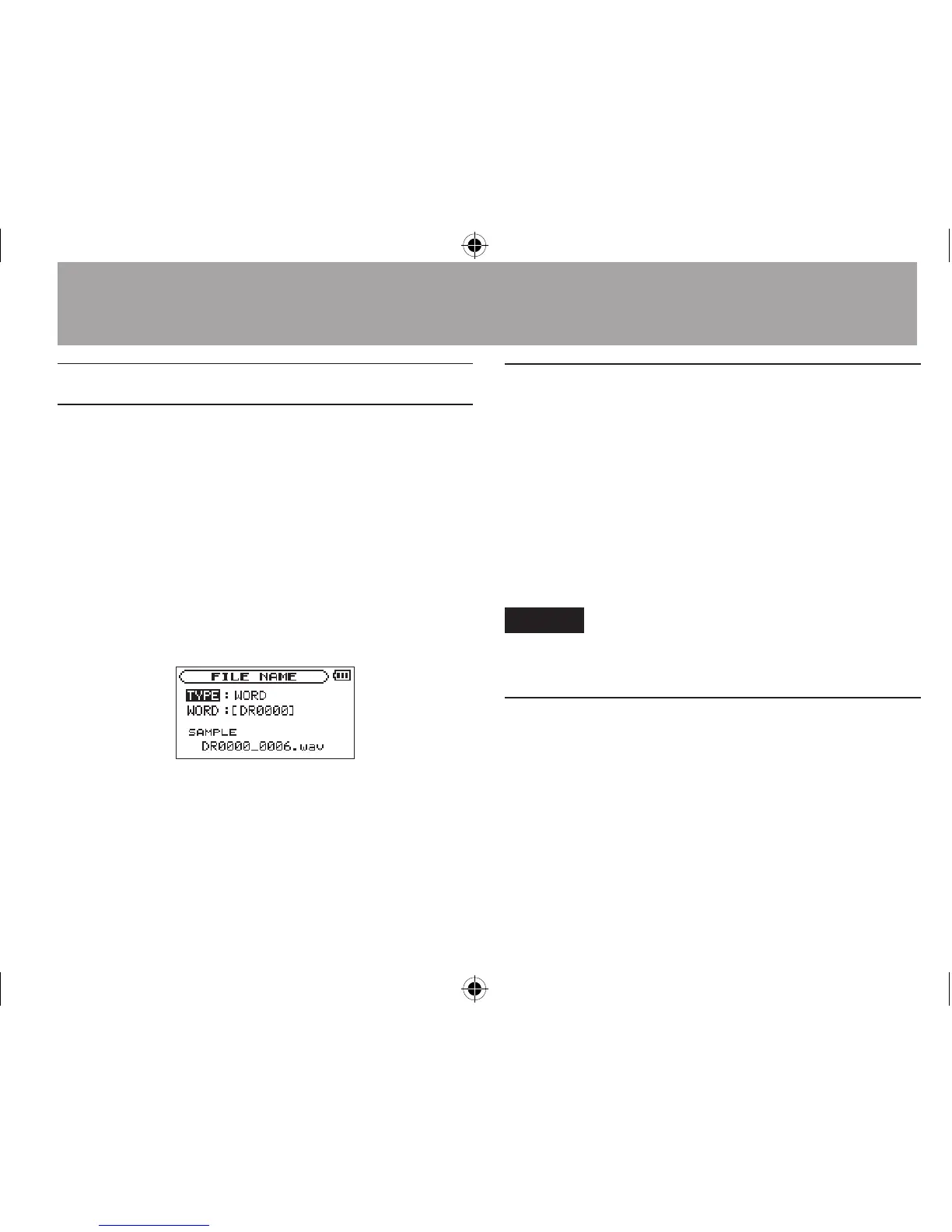
FILE
NAME
screen appears.
Use the  or ¯ button and the + or −
button to set each item.
On this screen you can make the following
settings for each item.
File name format
The
TYPE
item can be set to either
WORD
(default
setting) or
DATE
.
WORD: When set to
WORD
, a 6-character le name
is used as the beginning of each le name.
Example: DR0000_0000.wav
DATE: The date is used as the le name (in
yymmdd format).
Example: 110101_0000.wav
NOTE
The date is set using the unit’s internal clock. (See “Setting the
date and time” on page 38.)
Setting the WORD item
To set the
WORD
item, use the  and ¯
buttons to move the cursor, and use the + or −
button to select the character.
In addition to the alphabet and numbers, the
following characters can be used:
! # $ % & ' ( ) + , - . ; = @ [ ] ^
_ ` { } ~





 To Next Page