Adjusting the input level (simple
adjustment)
If Monitor Mix is enabled (
INPUT
is selected in
the
MONITOR MIX
screen), the input level can
be adjusted in a simple way in the Quick menu
screen.
NOTE
The level meters are designed to be hidden from the Quick menu
screen, so you cannot use them when you make adjustments.
This simple way of adjustment can be used only for the
Monitor Mix function (simultaneous listening to playback
and input from a microphone or external device.
Fine adjustments for recording should be made using the
 or ¯ button when the unit is in recording standby.
(See “Adjusting the input level” on page 48.)
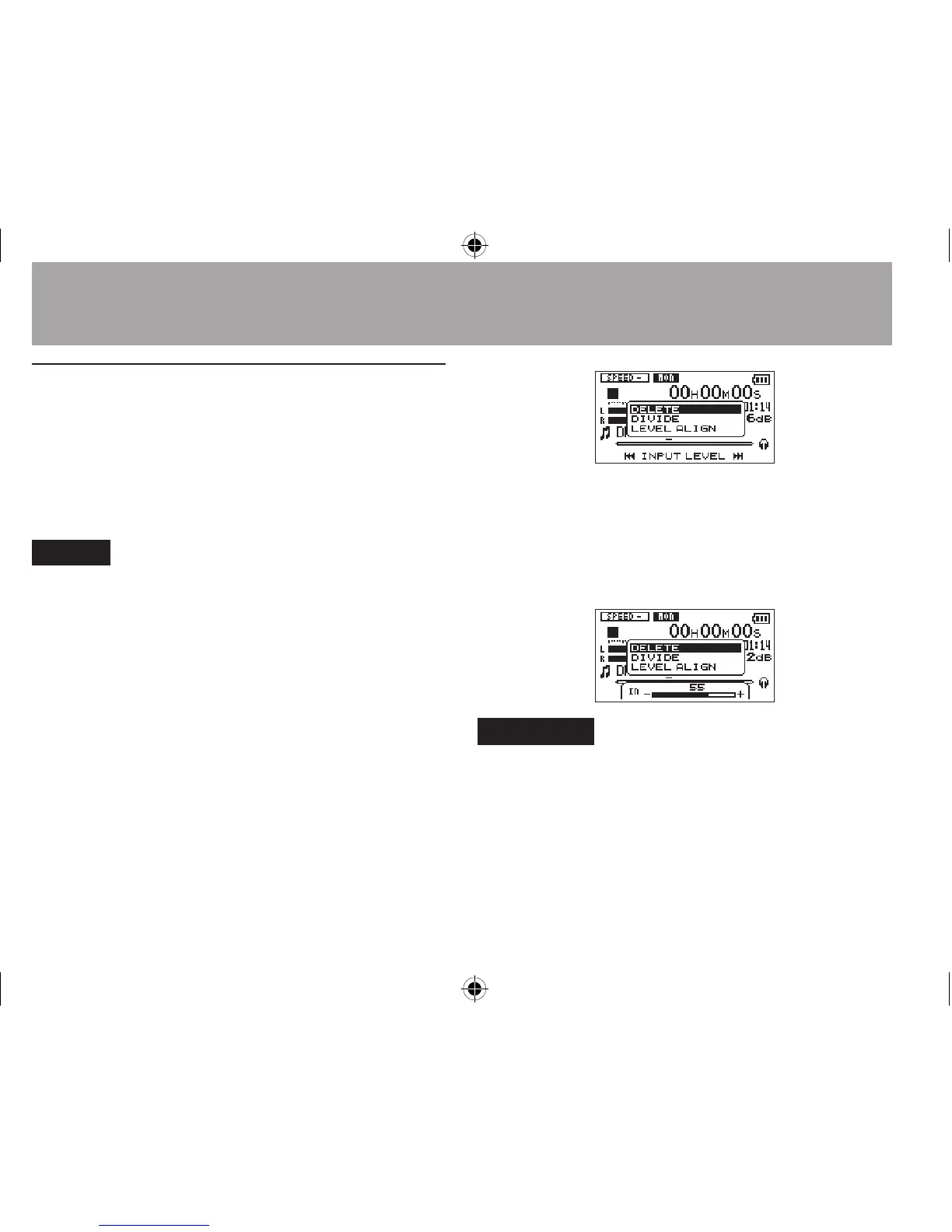
1 Press the QUICK button while the Home
Screen is open during playback or when
stopped.
The Quick menu screen appears.
2 While listening to the input sound, use the
 or ¯ button to adjust the input
level. When the  or ¯ button is
pressed, a pull-up window showing input
level settings appears in the display.
CAUTION
If the Monitor Mix function is disabled, the pull-up window •
will not appear when pressing the  or¯ button.
When distortion of sound is about to occur as the input •
sound level is increased, the PEAK indicator on the upper left
above the display will be turned on. Adjust the input level for
recording so as not to allow the PEAK indicator to be turned
on.
6–Playback





 To Next Page