Using the Level Control Function
The level control function for recording through
a microphone is set as follows.
1 Press the RECORD [º] button to bring
the unit in recording standby. The REC
indicator will flash and the recording
screen will appear.
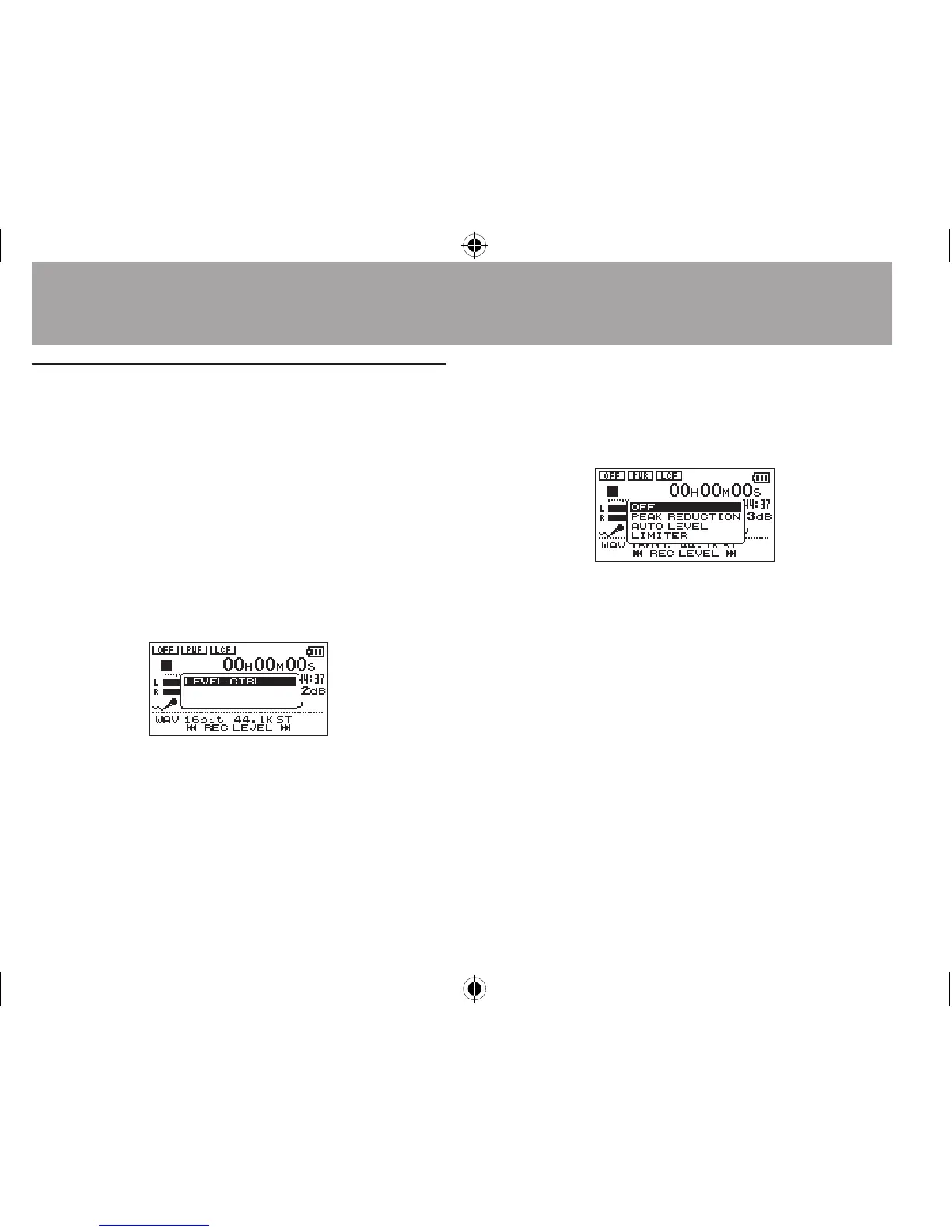
2 Press the QUICK button.
The Quick menu screen will appear.
3 Select (highlight)
LEVEL CTRL
, and press
the Á button.
The level control setting screen will appear.
Options:
OFF
(default),
PEAK REDUCTION
,
AUTO LEVEL
,
LIMITER
4 Use the + or − button to select (highlight)
a mode, and press the Á button to enable
the mode and return to the recording
screen.
The selected mode is shown with an icon in the
recording screen.
PEAK REDUCTION:
The input volume is reduced automatically to an
appropriate level when excessively large signals
4–Recording




 To Next Page