Setting the date and time
Using its internal clock, this unit remembers the
date and time when a le is recorded.
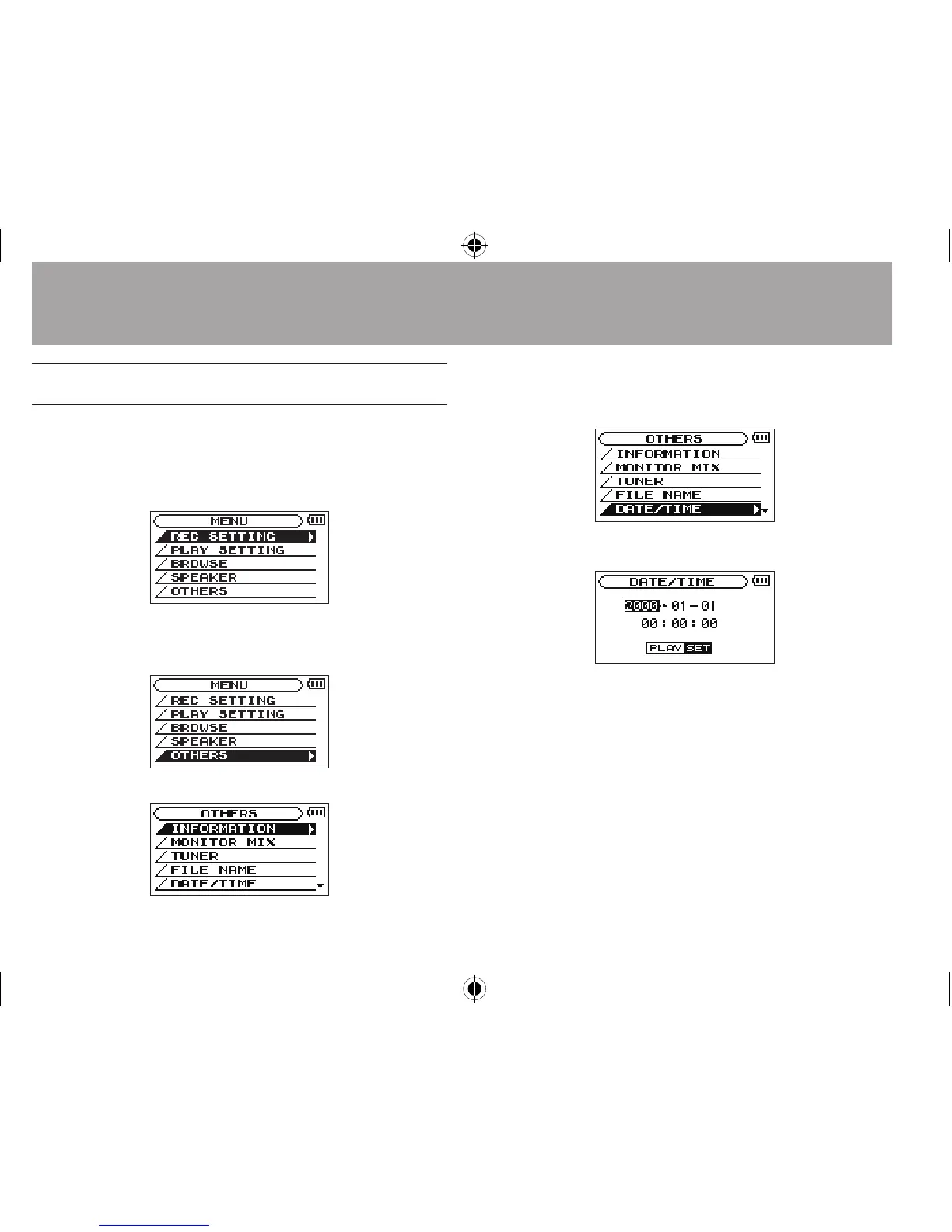
1 Press the MENU button to open the
MENU
screen.
2 Use the + or – button to select the
OTHERS
menu item (highlighted), and press the Á
button.
The
OTHERS
screen is displayed.
3 Use the + or – button to select the
DATE/
TIME
menu item, and press the Á button.
The
DATE/TIME
screen is displayed.
4 Press the  or ¯ button to move the
cursor (highlighted area), and use the + or
– button to change values.
5 Press the Á button to confirm the change
and return to the
OTHERS
screen.
3–Preparation




 To Next Page