The input level cannot be changed if the level control •
function is set to
AUTO LEVEL
.
Closing the Quick menu screen
Press the QUICK button to close the Quick menu
screen.
Deleting the selected file (Quick
Delete)
The currently selected le can be deleted
without using the
BROWSE
screen.
1 T
o delete a file, select it using the
Â
or
¯
button or the
BROWSE
screen.
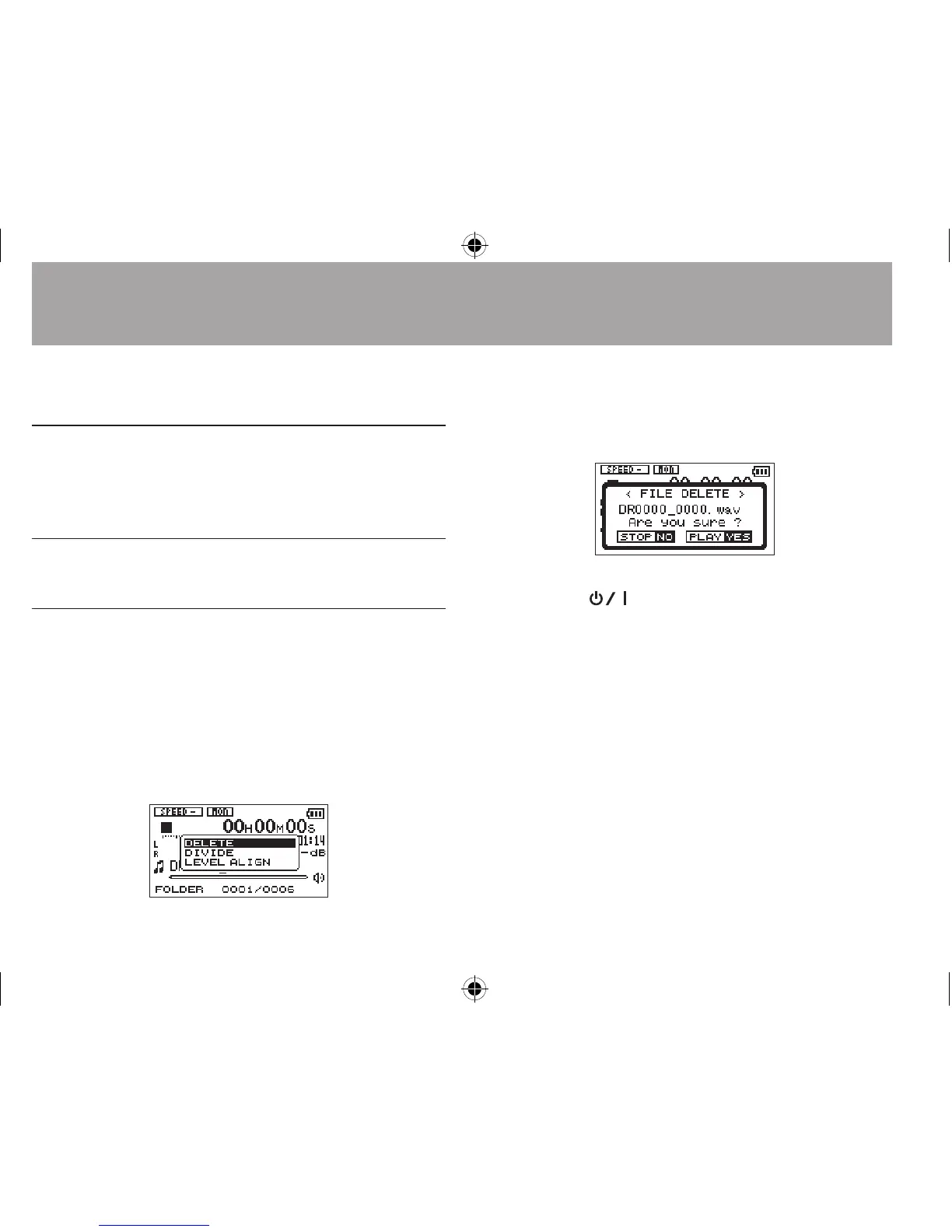
2 Open the Quick menu screen by pressing
the QUICK button while the Home Screen is
open when stopped.
3 Use the + or − button to select
DELETE
.
4 Press the Á button. A confirmation screen
for file deletion appears.
Press the Á button to delete the file, or
press
the
(HOME) [ª] button to cancel
the deletion.
7-Quick Operations




 To Next Page