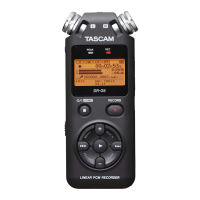
TASCAM DR-05 99
Message Meaning and response
MBR Error Init
CARD
The card is not formatted properly or the formatting is broken. Change the card or
press the
Á button when this message appears to format the card in FAT format.
CAUTION: Execution of FAT formatting erases all data currently on the card
.
Format Error
Format CARD
The FAT formatting of the card is abnormal or broken. This message also appears if
you FAT formatted the card using a computer connected by USB and if a new card is
inserted in the unit. Always use the DR-05 to conduct FAT formatting of cards to be
used with it. Change the card or press the
Á button when this message appears to
format the card in FAT format.
CAUTION: Execution of FAT formatting erases all data currently on the card.
File Not Found
Make Sys File
The system le is missing. This unit requires a system le for operation. When this
message appears, press the
Á button to automatically create a system le.
Invalid SysFile
Make Sys File
The system le required to operate this unit is invalid. When this message appears,
press the
Á button to automatically create a system le.
Invalid Card
Change Card
Something might be wrong with the card. Change the card.
Write Timeout
Writing to the card timed out.
Backup les on the card to your computer, and format the card.
Card Full
The card has no remaining capacity. Erase unnecessary les or move them to your
computer to make open space.
Layer too Deep
Folders can be created down to two layers. You cannot create a new folder inside the
current folder.
11–Messages




 To Next Page