FORMA: Service & Maintenance manual - rev. 3.0
Page 6.6
6.2. THE DISPLAY SHOWS “SAFETY SWITCH”
The machine displays this message if:
• The “Safety switch” is tripped during a training session.
• The emergency system is damaged.
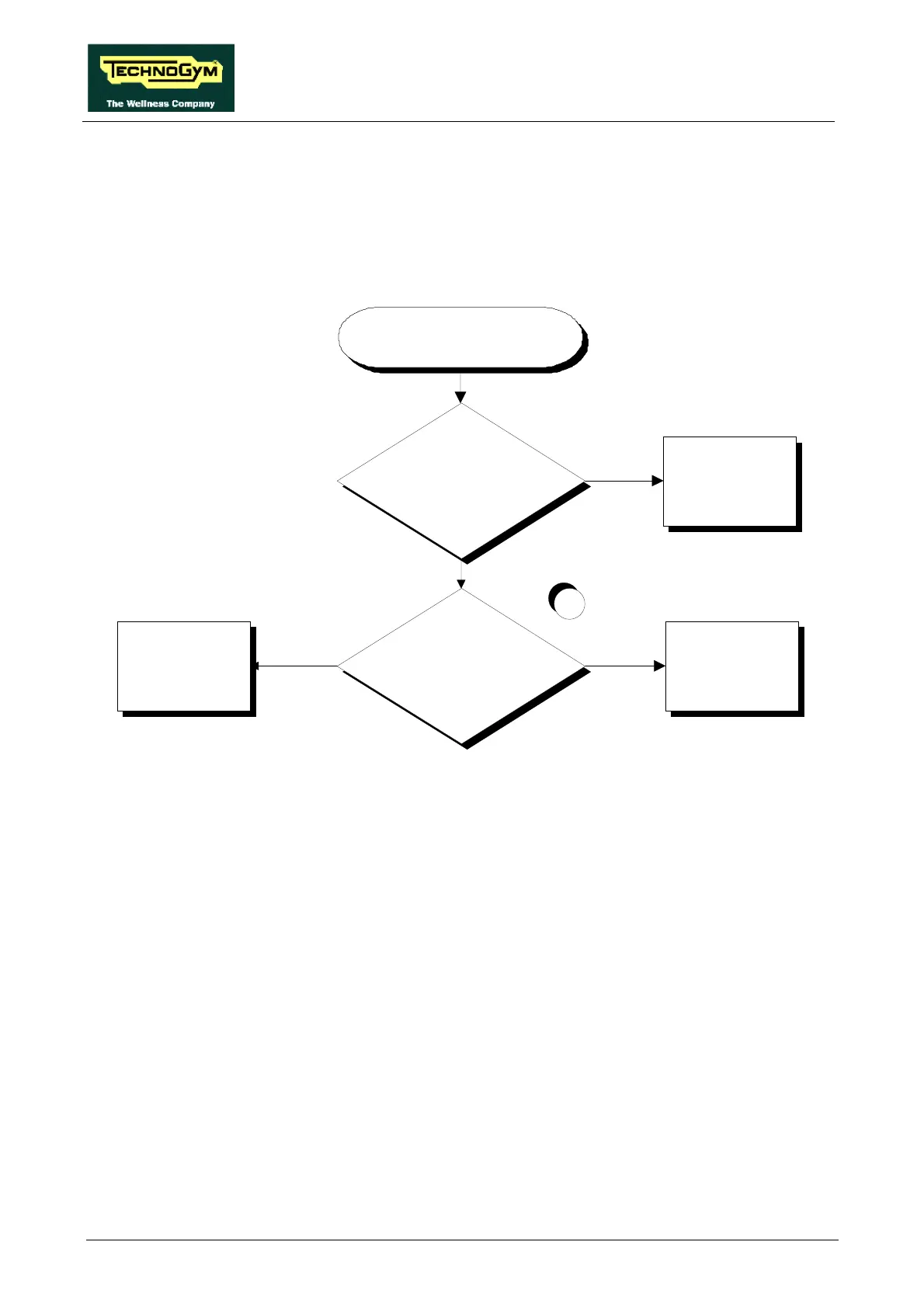
THE DISPLAY SHOWS
“SAFETY TRIPPED”
Did the user disconnect the safety
switch during the training session or at
the start?
Correct operation
YES
NO
1
Does the reed contact switch from
open to close and vice versa when the
“safety switch” is connected and
disconnected?
Replace the CPU board
Replace the reed relay
NO
YES
Follow the procedure step by step to correctly diagnose the problem. Take particular care with the
checks highlighted by circled numbers, which are described in detail below:
(1) Place the tester probes between pins 1 and 2 of connector EM on the CPU board. The contact
should be closed when the Safety switch is correctly positioned on the display, and open when
the Safety switch is detached from the display.














 To Next Page