2. Congure Unity Self with a static IP and remember the IP address of unity self because it
must be used in the console conguration.
3. Download and open the “Equipment set up” APP, available for Android and IOS mobile
phones.
Once the APP is downloaded, a tutorial guides the conguration of the SKILLROW to the Wi-Fi
network and Unity Self.
4. Congure the consoles for the WiFi connection and for the connection with Unity Self (set-
ting on the Technogym Equipment Set Up APP plus switching on of the console to store the
data).
5. Check that the SKILLROW application is installed on the Unity Self Dashboard, through the
professional application Technogym app store pro.mywellness.com/store.
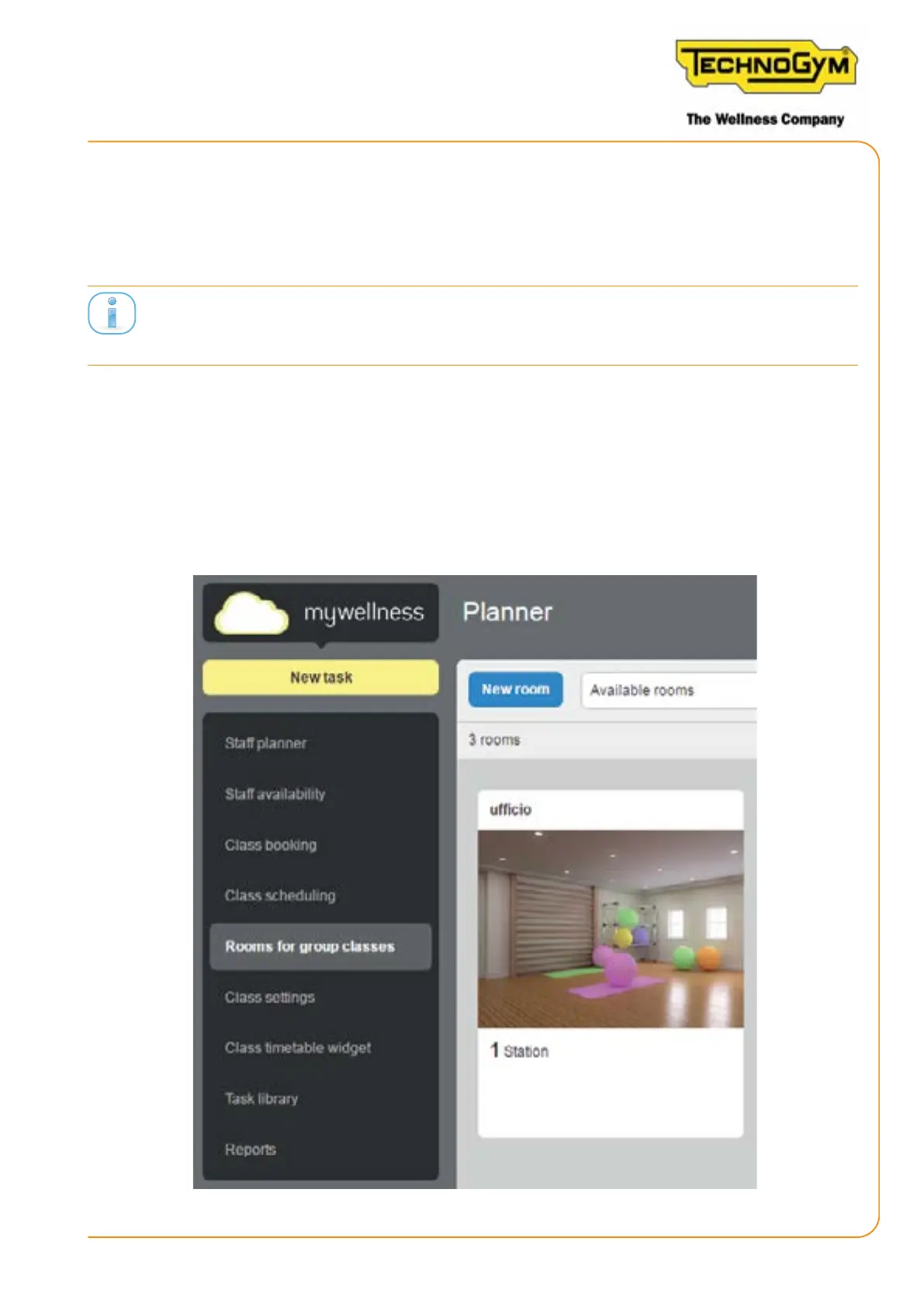
6. Check, through the site pro.mywellness.com (planner section), that the room where the
SKILLROW class is carried out is set.
Figure 21
SKILLROW:
Technical Service Guide - Rev. 1.1
Page 53e-mail: support@technogym.com












 To Next Page