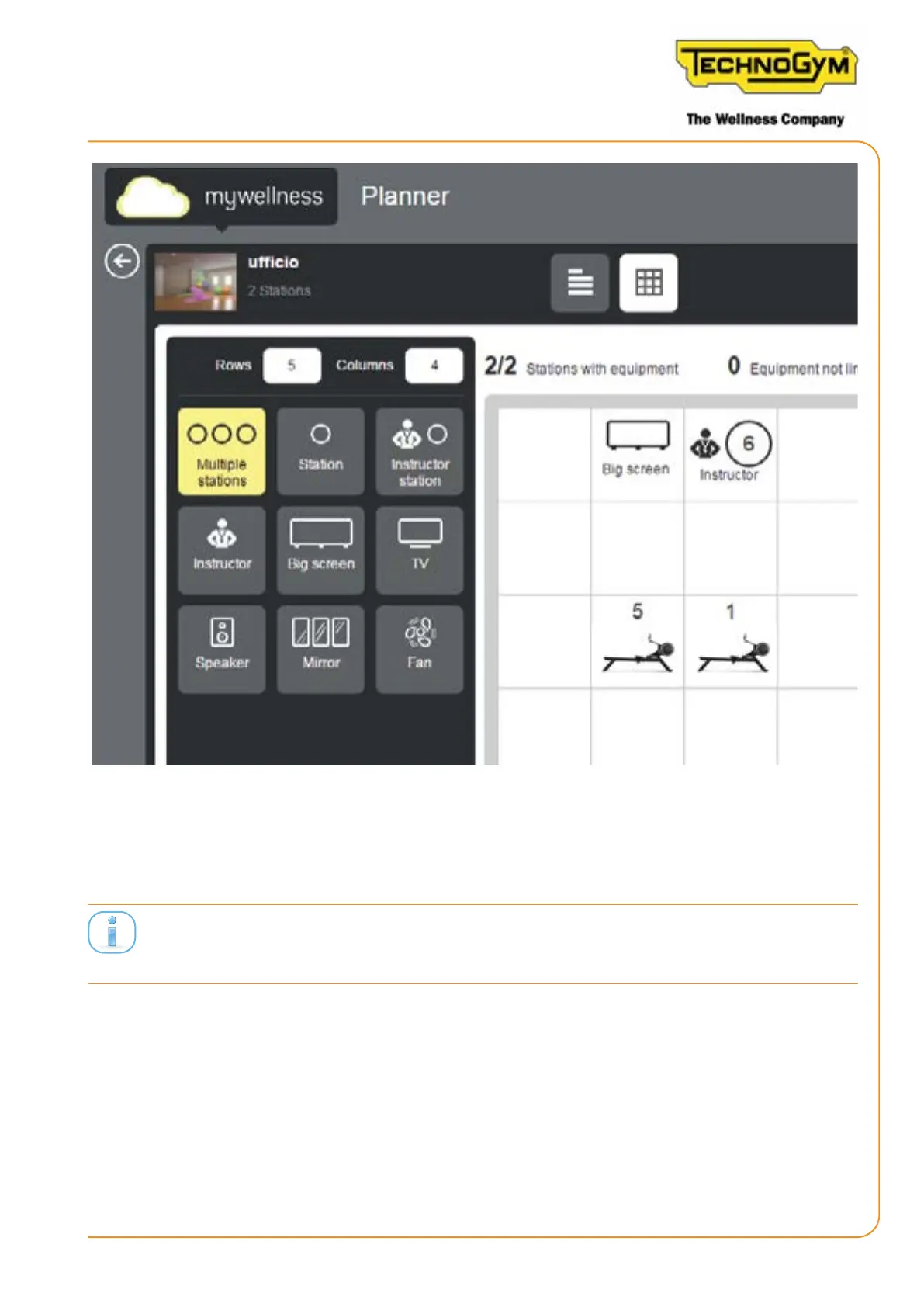
Figure 22
10. Switch o and switch on the Unity Self when all consoles are congured. In this way, the
Unity Self downloads the update database.
Each time you modify the conguration of the class, UNITY SELF must be always switch o and
switch on. In this way, the Unity Self downloads the update database.
11. Apply the numbered adhesives on the SKILLROW based on the layout of the class, if de-
sired by the customer. The numbered adhesives on the SKILLROW, must correspond with
the number of the SKILLROW, set on the Equipment setup APP.
SKILLROW:
Technical Service Guide - Rev. 1.1
Page 55e-mail: support@technogym.com












 To Next Page