Addressable Fire Panel IRIS - Installation and Programming Manual 29
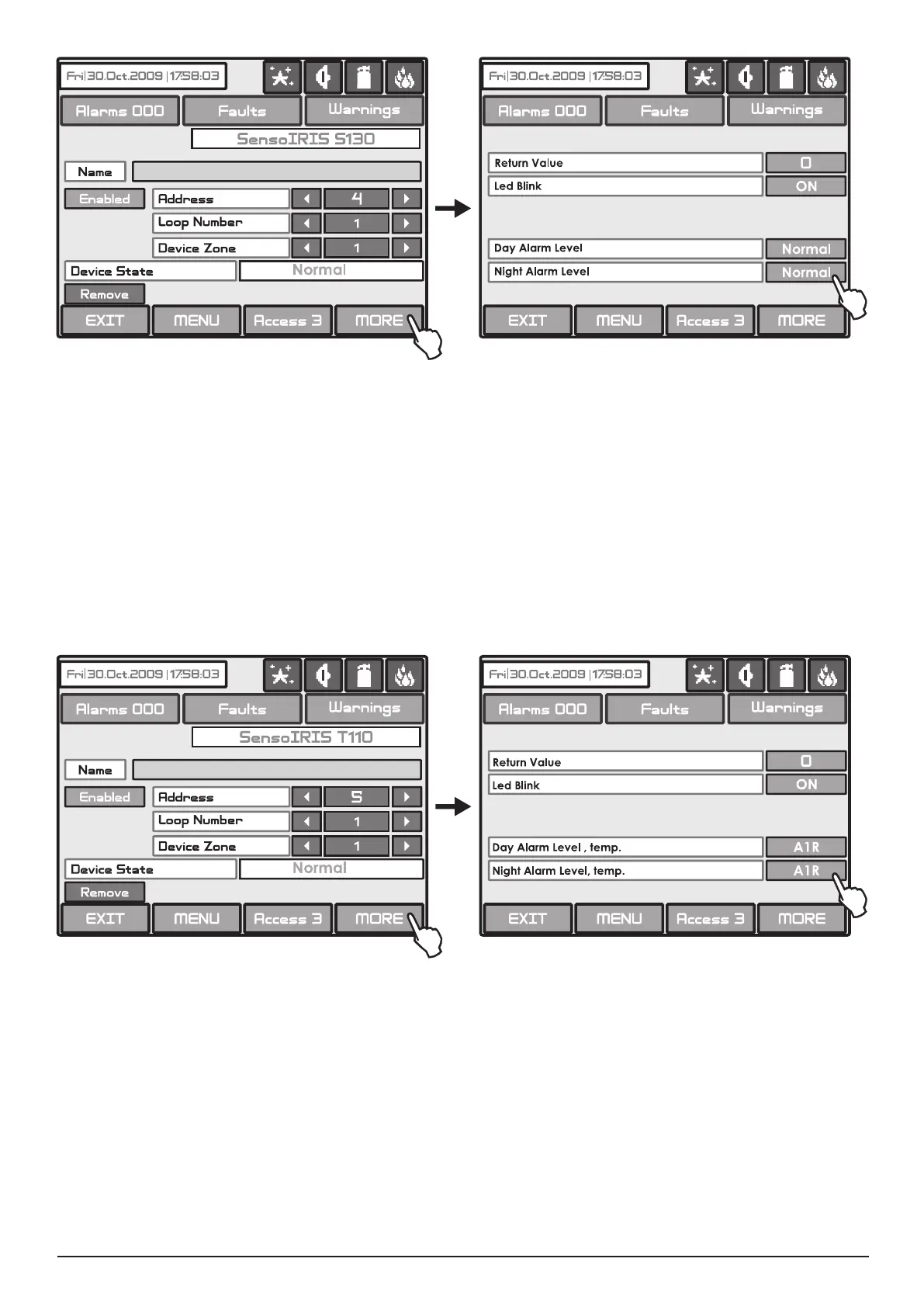
Fig. Screen 13a - SensoIRIS S130 re detector.
On Fig. Screen 13a is shown the SensoIRIS S130 (addressable optical smoke detector) settings screen. Choose the
“MORE” button to enter a screen with additional settings:
• - A digit number sent form the devices to the control panel.
• - Button for changing the LED mode: ON Setting - The LED blinks at every query from the station; OFF
Setting - The LED does not show the dialogue cycle.
• - Setting the day alarm level.
• - Setting the night alarm level.
* There are 4 levels for setting of alarm level sensitivity: High, Normal, Middle and Low. To change the level of sensitivity
simple press the active button next to the eld and choose a new level from the list.
To save the new setting press the “SAVE” button on the main screen.
Fig. Screen 13b - SensoIRIS T110 re detector.
On Fig. Screen 13b is shown the SensoIRIS T110 (addressable temperature detector) settings screen. Choose the
“MORE” button to enter a screen with additional settings:
• - A digit number sent form the devices to the control panel.
• - Button for changing the LED mode: ON Setting - The LED blinks at every query from the station; OFF
Setting - The LED does not show the dialogue cycle.
• - Setting the day class temperature for operation.
• - Setting the night class temperature for operation.
* There are 3 temperature classes for operation: A1R (58º,RoR), A2S (60º), BS (75º). To change the class simple press
the active button next to the eld and choose a new level from the list.
To save the new setting press the “SAVE” button on the main screen.



 To Next Page