IM-LYOQUEST-EN-2101 31 / 58
10.5. Settings
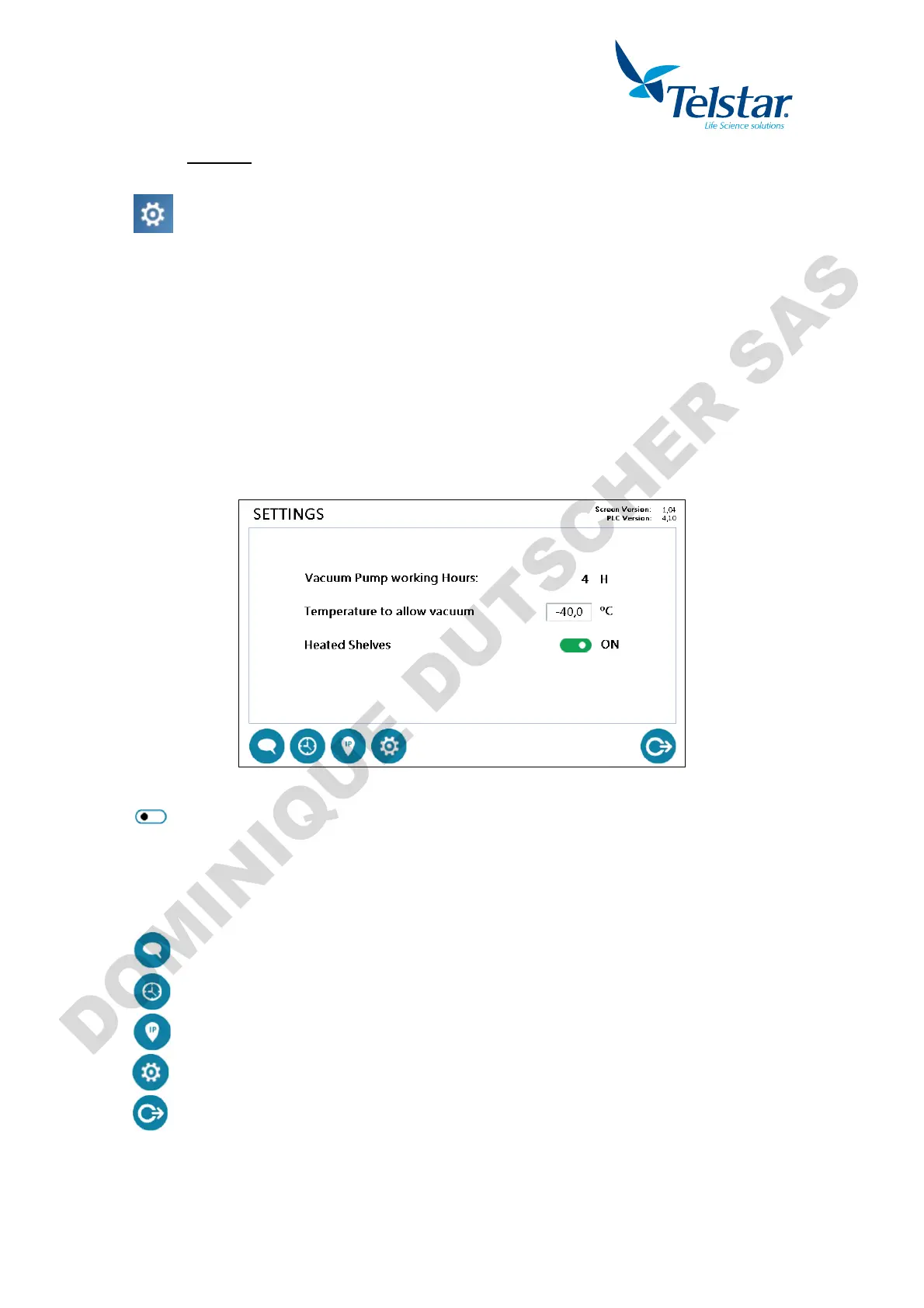
n pressing this button, placed a
window, the user can access the
window:
The equipment and display settings will be shown.
The following actions will be available:
- See the vacuum pump elapsed time (hours).
- Set up the condenser temperature value that determines the vacuum pump start up.
- Set up the manifold/shelves option.
- See the PLC and HMI versions.
Selection button. White if not selected. Green if selected.
- By pressing the icons displayed in the lower area, the user can access additional
settings windows:
Languages setting window.
Time/date system setting window.
IP address of the equipment system window (by default 192.168.9.248)
Window for the Technical Service.
Return to main menu.


 To Next Page