IM-LYOQUEST-EN-2101 23 / 58
10.2.1. Probes
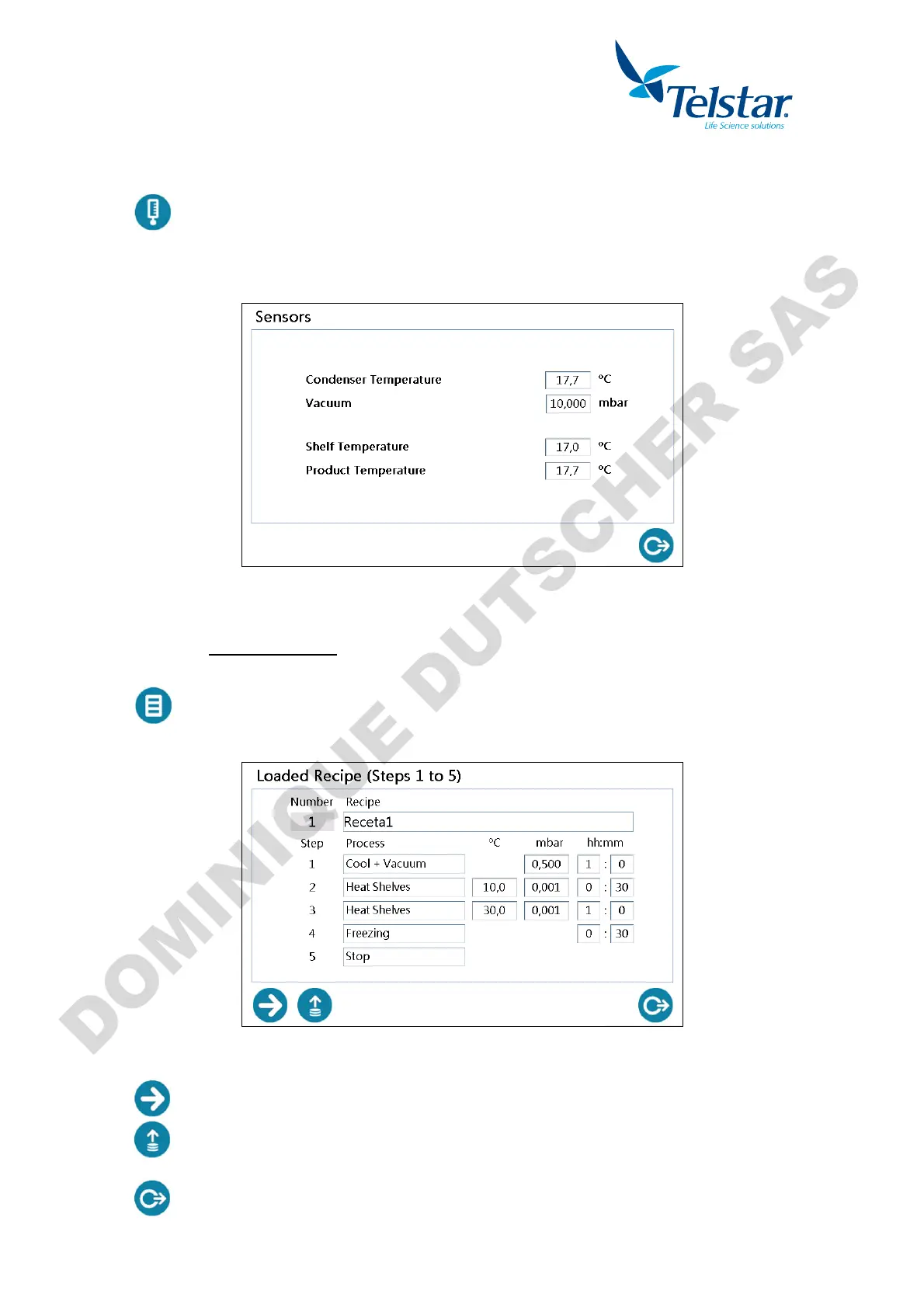
probes window.
The value of each probe of the equipment are displayed.
Shelves and product temperature only appear when shelf option is active.
10.2.2. Recipe
10.2.2.1. LOADED RECIPE
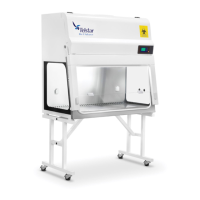
Loaded recipe (active) window.
The recipe currently loaded in the PLC is displayed. It will be executed when Automatic mode
is on.
Data of ºC, mbar and hh:mm are only shown when applicable.
By pressing this button, recipe steps 6 to 10 will be displayed.
Open the window for loading the recipe. The recipes saved in the equipment will
appear (4 possible recipes).
Return to the previous window.


 To Next Page