IM-LYOQUEST-EN-2101 38 / 58
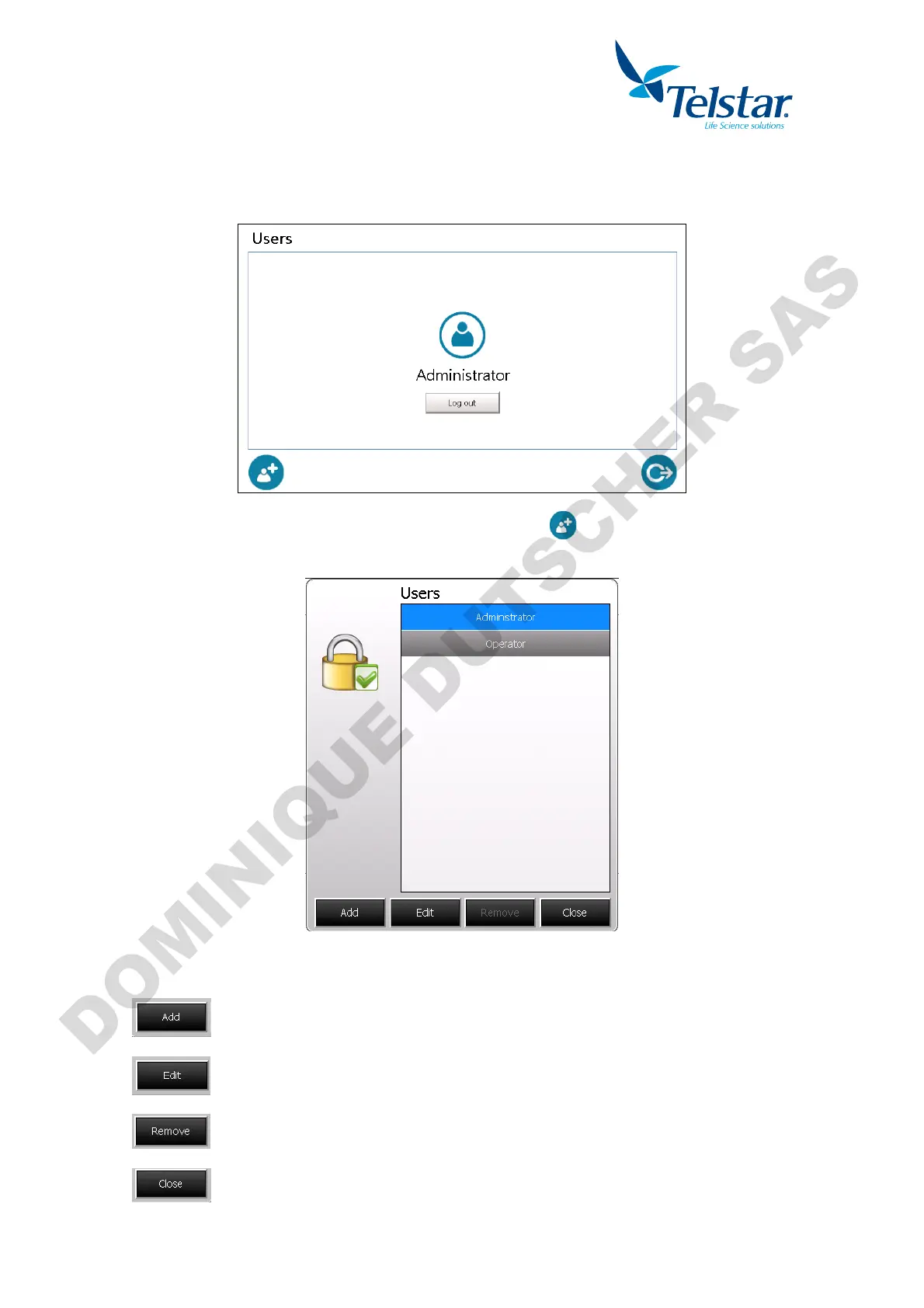
10.7.4. Users management
To manage the users of the equipment it is required to log in as administrator.
A new icon will appear at the left lower part of the screen:
By pressing that icon, a new pop-up window will allow to manage the users.
The full list of the users will apear. Several icons will be showed at the lower part:
Create a new user.
Edit the selected user.
Remove the selected user.
Exit and return to previous window.


 To Next Page