IM-LYOQUEST-EN-2101 39 / 58
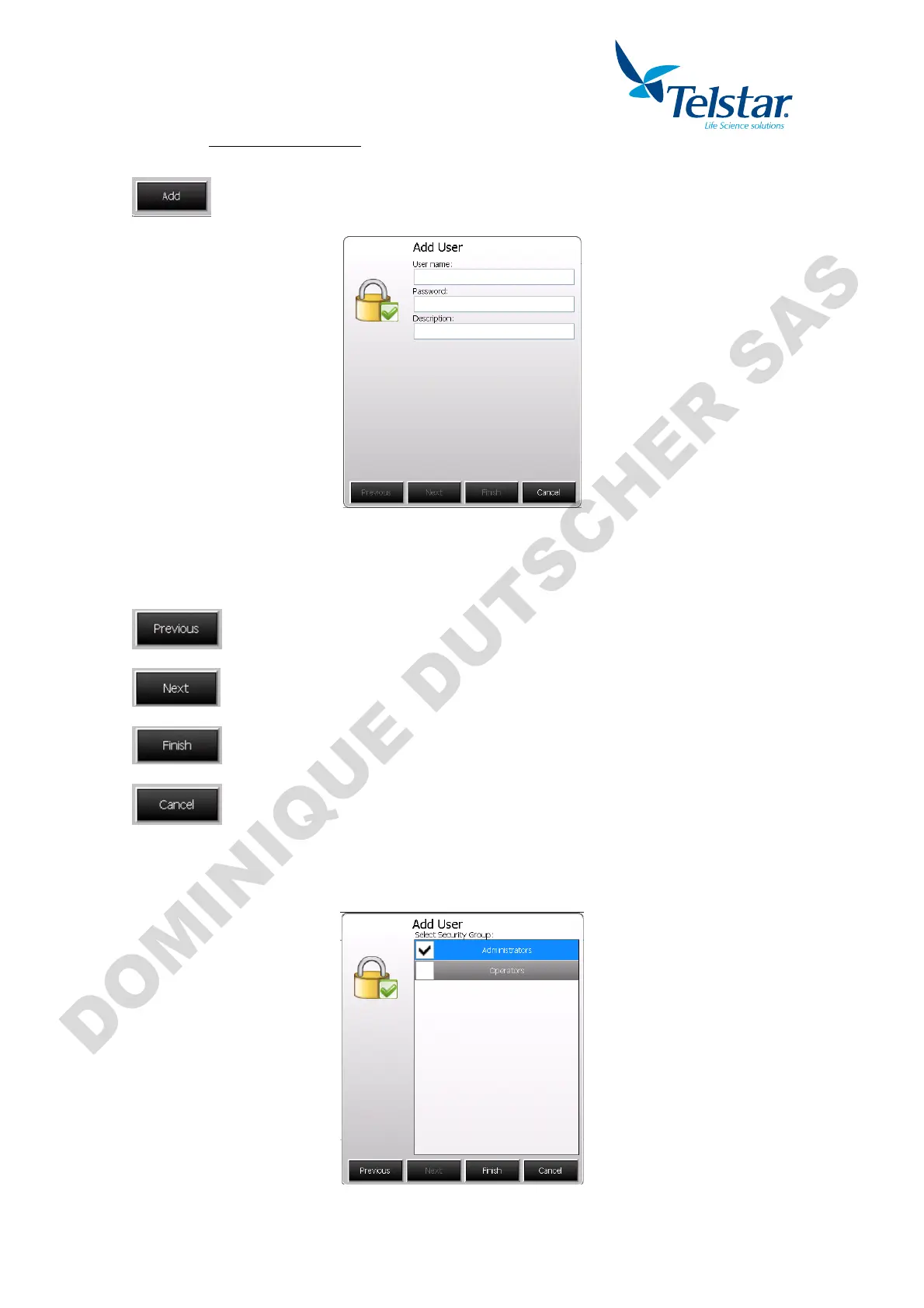
10.7.4.1. CREATE NEW USER
User name: New user name.
Password: New user password.
Description: User description (optional).
Return to previous window.
Go to next window.
Save new user and exit.
Cancel process and exit.
Once data edition if finished, press “next” to go to the next window.
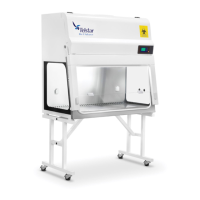
Then the desired user level is to be defined.
After selecting the desired group, press Finish to save and exit.


 To Next Page