Operation
HiPer Pro Operator’s Manual
4-24
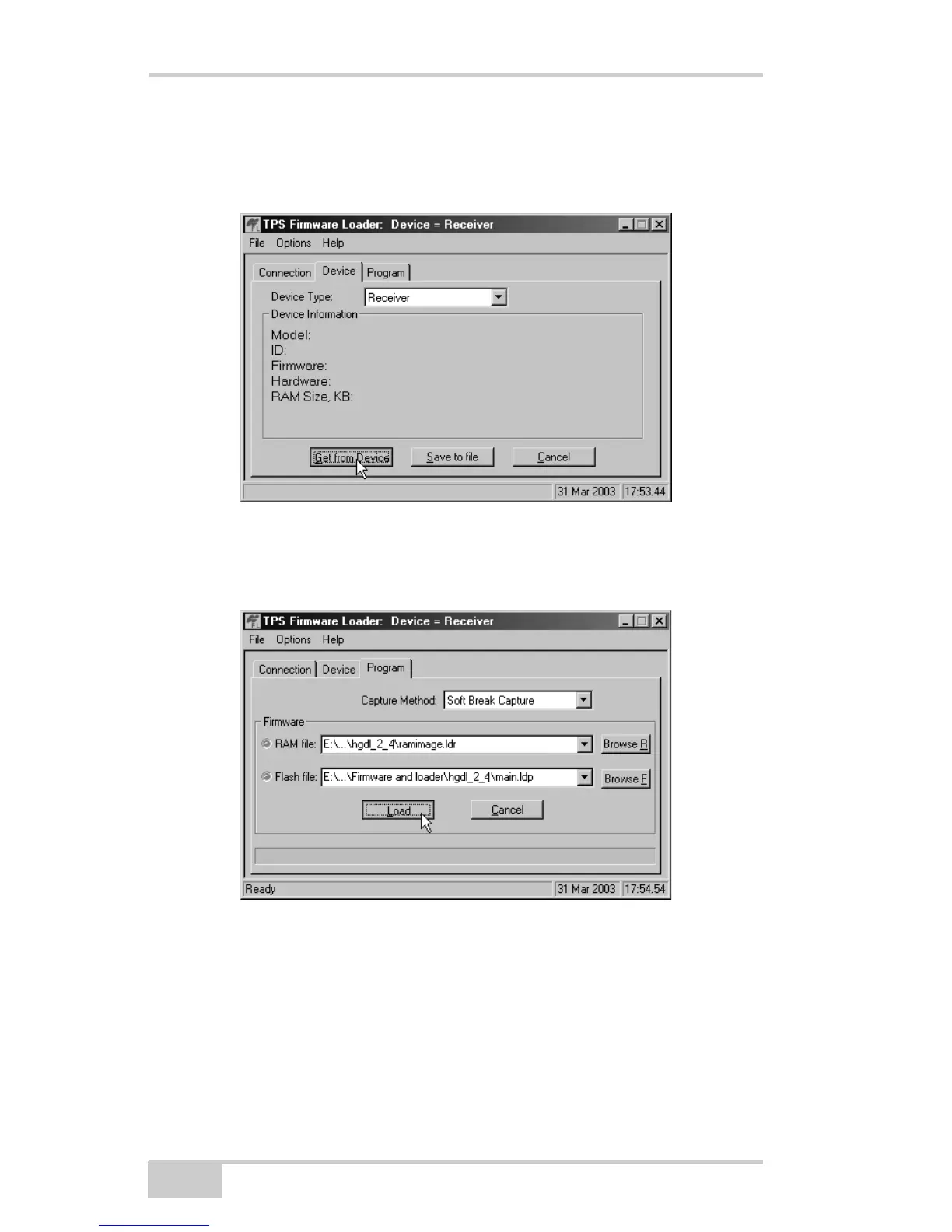
1. In FLoader, click the Device tab and set the Device Type as
Receiver. Then click Get from Device for device information
(Figure 4-15).
Figure 4-15. Set Device Type
2. Click the Program tab and set the Capture Method to Soft Break
Capture (recommended) (Figure 4-16).
Figure 4-16. Program Tab Settings
3. Browse for and select the receiver board’s RAM file and Flash
file (Figure 4-16).
4. Click Load and wait until 100% of the files load into the receiver.



 To Next Page